

How to Import Ferry Tickets Into One Trip Itinerary
Import ferry tickets into your itinerary: which details to keep from the confirmation email, how to check them, and how to share sailings with your group.

On this page

The simplest way to import ferry tickets is to start from the confirmation email your operator or booking site sends after payment, and bring that email into the same itinerary as your flights, hotel and rental car. In Tineo, booking confirmation emails turn into organized trips, so a ferry crossing sits on the same timeline as everything else instead of living in a separate inbox search. Below: what a ferry confirmation contains, how to import it, what to verify, and how to share the sailing with the people traveling with you.
TL;DR
- Ferry bookings arrive as a confirmation email with a booking reference, sailing details and boarding instructions. That email is the thing to import.
- Tineo turns booking confirmation emails into one itinerary on web, iOS and Android, so the crossing appears next to your other reservations.
- After importing, check five things: date and time, ports, passenger names, vehicle details and the check-in window.
- Many ferry operators open web check-in only 48 hours to 2 hours before departure, so put that window on your timeline.
- Share the itinerary with your group so everyone sees the same sailing and the same reference.
Table of Contents
- What a ferry ticket really is
- What to keep from a ferry confirmation
- How to import a ferry booking into your itinerary
- A worked example: a three-leg trip
- Choosing and booking the crossing in the first place
- Sharing ferry bookings with a group
- Tineo for ferry itineraries
- Before you board: a short checklist
- FAQ
- Sources
What a ferry ticket really is
A “ferry ticket” is rarely a paper ticket anymore. It is usually one of three things: a confirmation email with a booking reference, a PDF or QR-code e-ticket, or a reference you quote at check-in.
Operators differ. Irish Ferries, for example, does not issue traditional tickets: the confirmation email holds the booking reference, itinerary and sailing details, and you quote the reference when you check in. Superfast Ferries sends an email with a reservation number after online booking, and you either use web check-in for an e-ticket or collect tickets at a port agency using your booking reference and access code plus ID or passport.
That variety is the reason to import the email rather than retype it. Whatever form your ticket takes, the confirmation email is the one document that nearly always exists, and it is the one that carries the reference you will need at the port.
What to keep from a ferry confirmation
Before you import anything, know what you are looking for in the email. Ferry confirmations tend to carry the same core facts:
| Detail | Why you need it |
|---|---|
| Booking reference (and access code, if there is one) | Required at check-in or at the port ticket office |
| Route and ports | Large cities often have more than one terminal |
| Departure and arrival date and time | Anchors the rest of the day |
| Operator and vessel name | Matters when an operator runs several ships on one route |
| Passenger names | Must match ID or passports |
| Vehicle details | Length, height and registration if you are bringing a car |
| Cabin or seat type | Tells you where you will sleep or sit |
| Latest check-in time | The real deadline, earlier than departure |
This is not a guess at what might be included. Direct Ferries says its confirmation email lists the booking reference, full sailing details, passenger and vehicle details, latest check-in time and the port address, plus instructions on whether the email works as a boarding pass or must be exchanged for a physical ticket. Ferryhopper’s web check-in page describes an e-ticket as holding the ticket number, booking reference, ship name, departure gate, seat or cabin type and a QR code scanned at embarkation.
If you want a broader routine for reservation numbers across flights, hotels and rentals, our guide to finding reservation numbers and keeping them together covers it.
How to import a ferry booking into your itinerary
Here is the routine, step by step, with the points where it usually goes wrong.
1. Find the confirmation email
Search your inbox for the operator’s name or the word “booking” around the date you paid. Ferry emails often come from a booking platform rather than the ferry line itself, so the sender name may surprise you. If you booked for a group and someone else paid, ask them to forward the email to you.
Where it goes wrong: you find the payment receipt but not the confirmation. A receipt rarely has the sailing time or reference. You want the email that lists the departure details.
2. Bring the email into Tineo
Tineo is built to turn booking confirmation emails into organized trips. You bring the confirmation in, and the reservation lands in your itinerary alongside flights, lodging, car rentals, activities and other reservations. You can see which kinds of confirmation emails Tineo can read on our page about which booking confirmation emails Tineo can read.
This is the step where it takes the manual entry off your hands: no copying times, port names and references into a notes app, and no screenshot folder to dig through at the terminal.
3. Check the imported details against the email
Importing saves the typing. It does not replace a quick read. Open the reservation and compare it to the original email on these points:
- Date and time. Ferry times are local to the departure port. If you are crossing between time zones, confirm the arrival time makes sense.
- Ports. Make sure the departure and arrival terminals are the ones you booked, especially in cities with several ports.
- Names. Every passenger should appear exactly as on the ID or passport that will be shown at boarding.
- Vehicle. If you are driving on, confirm the vehicle details. Discover Ferries advises providing vehicle length, height and registration when booking with a car, so those are worth matching against the email.
- Reference. Confirm the booking reference is stored in the reservation, since it is what you will quote at check-in.
4. Add the check-in window to your timeline
The sailing time is not your deadline. Check-in is. Greek operators, for instance, usually allow web check-in only from 48 hours to 2 hours before departure, and Superfast lists collection at a port agency at least 3 hours before departure. Operators set their own windows, so take yours from your confirmation email.

Add the earliest check-in moment and the latest arrival time at the port as notes or separate entries on the day. If you also fly during the trip, our post on Smart Check-In and when check-in opens and closes shows how the same idea works for airlines.
5. Attach the ticket itself
If the operator sends a PDF or QR e-ticket, store it with the reservation so the reference and the scannable code stay together. Ferryhopper says travelers can board with a downloaded ticket or the confirmation on a phone, or collect printed tickets at port offices. Tineo includes document storage, and offline access is part of the paid Ultra plan, which helps when port Wi-Fi or mobile data is unreliable.
A worked example: a three-leg trip
Say you are a family of four on a week away: a flight in, a ferry to an island, a rental car on the island, and a hotel.
- Flight: arrives mid-morning.
- Ferry: departs that afternoon. The confirmation lists the port, a 3:30 p.m. sailing and a check-in cutoff before it.
- Hotel and car: both start on arrival at the island.
With everything in one itinerary, the timeline shows the real constraint: your flight landing time, the transfer to the port and the check-in cutoff all stack up in one afternoon. If the flight runs late, you see at once which later reservation is at risk, rather than discovering it while searching four email threads at the baggage claim.
The same applies to the return. Ferry crossings that connect to a flight home are the legs people most often leave to memory, and they are the ones with hard deadlines.
Choosing and booking the crossing in the first place
Importing starts after you buy. If you are still deciding where, here is what matters.
Where to buy. Wanderu notes tickets can be bought at the port, from the ferry’s own website, or from third-party vendors. Last-minute purchase at the port is often possible, but some sailings sell out or need advance reservation, especially with a vehicle, and last-minute tickets are often pricier.
When to book. Direct Ferries says schedules typically open three to six months before departure, varying by operator and season. Short, frequent crossings are forgiving: if you miss one, another leaves soon. Longer or overnight crossings are worth booking ahead, a trade-off Norm Bour describes in Business Insider.
What it costs. Fares move with season, vehicle size and cabin type. A December 2025 study by Ferrygogo found that moving from peak to shoulder season saves roughly 15 to 20 percent on the same UK route, and that a night crossing for a family of four with a car and cabin cost around £930 in late June versus about £1,070 in early August. Those are UK figures from that study, so treat them as an illustration of the seasonal pattern, not a US price.
Ferry or flight. Compare the whole trip, not the headline fare. In the same publisher’s December 2025 comparison, a family of four taking their own car and an inside cabin came out well ahead of flying plus hotel nights and car hire on routes such as London to Rotterdam (£719 by ferry against £1,320 by air). Dublin to Cherbourg was the exception. Either way, once you decide, the confirmation goes into the same itinerary.

Sharing ferry bookings with a group
Group trips are where a ferry confirmation causes the most confusion. One person books, the reference sits in their inbox, and everyone else asks for a screenshot at the port.
A shared itinerary solves this. Tineo lets you collaborate with friends or family, so everyone sees the same sailing, the same check-in window and the same reference. A few habits help:
- Pick one organizer to import the confirmation, then share the trip.
- Confirm names for every passenger before the group splits up to travel separately.
- Note who is bringing the vehicle and which ticket covers it.
- Put the meeting point and time in the entry, not in a chat message that will scroll away.
For a bigger group with shared costs, our group trip coordination checklist lays out flights, lodging and cost splitting, and the same logic applies to a ferry leg. And when plans shift, the travel booking change tracker shows how to log each change so no one acts on an outdated sailing.
Tineo for ferry itineraries
Tineo Free costs $0 per month and covers the core: turning confirmation emails into an organized trip. Tineo Ultra is $4.99 per month or $39.99 per year and adds advanced AI capabilities, offline access, document intelligence and premium trip management tools. If you want your ferry, flights, hotel and rental car on one timeline you can share, you can start with the free plan and see the full details on the Tineo pricing page.
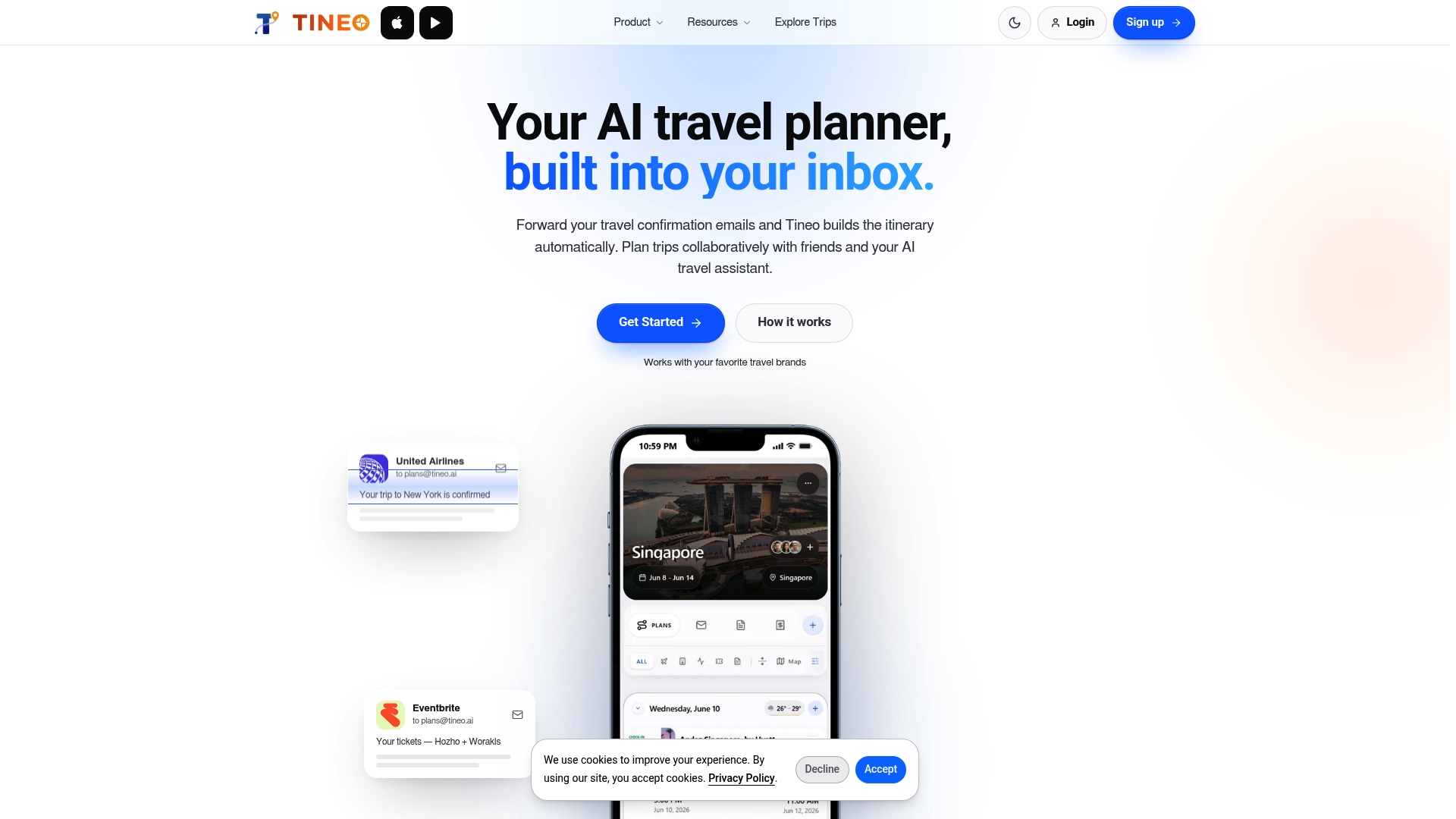
Tineo organizes trips you have already booked. It does not book travel for you, so you still buy your ferry from the operator or the booking site you prefer, then bring the confirmation in.
Before you board: a short checklist
- Booking reference and any access code saved in the itinerary.
- Departure port, and the port address, confirmed.
- Check-in window and latest arrival time added to the day.
- Passenger names match ID or passports.
- Vehicle details match the booking.
- E-ticket or QR code stored where you can open it offline.
- The itinerary shared with everyone traveling.
FAQ
Can I import a ferry ticket from an email?
Yes, the confirmation email is the best thing to import, because it carries the booking reference, sailing times and boarding instructions. Tineo turns booking confirmation emails into organized trips, so the crossing appears on your timeline next to your other reservations. Open the result and compare it against the original email.
What should I save from a ferry confirmation?
Keep the booking reference, any access code, route and ports, departure and arrival times, passenger names, vehicle details and the latest check-in time. If the operator sends an e-ticket with a QR code, store that too. Those are the details operators ask for at check-in or at the port.
When does ferry check-in open?
It depends on the operator and route. Greek ferry companies usually allow online check-in only from 48 hours to 2 hours before departure, for example. Your confirmation email states the window that applies to your sailing, so copy it into your itinerary.
Do I need a printed ticket?
Not always. Some operators accept a phone confirmation or downloaded e-ticket, while others ask you to collect a ticket at a port office with your reference and ID. The confirmation email says which applies to your booking.
Sources
- How to Book Your Ferry Tickets, Superfast Ferries
- Make a booking with Irish Ferries
- The 101 on Booking & Boarding Your Ferry, Direct Ferries
- Web Check-in, Ferryhopper
- Ferryhopper
- How to book the ferry, Discover Ferries
- Buy Ferry Tickets Online, Wanderu
- Why Ferry Travel Is Better Than Trains, Flying, Business Insider
- Ferry fares next summer, Ferrygogo
- From cabin to cockpit: family holidays by ferry vs plane, Ferrygogo