

Mindtrip Alternatives: Which Travel Planner Fits Your Trip
Compare Mindtrip alternatives by what you need: AI trip ideas, offline maps, or one shared itinerary built from your booking emails. Prices and tradeoffs included.

On this page

The best Mindtrip alternative depends on which stage of the trip you are in. If you are still deciding where to go, an AI idea generator such as Wonderplan or a trip journal such as Polarsteps may fit. If you have already booked and need flights, hotels, rental cars and activities in one shared itinerary, Tineo is built for that job: it turns your booking confirmation emails into an organized trip you can share with the people traveling with you.
This guide compares the options by task, not by hype. It covers what each app helps you do, what the free plan allows where a source states it, and which kind of traveler each one suits.
TL;DR
- Mindtrip describes itself as a personal travel assistant that helps you plan and book. Alternatives matter when you want something different: a free generator, a trip journal, offline maps, or a single itinerary for trips you have already booked.
- For booked trips, groups and families, Tineo imports confirmation emails into one timeline and shares it across web, iOS and Android. Tineo Free costs $0, and Tineo Ultra is $4.99 per month or $39.99 per year.
- For quick, free AI ideas, Wonderplan generates a plan from a short set of questions.
- For offline maps and exports on a city break, Tripomatic’s Premium plan is $29.99 per year.
- Pick by task: inspiration, booked-trip organization, maps and offline use, or travel memories.
Table of Contents
- Why travelers look beyond Mindtrip
- Mindtrip alternatives at a glance
- Tineo: one itinerary built from the trips you have booked
- Wonderplan: a free first draft
- Polarsteps: planning plus tracking and recaps
- Tripomatic: offline maps for city breaks
- How to choose by task
- A worked example: a family trip with four reservations
- If you are moving from TripCase
- Check official sources for travel requirements
- Try Tineo for the trip you have booked
- FAQ
- Sources
Why travelers look beyond Mindtrip
Mindtrip’s own homepage says it learns your style, helps you plan and book, and keeps you ahead before and during a trip. That is a broad promise, and it suits people who want an AI to suggest where to stay and what to see. Many travelers, though, are in a different position. They have already booked a flight with one airline, a hotel through another site, a rental car with a third company, and a dinner reservation by email. What they need is not more ideas. They need every confirmation in one place, in order, and shareable.
That difference explains most searches for alternatives. Tools fall into four groups:
- Idea and plan generators. You answer a few questions and receive a draft day-by-day plan.
- Map-based planners. You save places, arrange them by day and sometimes use them offline.
- Trip journals and trackers. You record where you went and share the story afterward.
- Booked-trip organizers. You bring reservations in and see them as one timeline.
Mindtrip leans toward the first group. The right alternative is the one that matches the group you actually need. If you want to see how Mindtrip’s group planning is treated in a wider roundup, our comparison of AI travel planner apps covers it.
Mindtrip alternatives at a glance
| App | Best for | What it does | Cost (as sourced) |
|---|---|---|---|
| Tineo | Trips you have already booked, groups, families, business travel | Turns confirmation emails into a shared itinerary; offline access, document storage and AI assistant on the paid plan | Free: $0. Ultra: $4.99 per month or $39.99 per year |
| Wonderplan | Fast, free first drafts | Generates a trip plan from a short set of questions and suggests accommodations | Free “at least for now”; no paid plans shown |
| Polarsteps | Travelers who also want tracking and recaps | AI planner plus trip tracking and recaps | Free plan with a stated cap; Plus tiers are paid |
| Tripomatic | Budget city breaks with offline maps | Day planner with maps and exports | Free: 5 planned days per month, 25 places per trip. Premium: $29.99 per year |
The Wonderplan, Polarsteps and Tripomatic details come from a November 2026 review of AI travel planning apps. Prices change, so confirm the current figure on each provider’s own page before you subscribe.
Tineo: one itinerary built from the trips you have booked
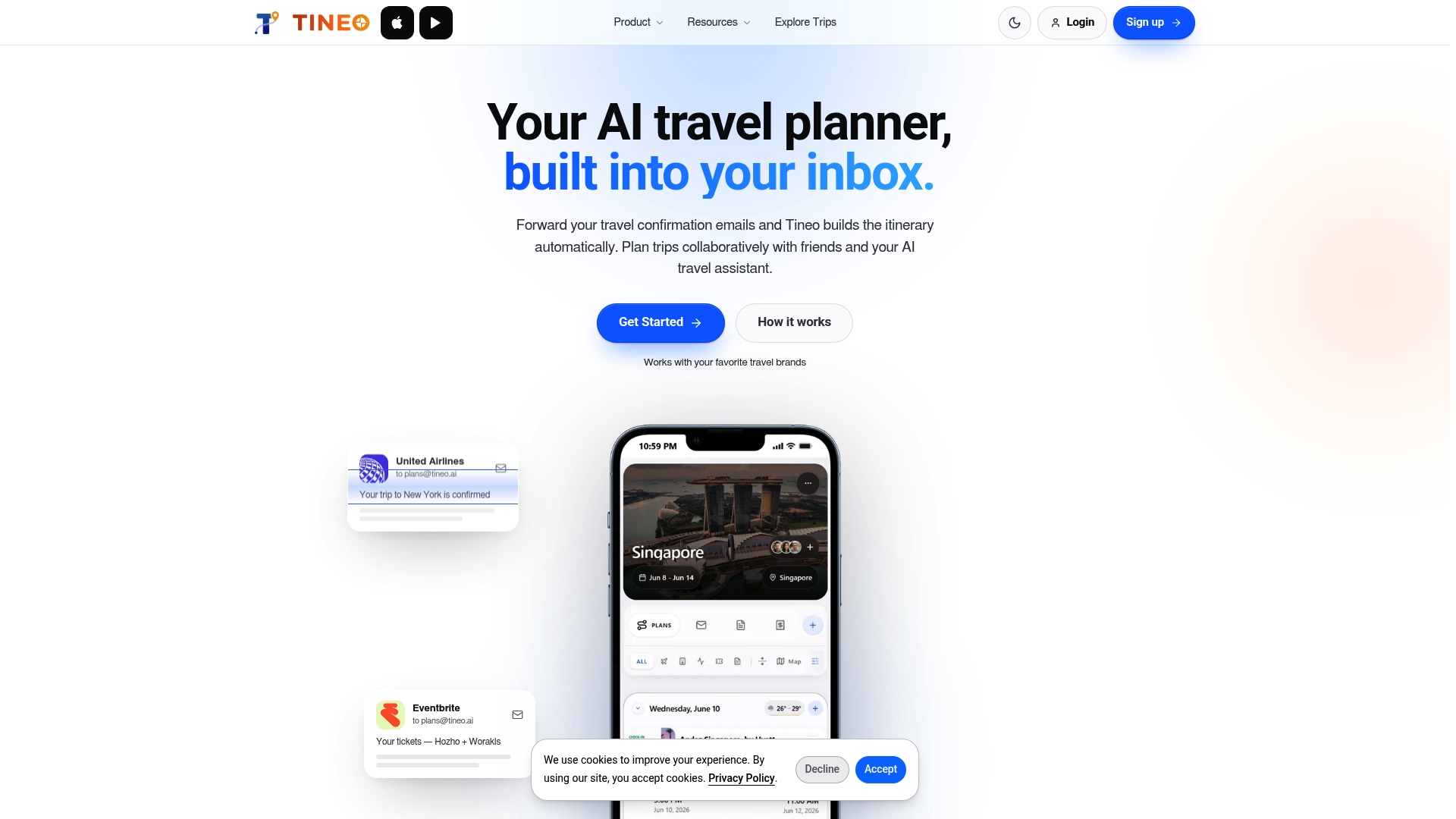
Tineo is an AI-powered itinerary app for trips that already exist. You bring in flights, lodging, car rentals, activities and other reservations from your confirmation emails, and Tineo organizes them into a single trip timeline. You can open the trip on web, iOS or Android, and invite friends or family to collaborate.
What that removes is manual entry. Instead of copying a flight number, a check-in time and a confirmation code into a notes app, the details arrive from the email you already received. For anyone coordinating a group, that matters twice: one person does the setup, and everyone else sees the same schedule.
What the app includes:
- Email import for flights, hotels, car rentals, activities and other reservations.
- A single trip timeline that keeps reservations and trip details together.
- Sharing and collaboration with friends, family or colleagues.
- Document storage for the files that go with a trip.
- An AI travel assistant that answers in the context of your trip.
- Offline access on the paid plan, so the itinerary is there when the signal is not.
Tineo does not book travel for you. You book wherever you prefer, and Tineo organizes the result. That is the clearest way to tell it apart from a tool that plans and books in one place. For a closer look at how it sits next to other planners, see the Tineo section of our planner comparison.
What it costs
Tineo Free costs $0 per month. Tineo Ultra costs $4.99 per month or $39.99 per year, and it unlocks advanced AI capabilities, offline access, document intelligence and premium trip management tools. The full list is on the Tineo pricing page.
Wonderplan: a free first draft
Wonderplan is an AI planner that builds a trip plan from a short set of questions and also offers personalized accommodation recommendations. According to the November 2026 review above, its homepage calls it free “at least for now,” and no paid plans are shown.
That makes it a reasonable place to start when you have a destination in mind and no structure yet. The output is a draft. Once you book the real flights and hotels, you will still need somewhere to hold the confirmations and the schedule together. Our write-up of Wonderplan as a plan you can edit and download explains how that fits into a workflow.
Best for: solo travelers and couples who want ideas quickly, at no cost.
Polarsteps: planning plus tracking and recaps
The same review ranks Polarsteps first among AI travel planners, mainly because it publishes so much of what a buyer needs: both Plus prices, a stated free-plan cap and a privacy policy that says personal data is not used to train AI models. It also notes that the planner is one feature among several, including tracking and recaps, so someone who only wants an itinerary gets more app than they need.
That is useful framing. If you enjoy documenting a trip as it happens and sharing the story afterward, Polarsteps covers more of that than an itinerary organizer does. If you only need your reservations in order, a narrower tool is simpler.
Best for: travelers who want a record of the journey, not just a schedule.
Tripomatic: offline maps for city breaks
Tripomatic suits budget-minded city-break planners who want offline maps and exports. Per the review, the free plan allows 5 planned days per calendar month and 25 places per trip. Premium removes those caps for $29.99 per year and adds offline maps plus PDF, GPX and KML export.
The free caps are worth reading against your own trip. A five-day city break with five stops a day reaches 25 places exactly. A longer or busier trip will hit the limit.
Best for: short, map-centered trips where you want to walk from place to place with offline access.

How to choose by task
Match the app to the problem in front of you.
“I do not know where to go or what to do”
Use a generator or a visual planner. Mindtrip and Wonderplan both work in this area, and our shortlist by planning task breaks the choice down further. Treat the output as a draft to check against opening hours and travel times.
“I have booked and my confirmations are scattered”
Use Tineo. Forward or import the emails, check that each reservation landed on the right day, and the trip is organized. This is the most common situation for frequent travelers, and it is where manual copying wastes the most time.

“We are a group and everyone asks the same questions”
Group trips fail on coordination, not on ideas. Who lands when? Which hotel is it? What time is the dinner? A shared itinerary that everyone can open answers those questions once. In Tineo, you invite friends or family to the trip, and Free covers the core tools.
“I travel for work”
Business trips involve many small bookings across different providers. A single timeline with stored documents and offline access means the details are at hand in a taxi or at a gate. Tineo’s Ultra plan includes offline access and document intelligence.
“I want to remember the trip”
If the story matters more than the schedule, a tracker and journal such as Polarsteps fits better.
A worked example: a family trip with four reservations
Say you are taking a family trip with a flight, a hotel, a rental car and a tour. Here is the booked-trip routine:
- Book as you normally would. Each provider sends a confirmation email.
- Bring the emails into Tineo. Each reservation becomes an entry in one timeline.
- Check the days. Confirm that the flight lands before the hotel check-in and that the rental pickup matches the arrival time.
- Invite your travel partners. Everyone sees the same timeline, so there is no need to reply to the same question four times.
- Add the extras. Store documents with the trip and ask the AI assistant questions about the plan.
The steps stay short because the information already sits in your inbox. If your inbox is the real problem, our guide on how to organize travel confirmation emails goes through it in detail.
If you are moving from TripCase
TripCase has been retired. If you relied on it to collect confirmations, the migration is the same as above: gather your upcoming confirmation emails and bring them into a new itinerary tool. Tineo is designed for exactly this kind of email-to-itinerary workflow. Check any past trips you want to keep before you move over.
Check official sources for travel requirements
No itinerary app replaces official guidance on passports, visas, entry rules or health requirements. These change, and they differ by country. Before you travel, check the website of your destination’s government or your own country’s travel authority, and keep the result with the trip documents.
Try Tineo for the trip you have booked
If your trip is already booked and the details are spread across emails, Tineo’s free tier is a simple place to begin. Ultra, at $4.99 per month or $39.99 per year, adds advanced AI features, offline access and document intelligence. See the plans on the pricing page, or look at the latest product updates.
Tineo organizes your reservations and does not book travel or guarantee outcomes. You keep booking with the airlines, hotels and rental companies you already trust.
FAQ
What is the best free alternative to Mindtrip?
It depends on the task. Tineo Free costs $0 and organizes booked trips from your confirmation emails. Wonderplan is free for generating a plan from a short set of questions, though its homepage says that is “at least for now.” Check each provider’s page for current limits.
Which app is best for group trips?
Choose one where everyone can see the same itinerary without retyping details. Tineo lets you collaborate with friends or family on a shared trip, available on web, iOS and Android. Use it after the group has booked, so each confirmation lands in the same timeline.
Can I use these apps offline?
Some can. Tineo includes offline access on the paid Ultra plan. Tripomatic’s Premium plan, at $29.99 per year, includes offline maps and exports. Download what you need before you leave, since coverage varies by destination.
Does Tineo book flights or hotels?
No. Tineo organizes reservations you have already made. You book with the provider of your choice, and the confirmation email becomes part of your itinerary.
Sources
Recommended
Keep reading

Travel Apps
Travel Apps That Shut Down: Dates, Data and Replacements
A sourced tracker of trip planner and itinerary apps that shut down since 2017: announcement and closing dates, what happened to user data, and official advice.
Roadtrippers alternatives
Roadtrippers Alternatives: 7 Apps for Road Trip Planning
Compare Roadtrippers alternatives for route planning, itinerary management, booking imports and group trips, and see which one fits your next drive.
CheckMyTrip alternatives
CheckMyTrip Alternatives for Organizing Your Bookings
Looking for a CheckMyTrip alternative? Compare Tineo, TripIt, Wanderlog, AwardWallet and others on email import, sharing, group trips and offline access.