

Travel Itinerary Security: Why Booking Codes Act Like Passwords
Protect booking emails, confirmation codes, and shared trip details with practical account, device, storage, and Wi-Fi steps that keep itineraries private.

On this page

Lock down the accounts tied to your bookings first: turn on multifactor authentication, use a unique password for each travel account, stop posting tickets or itinerary details publicly, and keep your confirmations in one secured place, such as Tineo, rather than scattered across email threads. These steps follow government cybersecurity guidance and FTC anti-fraud advice, and they close most of the gaps that let strangers see or hijack a trip.
TL;DR:
- Share itinerary details through invitation only, read only links rather than forwarded confirmation emails, because booking references can let others change reservations.
- Before departure, update devices, enable encryption and a strong screen lock, and set up remote locking or wiping in case a phone disappears.
- Verify booking messages through the official app or website, because accurate reservation details do not prove legitimacy and unusual payment demands may signal fraud.
- Use mobile data or a personal hotspot for booking logins; a VPN lowers public network risks but does not replace account protections.
- If a device or itinerary is compromised, change passwords from a trusted device, revoke unfamiliar sessions, and contact providers through verified channels.
Table of Contents
- Account and password steps that protect your booking emails
- Securing your phone, tablet, and laptop before and during travel
- Sharing your itinerary safely with family and travel companions
- Storing and backing up your booking confirmations
- Spotting fake booking sites and travel payment scams
- Staying safe on public Wi-Fi and hotspots while traveling
- What to do if your itinerary or device is compromised
- How centralizing your confirmations reduces your exposure
- FAQ
- Sources
Account and password steps that protect your booking emails
Your itinerary is only as secure as the email account and booking profiles behind it. If someone gets into your inbox, they can find every confirmation, change a reservation, or request a refund in your name.
A few habits make that much harder:
- Use a password manager to generate a different password for every airline, hotel, and travel app account.
- Turn on multifactor authentication for your email provider and for each airline, hotel, or itinerary account that supports it, as recommended in the personal cyber security handbook for overseas travel.
- Review account recovery settings before you leave, and remove any old devices or sessions you no longer use.
- Treat your booking confirmation code and the original email or PDF as credentials, not just paperwork, since they often contain a reference number that lets anyone open or modify the reservation.
That last point matters more than most travelers realize. According to Finnair’s privacy notice, a booking reference can function as an access key, and other people listed on the same reservation may be able to view or manage it through “Manage booking” tools.
Pro Tip: Store confirmation numbers in a password manager’s secure notes instead of leaving them in a forwarded email chain.

Securing your phone, tablet, and laptop before and during travel
A lost or stolen device is one of the fastest ways a stranger ends up looking at your itinerary. A little setup before you leave limits what they can actually do with it.
- Install the latest operating system and app updates, and run reputable antivirus or antimalware software if your device supports it.
- Turn on full device encryption along with a strong PIN, passcode, or biometric lock.
- Enable Find My Device or a remote wipe option so you can lock or erase the device if it goes missing.
- Consider a travel-only device or remove sensitive files before departure, as suggested in Canada’s cyber security travel guidance.
- Back up your trip files to encrypted cloud storage or an encrypted external drive before you go, so losing a device doesn’t mean losing access to your itinerary.
For a deeper walkthrough of what to keep on hand versus what to leave behind, our guide on the documents every international traveler needs covers specific file types worth protecting.
Sharing your itinerary safely with family and travel companions
Group trips mean someone has to share details, but forwarding a confirmation email or posting a screenshot opens the door wider than most people intend.
- Share through invitation-only access or a permissioned link inside an itinerary app rather than forwarding the original confirmation email.
- Set shared views to read-only where the tool allows it, and use links that expire instead of permanent ones.
- Remember that anyone named on the same reservation may already have access through the airline or hotel’s “Manage booking” feature, so add names to a booking with that in mind.
- For a family trip, invite only the people traveling; for a larger group, assign one organizer to manage the master itinerary and share view-only access with everyone else.
Our article on how to turn confirmations into a live itinerary walks through setting up that kind of shared, permissioned view for a group.
Storing and backing up your booking confirmations
Once confirmations stop living in dozens of separate emails, there’s far less chance one of them gets forwarded, screenshotted, or left open on a shared computer.
- Keep backups in encrypted cloud storage or on an encrypted external drive rather than as loose PDFs on a desktop.
- Remove sensitive documents from your phone or laptop before travel if you won’t need them until you’re home.
- Consolidate every confirmation, boarding pass, and reservation number into one secured location so recovery after a lost device or canceled flight takes minutes, not hours.
Our guide to organizing travel documents lays out a simple filing system that works whether you’re backing up manually or using an app to do it.
Spotting fake booking sites and travel payment scams
Scammers target travelers right when they’re busy and distracted, usually with a message that looks like it came from an airline or hotel.
- Type the company’s address yourself or use a saved bookmark instead of clicking a link in an unexpected email or text.
- Check the domain carefully before entering any login or payment details.
- Treat a sudden request to pay by wire transfer, gift card, or cryptocurrency as a red flag, never a normal booking step.
- Log into your account directly through the official site or app to confirm a message instead of replying to it.
- Report suspicious messages to the airline or hotel and to a consumer protection body in your country.
The FTC’s advice on avoiding travel scams makes the same point: type or bookmark the site yourself, and treat unfamiliar payment requests as a warning sign. A message with accurate booking details is not proof it’s legitimate. Fraud guidance from Switzerland’s National Cyber Security Centre notes that scammers can include real reservation information in a fake message, which is exactly why verifying through your own account matters more than checking the message itself.
Staying safe on public Wi-Fi and hotspots while traveling
Airport and hotel Wi-Fi networks are convenient and also one of the easiest places for someone to intercept login details or confirmation links.
- Prefer your phone’s mobile data or a personal hotspot when logging into email, banking, or booking accounts.
- Turn off automatic Wi-Fi joining, and double-check the official network name before connecting, since fake hotspots often mimic real ones.
- Take certificate or security warnings seriously instead of clicking through them.
- Use a trustworthy VPN on networks you don’t control. It reduces risk but doesn’t replace multifactor authentication or unique passwords.
- Change your passwords after a trip where you suspect a network was compromised, which matches guidance from the FCC’s cybersecurity tips for international travelers.
If you’re switching SIMs or adding data plans for the trip, WayfarerSIM’s guide to keeping your phone number with a travel eSIM explains how to keep text-based authentication working while you’re using a new data plan abroad.
What to do if your itinerary or device is compromised
Speed matters here. The sooner you act, the less a scammer or thief can do with what they’ve accessed.
- Change your passwords immediately from a secure, trusted device, and revoke any active sessions you don’t recognize.
- Contact the airline, hotel, or payment provider directly through their official app or phone line to confirm your bookings and charges are intact.
- Pull your reservation details from a backup or from a second device if your primary one is lost or locked.
- Report fraud to your bank and to a consumer protection authority, and keep your card issuer’s emergency blocking number saved somewhere other than the compromised device.
Pro Tip: Save your bank’s emergency contact number in a second app or write it down before you travel, since you may need it without access to your usual phone. Setting up emergency contacts in your trip app ahead of time makes this step faster when it counts.
How centralizing your confirmations reduces your exposure
Every time a confirmation email gets forwarded, screenshotted, or copied into a group chat, it creates one more place where itinerary data can leak. We built Tineo to cut that chain short: it auto-imports your booking confirmations into a single trip view, so there’s less reason to forward the original emails at all.
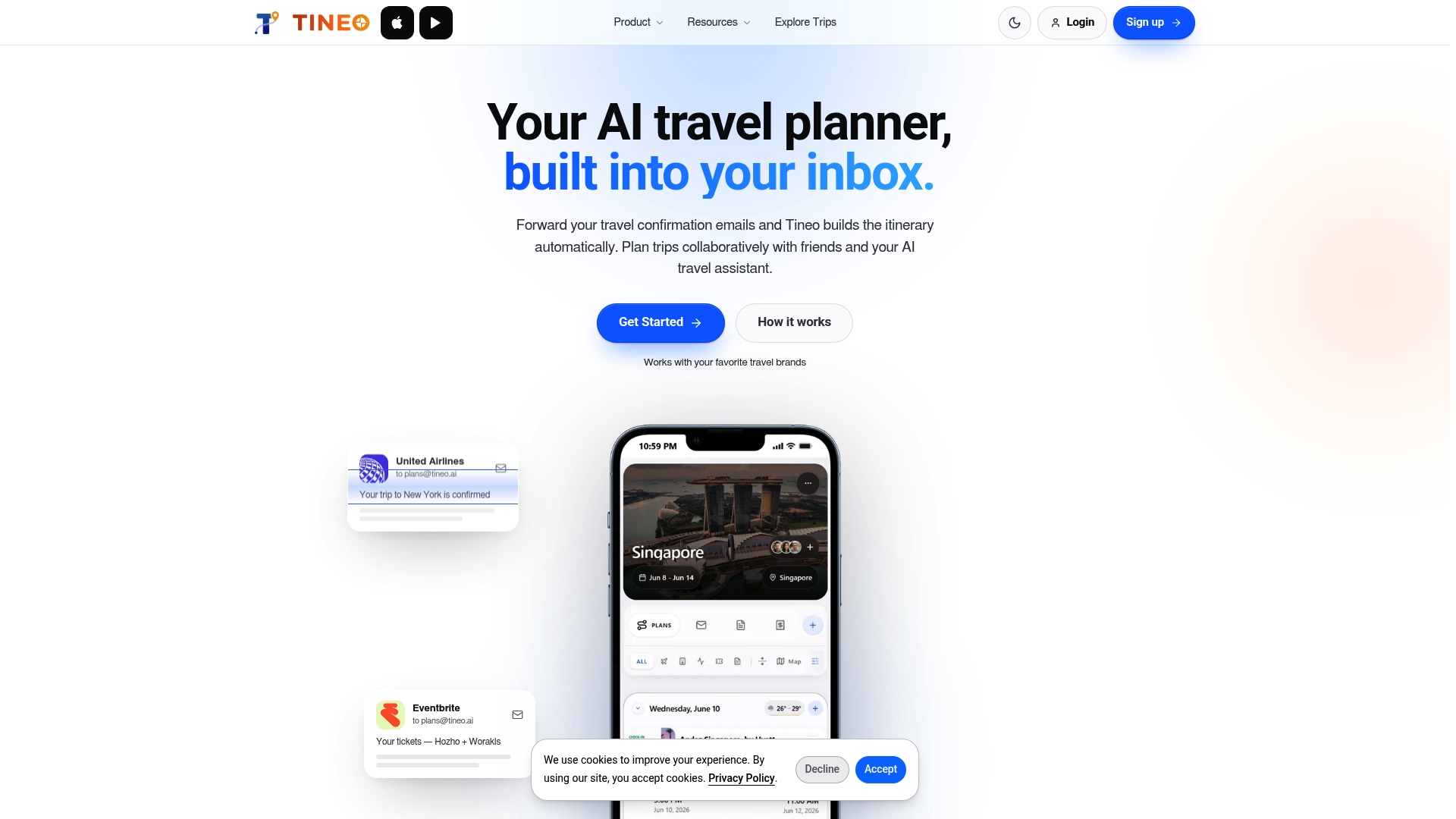
- Auto-import turns confirmation emails into one organized itinerary instead of a scattered inbox.
- Permissioned sharing lets you invite travel companions to a specific trip without forwarding raw booking emails.
- Offline access and secure document storage mean your itinerary is available even without a network connection.
- The app works across web, iOS, and Android, so your group sees the same trip details wherever they are.
Tineo Free covers the core itinerary tools at no cost, and Tineo Ultra adds document intelligence for $4.99 a month or $39.99 a year. Take a look at what’s new if you want to see how the app has evolved, then start your next trip with your confirmations in one place instead of a dozen.
FAQ
What is the single most important step for itinerary security?
Turning on multifactor authentication for your email and travel accounts is the step with the biggest impact, since most itinerary exposure starts with a compromised login. Pair it with a unique password for each account, as recommended in the personal cyber security handbook for overseas travel.
Is it safe to post my boarding pass or itinerary online?
No. Boarding passes and itinerary screenshots often contain booking reference numbers that can be used to access or modify your reservation, and Smartraveller’s cyber security guidance specifically warns against posting tickets, flight details, or live location publicly.
Does a VPN fully protect my itinerary on public Wi-Fi?
A trustworthy VPN lowers the risk of someone intercepting your data on an untrusted network, but it doesn’t replace multifactor authentication or unique passwords. The FCC’s guidance for international travelers treats a VPN as one layer among several, not a standalone fix.
How can I tell if a booking message is a scam?
Check whether the message asks for payment by wire transfer, gift card, or cryptocurrency, since legitimate airlines and hotels don’t request those. Verify any request by logging into your account directly through the official app or website rather than replying to the message, following FTC guidance on travel scams.
Can Tineo help keep my itinerary private?
Tineo centralizes your booking confirmations into one trip view and supports permissioned sharing, which reduces how often confirmation emails get forwarded or copied elsewhere. Pricing and plan details are listed on the Tineo pricing page.
Sources
- Personal cyber security handbook, travelling overseas
- Cyber security, Smartraveller
- Cybersecurity tips for international travelers (FCC)
- Finnair privacy notice
Recommended
Keep reading
combine travel bookings
How to Combine Travel Bookings Into One Itinerary
Learn what combining travel bookings really means: when airlines and hotels can link or merge reservations, the risks, and how to put it all in one itinerary.

Travel Apps
Travel Apps That Shut Down: Dates, Data and Replacements
A sourced tracker of trip planner and itinerary apps that shut down since 2017: announcement and closing dates, what happened to user data, and official advice.
share itinerary whatsapp
How to Export an Itinerary to PDF (and Share It Easily)
Export an itinerary to PDF on desktop, iPhone, and Android, then share it by WhatsApp, text, or a link. Includes steps for Google Docs and trip apps.