Add and change plans
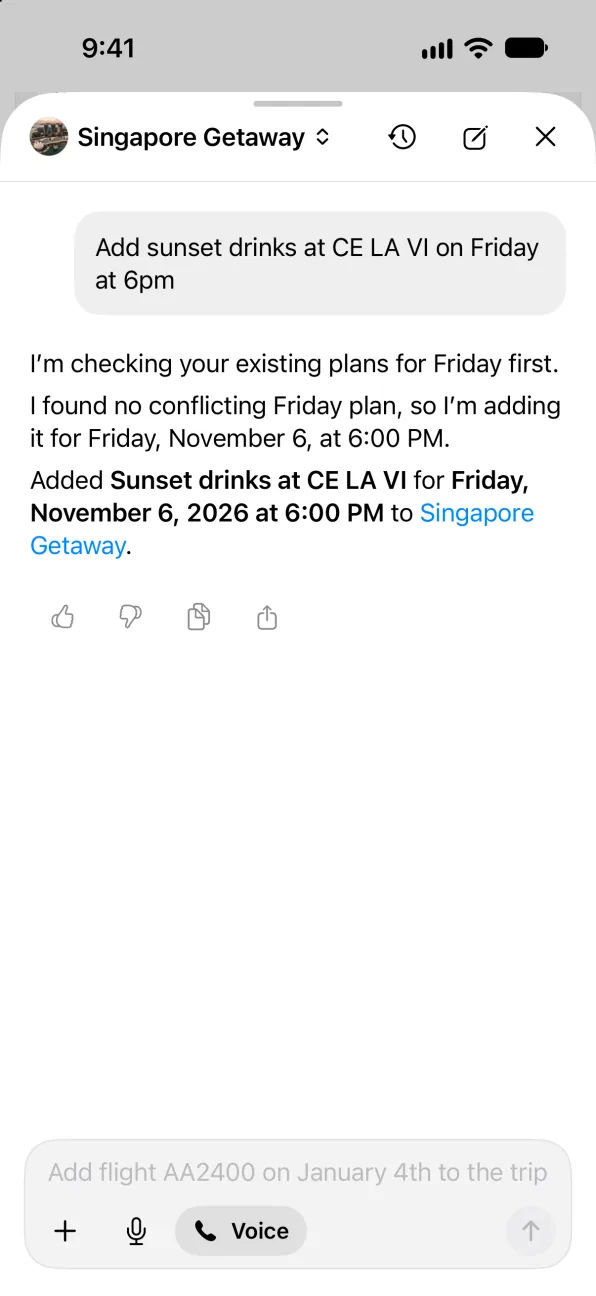
Add activities, dinners and notes to the right day, or adjust what is already there, by asking in plain words.


AI trip planner
Tineo is a free AI trip planner built around the trip you booked. It reads your confirmation emails into one itinerary, then its assistant adds plans, finds missed bookings and searches flights, hotels and Airbnb stays, in the Tineo app or from Claude and ChatGPT.
The AI assistant is included in the free plan.
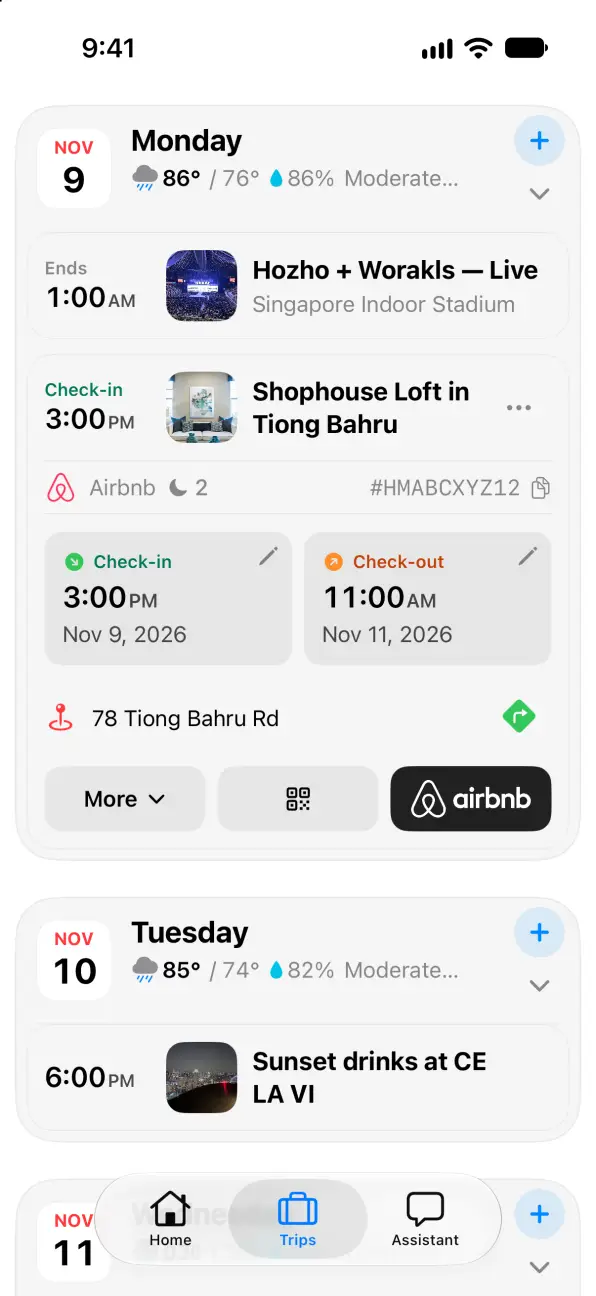
A general chatbot plans a trip it imagines. Tineo's assistant works on the trip you have: your real flight times, hotel addresses and confirmation numbers, read from your booking emails.
Forward confirmations to [email protected] or connect Gmail or Outlook. Each booking lands on the trip's timeline.
“Add dinner on Friday at 7.” “What time do we check out?” The assistant checks the plan first, then updates it.
Updates go straight to the shared itinerary, so the people you travel with see the same plan.
Each of these works in Tineo today.
Add activities, dinners and notes to the right day, or adjust what is already there, by asking in plain words.
Ask it to search your connected Gmail or Outlook and import a booking that did not come through on its own.
Search, then save results to a trip to compare and share them. Free includes 30 AI Airbnb searches per UTC calendar month.
Get a suggested packing list for the trip, and read, add or tick off checklist tasks from chat.
List, add and edit a trip's expenses, including who paid and how the cost is split.
Ask Tineo, Claude or ChatGPT to share a trip with friends or change their access.
Already plan with Claude or ChatGPT? Connect Tineo and they can read your real itinerary, and with your permission add or change plans in it.
https://api.tineo.ai/mcp with OAuth sign-in.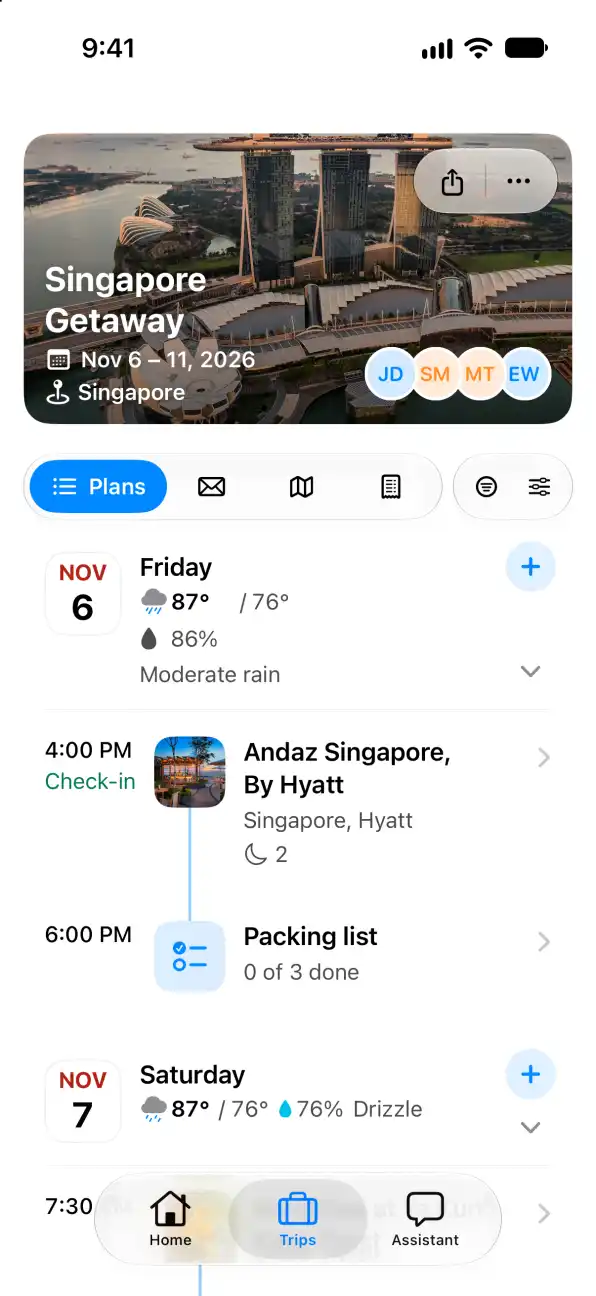
An honest AI trip planner should say where it stops.
Start with Free. Upgrade to Ultra if you travel often. Prices in USD as of October 2026.
$0 / month
For travelers who want a simple way to turn bookings into one itinerary.
$4.99 / month
or $39.99/year, about $3.33/month
For frequent travelers who want the smartest assistant, real-time flight updates, and every premium travel tool.
Free trial for eligible accounts: 30 days on the web, or 1 month through Apple. Renews automatically unless canceled first.
Start free, then try UltraTax, region, platform and promotions can vary; confirm the final offer at checkout. Full pricing
It depends on whether you have booked yet. A chat-only planner is fine for brainstorming a draft. Once you have bookings, pick a planner that reads them: Tineo builds your itinerary from your confirmation emails, so its assistant answers from the trip you actually booked.
Yes. Tineo is listed in Claude's connector directory and ChatGPT's plugin directory. After you sign in, Claude or ChatGPT can read your trips and, with your permission, add or change plans. Any compatible assistant can also connect to the Tineo MCP server at https://api.tineo.ai/mcp.
Yes. The free plan includes the AI assistant and 30 AI Airbnb searches per UTC calendar month. Tineo Ultra costs $4.99/month or $39.99/year and adds the Max Intelligence AI assistant, unlimited voice conversations and more.
Check them at the source. An AI answer can sound right and still be wrong, so confirm fares, schedules and entry rules on the airline, property or government page before you pay. Tineo keeps the times from your confirmations, not from a guess.
No. You book with the airline, hotel or site you choose. Tineo searches flights, hotels and Airbnb stays, saves results to your trip so you can compare and share them, and organizes the bookings you make.
Sign up free, forward a booking to [email protected], then ask the assistant anything about your trip.