Flight status
Live departure and arrival status on your flights, where available. Ultra adds real-time flight, transit and delay updates and the expected inbound aircraft for your flight.


Itinerary planner app
Tineo is a free itinerary planner app for iPhone, iPad, Mac, Android, Windows and the web. Forward a booking confirmation, or connect Gmail or Outlook, and Tineo turns your flights, hotels, trains, car rentals and tickets into one day-by-day itinerary you can share and open offline.
Free plan, no credit card. Tineo Ultra is optional.
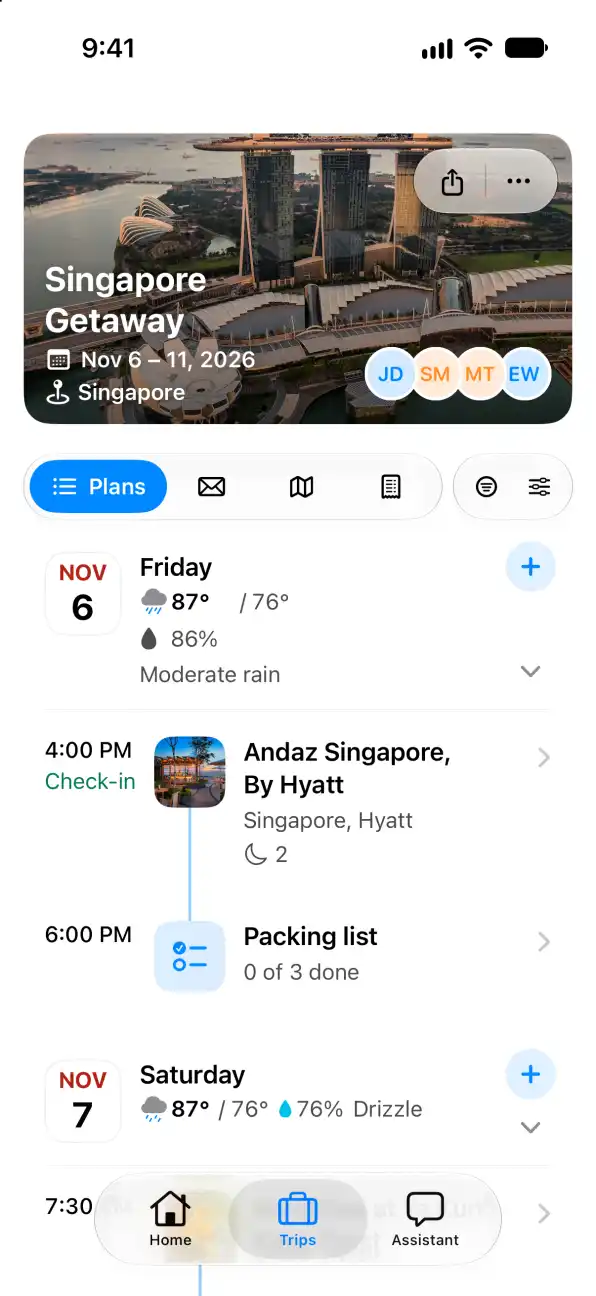
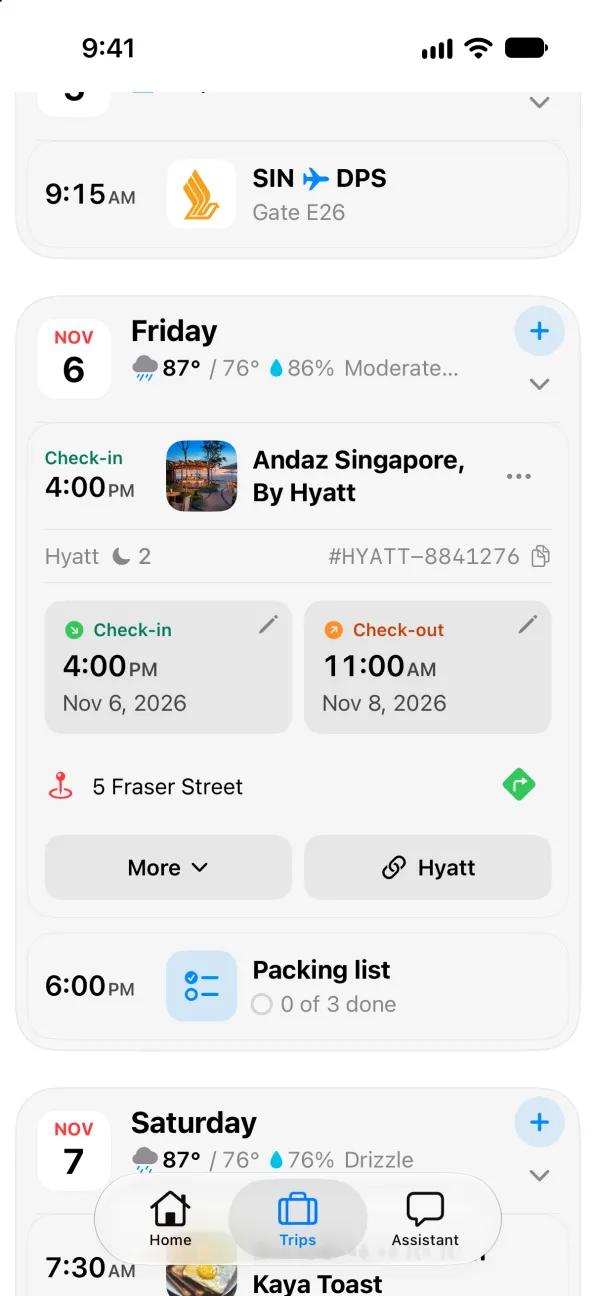
You book where you like. Tineo collects the confirmations and keeps one plan.
Forward confirmation emails to [email protected], or connect Gmail or Outlook and Tineo finds travel confirmations for you. Paste text or add items by hand any time.
Each confirmation becomes an item on a chronological timeline, grouped into the right trip by date and destination, with times, addresses and confirmation numbers.
Open the trip on any device, including offline, and share it with the people you are traveling with.
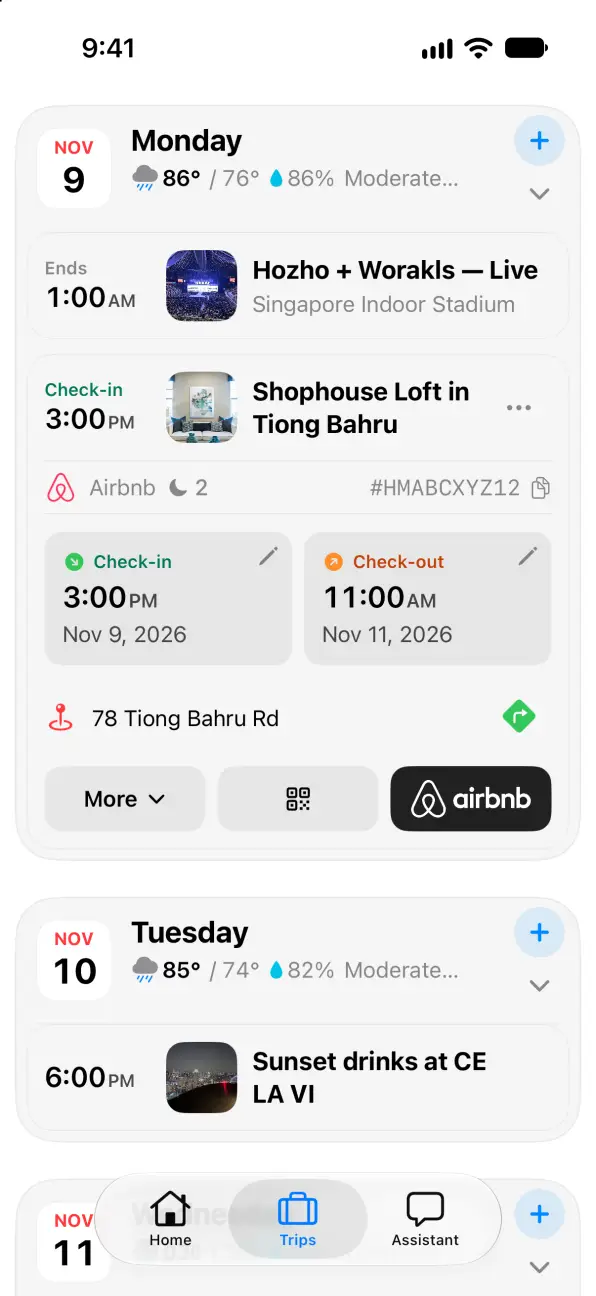
Your itinerary is one timeline: each day shows what happens, when and where, with the weather for that day.
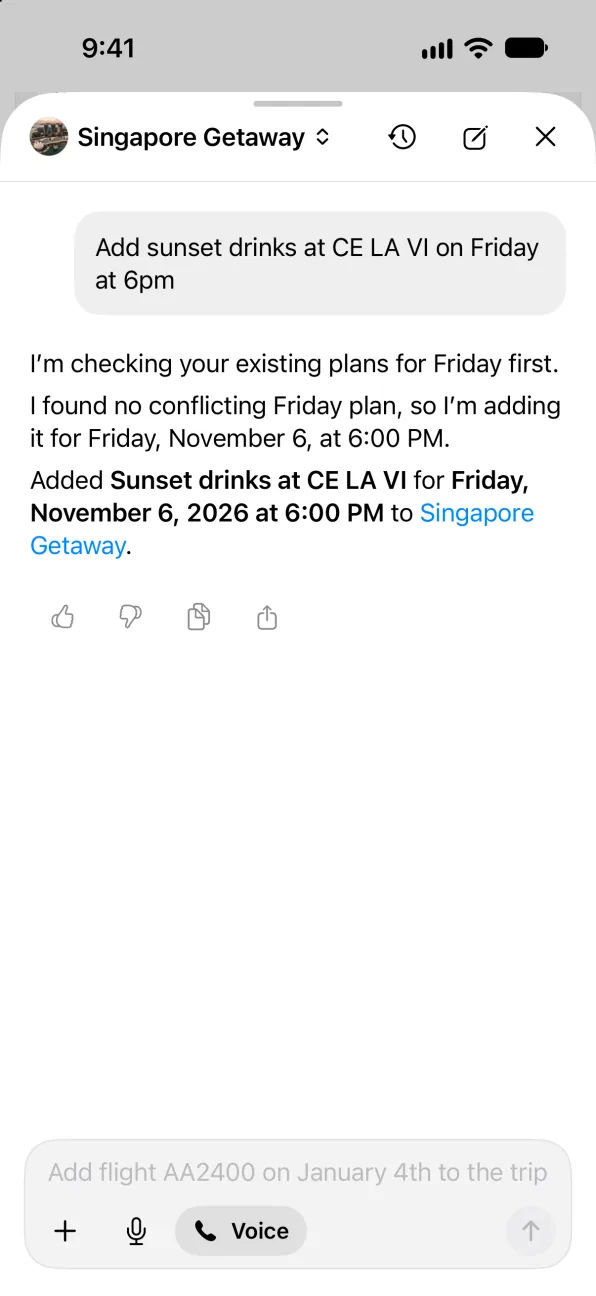
The Tineo assistant knows your trip. Ask it to add a dinner, move an activity or find a booking that never came through, and it updates the itinerary.
The details you need at the airport and the front desk, without searching your inbox.
Live departure and arrival status on your flights, where available. Ultra adds real-time flight, transit and delay updates and the expected inbound aircraft for your flight.
Itineraries sync for offline use, so your times, addresses and confirmation numbers are there when the signal drops. Included in Free.
Keep passports, tickets and PDFs with the trip they belong to. Ultra adds document analysis and expiry alerts and unlimited file storage.

Share a trip with co-travelers and assign each person to the bookings that are theirs. Flights booked for several people show up for every traveler on the reservation.
“I quit TripIt — I don’t need it anymore. This does everything TripIt Pro did, and more. It does a better job than TripIt does.”
 Leo LaporteHost, This Week in Tech
Start with Free. Upgrade to Ultra if you travel often. Prices in USD as of October 2026.
$0 / month
For travelers who want a simple way to turn bookings into one itinerary.
$4.99 / month
or $39.99/year, about $3.33/month
For frequent travelers who want the smartest assistant, real-time flight updates, and every premium travel tool.
Free trial for eligible accounts: 30 days on the web, or 1 month through Apple. Renews automatically unless canceled first.
Start free, then try UltraTax, region, platform and promotions can vary; confirm the final offer at checkout. Full pricing
Pick an app that reads your confirmation emails, so you do not retype every booking. Tineo builds the itinerary from forwarded confirmations or a connected Gmail or Outlook inbox, and it is free on iPhone, iPad, Mac, Android, Windows and the web.
Forward the confirmation email to [email protected] from the email address on your account, connect Gmail or Outlook so Tineo finds travel confirmations for you, paste the text, or add the item by hand. You can also import trips from TripIt and KAYAK.
Yes. Tineo Free costs $0 and includes email import, trip sharing, the AI assistant, offline itinerary access and document storage. Tineo Ultra costs $4.99/month or $39.99/year and adds features such as the Max Intelligence AI assistant and real-time flight, transit and delay updates.
Yes. Itineraries sync for offline use, and offline itinerary access is included in the free plan. Live information such as flight status still needs a connection to update.
Yes. Share the trip with co-travelers and assign each traveler to the bookings that are theirs, so everyone sees the same itinerary on their own phone.
Sign up free, forward a confirmation to [email protected], and your trip appears with the times, places and confirmation numbers filled in.