

How to Replace Your Travel Spreadsheet With One Shared Itinerary
Move your trip plan out of a spreadsheet: what to keep, how to transfer bookings step by step, and how to share one up-to-date itinerary with your group.

On this page

You can replace a travel spreadsheet by moving your bookings into a trip organizer that reads your confirmation emails, keeps every reservation on one timeline, and shares the same live itinerary with everyone on the trip. The spreadsheet stops being the place where you type things in. It becomes, at most, a source you copy from once. We built Tineo for this job: it turns booking confirmation emails into an organized trip, so you spend less time retyping confirmation numbers and more time planning.
This guide shows what a good replacement has to hold, how to move an existing spreadsheet across without losing details, and how to set up group, family and work trips so nobody is working from an outdated copy.
TL;DR
- A spreadsheet fails when a trip has many bookings, many people or many changes, because every update is manual and every copy can go stale.
- A replacement should hold dates, confirmation numbers, traveler names, cancellation terms, documents and notes in one place, not just a list of times.
- Migrate in a few passes: core bookings first (flights, lodging, transfers), then activities, then documents and notes.
- For groups, keep one shared itinerary instead of emailing files, and agree on who edits and who only views.
- Tineo Free costs $0. Tineo Ultra costs $4.99 per month or $39.99 per year and adds offline access and document intelligence.
Table of Contents
- Why a Travel Spreadsheet Stops Working
- What Your Replacement Needs to Hold
- How to Move From Spreadsheet to Itinerary, Step by Step
- Group Trips: One Itinerary, Fewer Questions
- Families and Business Travelers
- What About the Money Column?
- Before You Switch: Mobile, Offline and Backups
- Where Tineo Fits
- Common Mistakes When Leaving a Spreadsheet
- FAQ
- Sources
Why a Travel Spreadsheet Stops Working
A spreadsheet is a fine blank page. The trouble starts when the trip stops being a plan and becomes a set of bookings. A flight confirmation arrives by email, a hotel sends a different one, the rental car company sends a third, and a tour operator sends a PDF. Each has to be copied by hand into a cell, and each copy is a chance for a typo in a confirmation code or a wrong check-in date.
Three patterns push people to switch:
- Manual entry. Every booking means opening an email, finding the details and typing them again. On a trip with eight or ten reservations, that is a lot of retyping.
- Stale copies. When a friend downloads the file, edits it, and sends it back, you now have two versions. On a group trip, nobody is sure which is current.
- Poor use on the road. A wide grid is awkward on a phone, and at an airport counter you need one thing fast: the confirmation code, the terminal or the address, not a scrolling sheet.
One comparison of trip planner apps and spreadsheets describes dedicated organizers as a better fit for group travel, complex multi-stop itineraries and travelers who want convenience, pointing to booking-email imports, alerts and maps as the features that make the difference. That matches what most people run into once a trip has more than a flight and a hotel.
What Your Replacement Needs to Hold
Before you move anything, decide what the new home must contain. A trip record is more than a schedule. Holiday.link’s guide to a single source of truth for travel planning lists the minimum a master record should include: itinerary dates, traveler names, confirmation numbers, payment status, cancellation terms, passport or ID reminders, emergency contacts, and mobility or dietary notes.
Use the table below as a checklist. Anything in the left column that your spreadsheet already tracks needs a place in the replacement.
| What you track | Why it matters on the trip | Where it usually comes from |
|---|---|---|
| Flights, with confirmation codes | Check-in and rebooking | Airline confirmation email |
| Lodging, with dates and address | Arrival plans and late check-in | Hotel or booking site email |
| Car rental or transfers | Pickup times and locations | Rental or transfer confirmation |
| Activities and reservations | Entry times and meeting points | Tour or restaurant confirmation |
| Traveler names | Matching bookings to people | Your own list |
| Cancellation terms | Knowing your deadline before you need it | Confirmation email |
| Documents (tickets, passes, IDs) | Quick access at counters and gates | PDFs and photos |
| Notes | Dietary needs, mobility needs, local tips | You and your group |
For each booking, Onsale.vacations suggests recording the vendor, booking code, traveler name, dates, payment method, total cost, cancellation deadline and a receipt link. It adds that flight records should carry fare class and baggage rules, and hotel records should note taxes and resort fees. You do not need every field for every trip. The point is that one place holds the facts you would otherwise dig for in your inbox.
How to Move From Spreadsheet to Itinerary, Step by Step
Do this in passes rather than all at once. Holiday.link’s guide makes the same point: build the core structure first, covering flights, accommodation and transfers, then expand to tours, restaurant reservations and contingency plans. The goal is a compact view of the facts you need under pressure, not a giant grid.
Step 1: Gather every confirmation email
Search your inbox for the airline, hotel, rental company and tour names on your sheet. Check every email address you booked with, because a work address and a personal address often split a trip in two. This also catches bookings that never made it into your spreadsheet at all.
Where it goes wrong: you trust the spreadsheet as complete. Compare it with the emails, since the emails are what the vendors will honor.
Step 2: Bring the bookings in from the emails, not from the sheet
This is the step that saves the most time. Rather than copying cells across, let the confirmations themselves build the itinerary. Tineo turns booking confirmation emails into an organized trip, bringing flights, lodging, car rentals, activities and other reservations onto one itinerary. That removes the manual entry that makes spreadsheets tedious, and it avoids carrying over a typo from your old sheet.
Where it goes wrong: copying the spreadsheet row by row and reproducing its mistakes. The email is the original record, so it is the better source.
Step 3: Check dates, times and time zones
Open the timeline and read it in order. Look for gaps, such as a night with no lodging, and overlaps, such as a checkout after your flight leaves. Spreadsheets hide these problems because each row stands alone. A single timeline makes them visible.
Step 4: Add what only you know
Bookings do not hold your plans. Add the things that were in your spreadsheet notes: a dinner you want to try, a museum you hope to fit in, a dietary note for a family member. Keep these as notes attached to the right day, so they appear where you will need them.
Step 5: Attach documents
Move tickets, passes, reservation PDFs and similar files into the trip itself so they sit beside the booking they belong to. Tineo supports document storage, and the paid Ultra plan adds document intelligence. Keep passport and ID reminders here too, since these are on the minimum list in the table above. For entry rules, visas or health requirements, always check the official government source for your destination before you travel, as those rules change.
Step 6: Share it
Invite the people who need the trip and decide who can edit. Tineo lets you collaborate with friends or family and share trips, with access across web, iOS and Android. Once everyone opens the same itinerary, you can retire the emailed file.
Step 7: Archive the old sheet
Do not keep editing the spreadsheet in parallel. Rename it with the trip name and the word “archive”, and keep it only as a reference. Two live records is how people end up with the version problem all over again.
Group Trips: One Itinerary, Fewer Questions
Group trips are where spreadsheets strain the most. Scan.vacations’ group-trip guide recommends one shared record per category: dates, lodging, transportation, activities, budget and decisions. It describes six core hub sections: trip overview, lodging comparison, transport comparison, shared budget, decision log and task deadlines. For lodging it suggests recording the hotel name, nightly rate, taxes and fees, cancellation policy, sleeping configuration and room-block expiry.
You can use that structure whatever tool you pick. In practice, a group does best with a few simple rules:
- One owner for each booking. Name the person who booked it, so questions go to one place.
- Decisions get written down. If the group picks the Saturday tour, it goes into the itinerary the same day, not into a chat thread.
- Deadlines are visible. Cancellation and payment dates belong beside the booking, not in someone’s memory.
- Everyone opens the same link. No attachments, no “final_v3” files.
Tineo’s group planning tools and shared itineraries are built for this: friends or family see the same trip across web, iOS and Android, so a change you make is the change everyone sees. If you are still working out which apps fit a traveling group, our guide to travel companion apps and itinerary tools compares what is available.
Families and Business Travelers
The same setup works differently depending on who is traveling.
Families. The biggest gains come from putting traveler names, dietary or mobility notes and reservation times in one place. A grandparent who is not a heavy app user can open a shared itinerary instead of waiting for a forwarded file. Keep a note on each day with the one thing that cannot be missed, such as a timed-entry ticket or a ferry departure.
Business professionals. Work trips tend to have many short bookings, last-minute changes and receipts that need filing later. Onsale.vacations suggests attaching receipts to bookings and tagging them by category so they are ready for expense reports and insurance claims, as described in its dashboard guide. Keeping flights, hotels and ground transport on one timeline also makes it simple to forward a clean schedule to a colleague or assistant.
Solo travelers. The main benefit is access. You are the only person who needs the plan, so what counts is having it on your phone when you land, with the confirmation code a tap away.

What About the Money Column?
Most travel spreadsheets also carry a budget tab. When you replace the sheet, decide where costs will live. For each booking, keep the total and the cancellation deadline with the reservation itself. For shared costs between people, a separate expense tool can be a better fit; our comparison of trip expense apps for groups and solo travelers covers the options. If you are an American living abroad and tracking spending across currencies, this overview of budgeting apps for Americans living abroad can help you choose a tool for the day-to-day money side.
Before You Switch: Mobile, Offline and Backups
A few checks make the move safer, whatever tool you use:
- Phone access. Open the trip on the phone you will carry. Confirm you can reach the day’s bookings in two taps.
- Offline access. Airports, trains and rural areas often have weak signal. Tineo’s offline access is part of the paid Ultra plan, so turn it on and load your trip before you leave for the airport.
- Document copies. Keep the most important documents, such as passports and tickets, where you can reach them even without the app, for example the official airline or hotel email.
- Sharing permissions. Check who can edit and who can only view before you send the invitation.
- A final read-through. A day before departure, read the whole itinerary once against the original confirmation emails.
Where Tineo Fits
Tineo is an AI-powered trip planning and itinerary management app. It turns booking confirmation emails into organized trips, brings flights, lodging, car rentals and activities onto one timeline, and gives you an AI travel assistant that works in the context of your trip. It covers web, iOS and Android, and it is for organizing the trip you have already booked. It does not book travel for you.
Tineo Free costs $0 per month and covers the core itinerary. Tineo Ultra costs $4.99 per month or $39.99 per year and unlocks advanced AI capabilities, offline access, document intelligence and premium trip management tools. You can compare the plans on the Tineo pricing page or download the app.
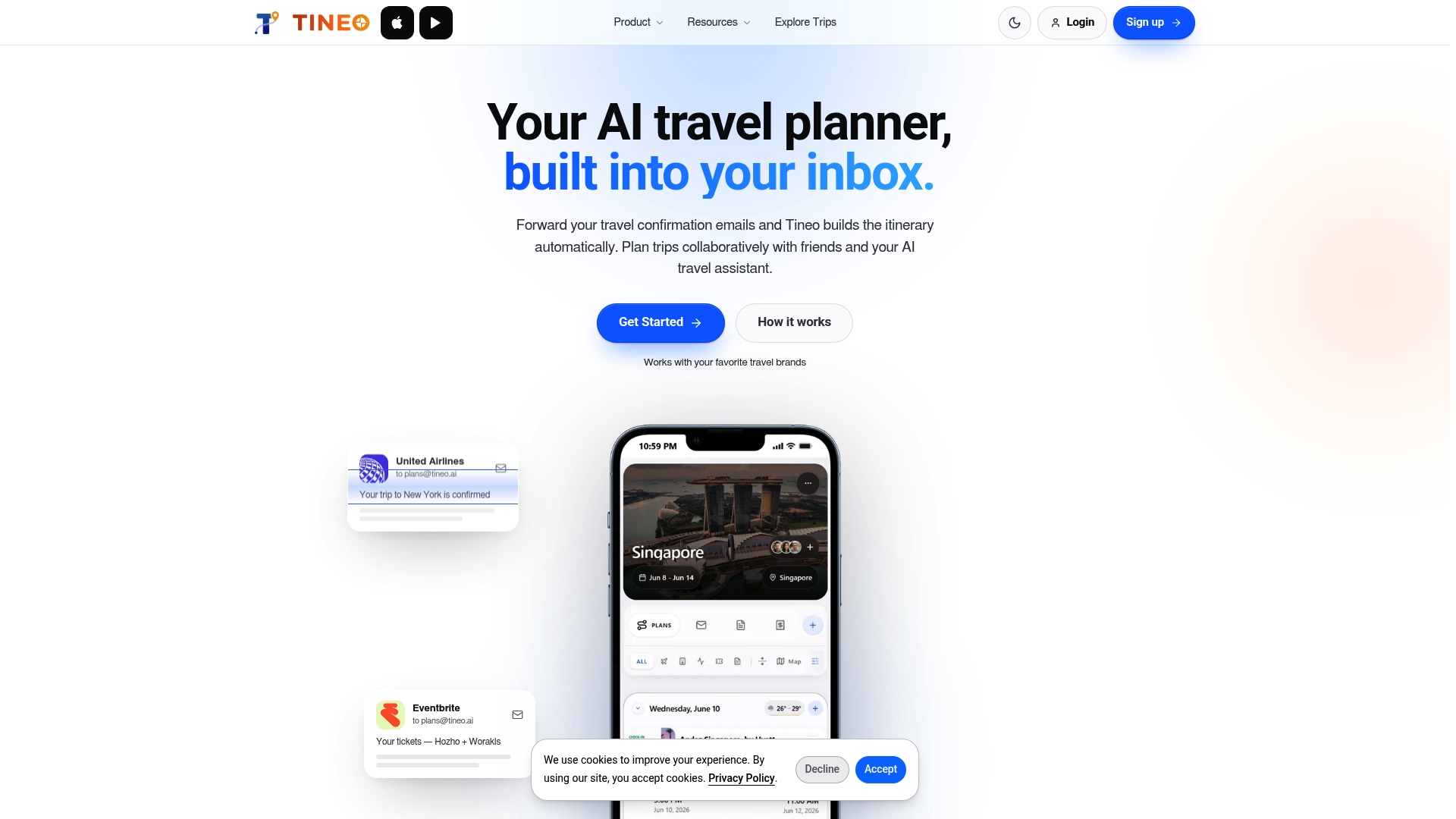
If you are replacing a spreadsheet for one upcoming trip, start with the free plan, bring in your confirmations, and see how the timeline looks next to your old sheet.
Common Mistakes When Leaving a Spreadsheet
- Migrating everything at once. Start with flights, lodging and transfers. Add the rest after you have checked the core.
- Keeping two live versions. Pick one record and archive the other.
- Leaving out cancellation terms. These are easy to skip and costly to miss. Keep the deadline next to the booking.
- Forgetting the people. A trip organizer is only useful if everyone who needs it can open it.
- Skipping official checks. Entry requirements and travel advisories come from government sources and change. Check the official page for your destination close to departure.
As a rule, once the trip has several bookings, several travelers or several changes, a dedicated organizer is a better home than a grid. The comparison of apps and spreadsheets reaches a similar view for group travel and multi-stop itineraries.
FAQ
Can I import my spreadsheet directly?
The simplest route is to build the itinerary from your confirmation emails rather than from the sheet. Tineo turns those emails into an organized trip, so you do not need to retype each booking. Then add your notes and plans by hand, using the sheet as a reference.
What should I keep from my spreadsheet?
Keep the facts you act on: dates, confirmation numbers, traveler names, cancellation terms, documents and notes. Leave behind formatting, color codes and anything you never opened during a trip. Holiday.link’s guide recommends a compact view of what you need under pressure.
How do I make sure everyone has the latest version?
Share one live itinerary instead of sending files. With Tineo, friends and family can open the same trip on web, iOS or Android, so changes appear for everyone. Agree up front on who edits and who only views.
Does Tineo work without an internet connection?
Offline access is included in the Ultra plan, which costs $4.99 per month or $39.99 per year. Load your trip while you have a connection, before you travel.
Does Tineo book flights or hotels?
No. Tineo organizes trips you have already booked. You book with the airline, hotel or other provider, and Tineo helps you bring the confirmations together.
Sources
- Single Source of Truth for Travel Planning (Holiday.link)
- Build a Travel Dashboard for Flights, Hotels & Receipts (Onsale.vacations)
- Group Trip Planning Without Spreadsheet Chaos (Scan.vacations)
- Trip Planner App vs. Spreadsheet: Which Is Better?
Recommended
Keep reading
itinerary change management
Itinerary Change Management: A Practical Guide for Travelers
A step-by-step method for handling flight, hotel and activity changes: classify the change, find dependent bookings, update one itinerary and tell your group.
combine travel bookings
How to Combine Travel Bookings Into One Itinerary
Learn what combining travel bookings really means: when airlines and hotels can link or merge reservations, the risks, and how to put it all in one itinerary.

Travel Apps
Travel Apps That Shut Down: Dates, Data and Replacements
A sourced tracker of trip planner and itinerary apps that shut down since 2017: announcement and closing dates, what happened to user data, and official advice.