

Five Layer Business Travel Itinerary with Copyable 3 Day Template
Plan business trips that survive delays with a five layer itinerary and a copyable 3 day sample. Includes templates, checklist, and Tineo sync for offline...

On this page
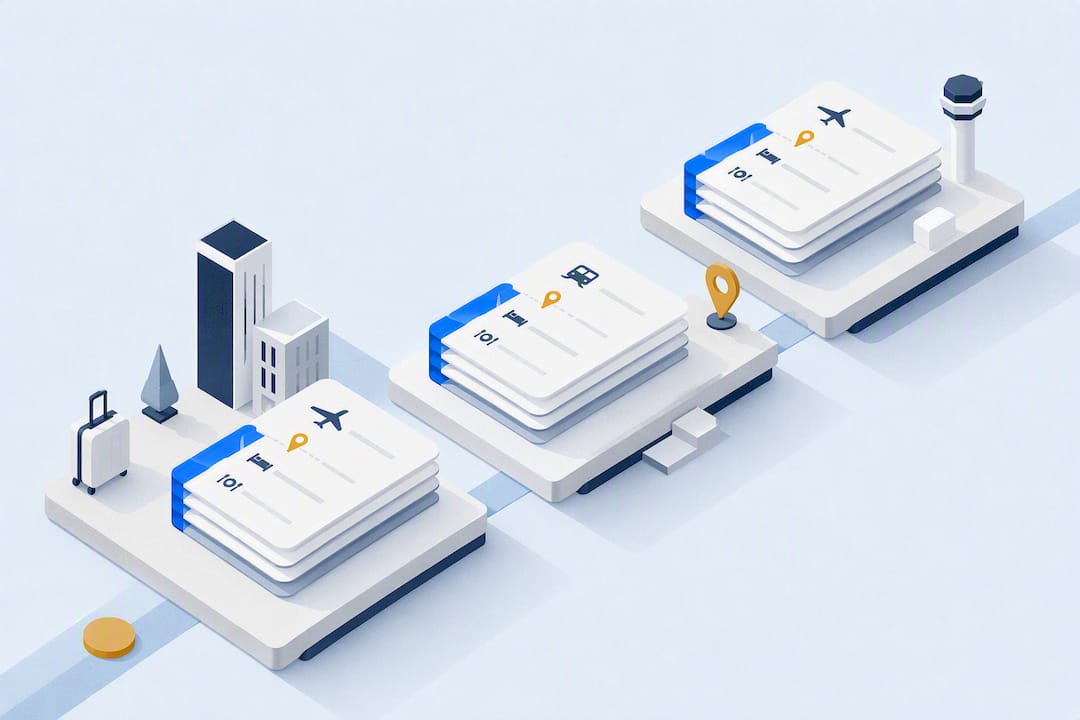
A business travel itinerary is a chronological, living plan that consolidates bookings, meetings, prep windows, buffer time, and admin tasks so you never miss a commitment. This guide gives you the checklist of fields every itinerary needs, a step-by-step build process, a copyable 3-day example, and the tools worth considering for keeping it all in one place.
TL;DR:
- Including fixed commitments and precise travel windows reduces the risk of missing appointments due to delays or last-minute changes.
- Buffer times should account for at least 25% of transit and meeting estimates to handle traffic, security lines, or slow checkouts.
- Using an itinerary app that auto-imports confirmations and provides offline, shareable timelines minimizes last-minute surprises and offline access issues.
- Always check your passport, visa validity, company policies, and emergency contacts before departure to ensure compliance and preparedness.
- Regularly update your itinerary to reflect any schedule shifts, and schedule debriefs immediately after meetings to capture notes and expenses while details are fresh.
Table of Contents
- What Should a Business Travel Itinerary Include?
- How Do You Create a Business Trip Itinerary Step by Step?
- What Does a Sample Business Trip Schedule Look Like?
- Spreadsheet, PDF, or App: What’s Best for Managing Your Itinerary?
- Expert Rules and a Pre-Departure Checklist
- Keep Every Confirmation in One Place With Tineo
- Templates and Guides Worth Bookmarking
- Sources
- FAQ
What Should a Business Travel Itinerary Include?
A solid corporate travel itinerary follows five layers: travel logistics, primary commitments, preparation windows, buffer time, and admin tasks. Most templates people find online only cover the first layer, which is exactly why so many trips fall apart the moment a flight gets delayed. Sequencing prep and buffer time deliberately, rather than treating them as an afterthought, is what separates a document that survives disruption from one that doesn’t, according to TripSuite’s breakdown of itinerary structure.
Here’s what belongs in each layer, with a short note on how to fill it in:
- Trip summary: purpose, destination, dates, and the client or project code, so anyone glancing at the top knows why the trip exists.
- Traveler info: full name as it appears on ID, loyalty numbers, passport/visa status, and emergency contact.
- Flights and rail: confirmation numbers, terminal, seat assignment, and baggage allowance.
- Ground transfers: pickup time, driver or rideshare details, and a backup option if the primary transfer falls through.
- Hotels: check in and check out times, address, confirmation number, and any loyalty status that affects room availability.
- Meetings: time, location, attendees, and the materials you need to bring or send ahead.
- Prep windows: blocked time before each meeting to review notes or rehearse a pitch.
- Buffer time: extra minutes built into transit and meeting estimates.
- Admin tasks: expense logging, debrief notes, and follow-up emails.
- Emergency contacts and policy notes: local support numbers and any company travel policy exceptions approved for the trip.
Order matters as much as content. A business travel itinerary guide from YTC frames this as building a single source of truth, one document everyone involved, from the traveler to their assistant, can check without hunting through five email threads.
How Do You Create a Business Trip Itinerary Step by Step?
Building a corporate travel itinerary isn’t complicated, but skipping steps is exactly how meetings get missed. Follow this sequence:
- Anchor on fixed commitments first. Identify the meeting, conference session, or client visit that can’t move, then build everything else around it.
- Block the schedule. Lay out each day hour by hour before you book anything, so you can see gaps and conflicts early.
- Add travel legs with margin for error. Choose arrival and departure windows that reduce risk. Landing the night before a 9 a.m. meeting beats a same-morning arrival almost every time.
- Book accommodation and transfers. Note check-in and check-out times, confirmation numbers, and loyalty program details for each.
- Insert prep windows and buffer time. A common rule of thumb: add roughly 25% to your estimated transit and meeting durations to absorb the traffic, security lines, or slow checkouts that always seem to happen.
- Schedule admin tasks into the day itself. Expense logging, debriefs, and follow-up emails belong in specific time slots, not on a someday list for after you get home.
- Share it, export it, and keep it updated. Send the itinerary to your assistant or manager, save an offline copy, and treat it as a living document you adjust as plans shift.
Pro Tip: Schedule your debrief for the 15 minutes right after a meeting ends, not at the end of the day. Notes and expense details are far easier to capture while the conversation is still fresh, a habit travel apps that build in dedicated debrief slots are increasingly designed to support.
Corporate travel guidance also recommends checking your company’s travel policy and any special-request procedures before you lock in bookings, since SAP Concur’s planning framework points out that compliance issues are far easier to fix before departure than after.
What Does a Sample Business Trip Schedule Look Like?
Here’s a 3-day client visit itinerary showing how the five layers play out in practice:
Day 1 (Travel day)
- 6:15 PM: Flight departs (arrive 2 hours early for check-in and security)
- 9:40 PM: Land, confirmation #ABC123
- 10:15 PM: Transfer to hotel (25% buffer added for late-night traffic)
- 10:45 PM: Check in, confirmation #HTL987
Day 2 (Meeting day)
- 7:30 AM: Prep window (45 minutes to review slides and confirm attendee list)
- 8:45 AM: Transfer to client office (buffer built in for unfamiliar route)
- 9:00 AM: Client meeting, 3 attendees, bring signed proposal
- 10:15 AM: Debrief and expense logging
- 12:00 PM: Lunch with account team
- 3:00 PM: Second meeting, follow-up materials needed
- 6:00 PM: Free evening/downtime
Day 3 (Return)
- 10:00 AM: Check out
- 11:00 AM: Transfer to airport
- 2:30 PM: Flight departs
For a reusable version, map these same five categories, trip summary, logistics, commitments, prep and buffer, admin, into a simple template in Docs or Sheets. Swap in extra meeting blocks for a roadshow, or add a personal day for a bleisure trip, and the underlying structure holds.
Spreadsheet, PDF, or App: What’s Best for Managing Your Itinerary?

A shared spreadsheet or PDF gives you full control and easy shareability, and works fine for a single, simple trip. The tradeoff shows up on multi-leg or multi-city trips, where a static document can’t update itself when a gate changes or a flight gets delayed, and you lose access the moment you’re offline.
When evaluating an itinerary app, look for:
- Auto-import of booking confirmations, so you’re not retyping flight and hotel details by hand.
- A single consolidated timeline across flights, lodging, car rentals, and activities.
- Offline access, since airport WiFi and international roaming are never guaranteed.
- Collaboration features, so an assistant or travel manager can see the same plan.
- Export options for sharing outside the app.
Tineo works this way: it auto-imports confirmation emails to build a consolidated itinerary across web, iOS, and Android, with offline access built in, according to its App Store listing. If you’re migrating off a retired tool like TripCase, that auto-import step is usually the fastest way to rebuild your itinerary history without manual re-entry.
Expert Rules and a Pre-Departure Checklist
A few sequencing rules separate itineraries that hold up from ones that don’t. Arrive the day before any meeting you truly can’t miss. Schedule prep time the night before, not the morning of. Debrief immediately after a meeting ends, while details are still sharp.
Five layers of planning, travel logistics, commitments, prep, buffer, and admin, sound simple, but skipping any one of them is the most common reason itineraries collapse under a delay.
Before you leave, check off:
- Offline access to your full itinerary
- Passport and visa validity for your destination
- Your expense logging method is set up and ready
- Emergency contacts and local support numbers saved
- Company travel policy exceptions confirmed in writing
Keep Every Confirmation in One Place With Tineo
Building the itinerary is the easy part. Keeping it updated when a flight time shifts or a hotel confirmation lands in your inbox at midnight is where most plans start to drift. Tineo auto-imports your booking confirmation emails, whether that’s a flight, a hotel, a car rental, or an activity, and organizes them into one consolidated trip timeline you can check on web, iOS, or Android.

Because you can access the itinerary offline, you’re not stuck if you land without signal. And because it’s shareable, an assistant, a colleague, or a travel manager can see the same plan you do, without you forwarding five separate emails. If you’re rebuilding your process after a tool sunset or just tired of piecing together PDFs by hand, check Tineo’s current features and see how much of your next trip you can import automatically instead of typing in by hand.
Templates and Guides Worth Bookmarking
For a printable starting point, Jotform’s business travel itinerary template covers trip summaries, meeting schedules, and expense trackers. Monday.com’s itinerary template offers a current, editable format for teams already using project management tools. For industry standards on travel safety and logistics, ASTA is a useful reference point.
Sources
- Tineo — App Store listing
- Business travel itinerary guide | YTC
- Business travel itinerary template - Jotform
FAQ
How Do I Make an Itinerary for a Business Trip?
Start with your fixed commitments (the meeting or event you can’t move), then add travel logistics, prep windows, buffer time, and admin tasks around them in chronological order. Tools like Tineo can speed this up by auto-importing your booking confirmations instead of you typing each one in manually.
What Are the Five Components of a Business Travel Itinerary?
The five components are travel logistics, primary commitments, preparation windows, buffer time, and admin tasks, sequenced chronologically rather than just listed as a set of bookings, per TripSuite’s itinerary framework.
Can ChatGPT Create a Travel Itinerary?
ChatGPT can draft a basic itinerary outline from details you provide, but it can’t pull your actual confirmation numbers, check real-time flight status, or update automatically when plans change, which is where a dedicated itinerary app fills the gap.
What Are the Must-Haves for Business Travel?
At minimum, pack confirmation numbers for flights and hotels, your company’s travel policy details, emergency contacts, a working expense logging method, and offline access to your itinerary in case connectivity fails.