

Manage Multiple Trips: One Index, 15 Minute Weekly Review
Use a single master trip index, per-trip itineraries, and a 15 minute weekly review to prevent overlapping bookings. Workflow patterns for solo, group,...

On this page

The simplest way to manage multiple trips is to build one master trip index that tracks every journey at a glance, then keep a separate itinerary for each trip with its own calendar and confirmations imported into a single place. Add a weekly conflict check, and you’ll catch overlapping dates and unpaid balances before they become a problem. This guide walks through the tools, document checklists, group coordination patterns, and setup steps that make this system work in practice.
TL;DR:
- Using a master trip index helps quickly identify overlapping dates, unpaid balances, and destination-specific entry requirements before they cause issues.
- Auto-import of confirmations, permission-controlled collaboration, and calendar sync are key features that streamline managing multiple trips efficiently.
- Clustering stops geographically, checking transit times, and building buffer periods prevent routing mistakes in multi-stop itineraries.
- Regular weekly reviews of your trip index help catch conflicts early, especially for trips within the next two to four weeks.
- Centralized, alert-driven systems reduce decision fatigue and improve compliance with destination entry rules for complex, multi-country plans.
Table of Contents
- How Do You Set Up a Master Trip Index for Multiple Trips?
- Which App Features Actually Matter When You Manage Several Trips at Once?
- How Do You Plan and Optimize Multi-Stop Routes?
- How Do You Coordinate a Group Across Overlapping Schedules?
- What Documents and Entry Requirements Does Each Destination Need?
- How Do You Filter Real-Time Travel Alerts Without Drowning in Notifications?
- What Do Official Sources Say About Managing Multiple Trips?
- What Mistakes Wreck Multi-Trip Organization, and How Do You Fix Them Fast?
- Put This System to Work With Tineo
- Sources
- FAQ
How Do You Set Up a Master Trip Index for Multiple Trips?
A master trip index is a single running document, spreadsheet, or app view that lists every upcoming trip in one row per journey. Its job is to answer one question fast: “What’s happening, and when?” Without it, trip details live scattered across email threads, app notifications, and whatever your last group text said. With it, you have one place to scan before you say yes to a new booking or double-check a date.
The index doesn’t need to be fancy. It needs the right fields so it actually answers the questions you’ll ask it later.
Fields worth including in every row:
- Trip name (something recognizable, not just a destination, since you might visit the same city twice in a year)
- Dates, including departure and return
- Status: idea, pending, booked, changed, or canceled
- Primary contact or trip owner, especially for group trips
- Currency used for that trip’s budget
- Location of key documents (a link or folder name, not the documents themselves)
That status field matters more than people expect. A trip that’s “pending” a deposit deadline behaves very differently from one that’s fully “booked,” and mixing the two in your head is how you end up double-committing a week in October. This structure mirrors the kind of operating system many frequent travelers land on eventually: one index for visibility, one workspace per trip for depth.
Once the index exists, each trip needs its own contained system underneath it. Use one calendar, or one clearly labeled calendar color, per trip. If you’re managing a work conference in Chicago, a family reunion in Denver, and a friend’s wedding in Lisbon inside the same eight weeks, color coding alone can stop you from scheduling a dentist appointment on top of a flight.
Naming conventions matter just as much for confirmations and files. “Lisbon_Wedding_Flight_United_0912” beats “Fwd: Fwd: your itinerary” every time you search for it later. Pick a pattern (destination, category, vendor, date) and stick to it across every trip, so your search habits transfer.
Pro Tip: Set a recurring 15 minute weekly review, same day and time every week, and treat it like a standing meeting with yourself. Check for date conflicts across trips, any unpaid deposits or balances coming due, and passport or visa tasks with looming deadlines. Fifteen minutes on a Sunday is far cheaper than a missed final-payment date discovered the week before departure.
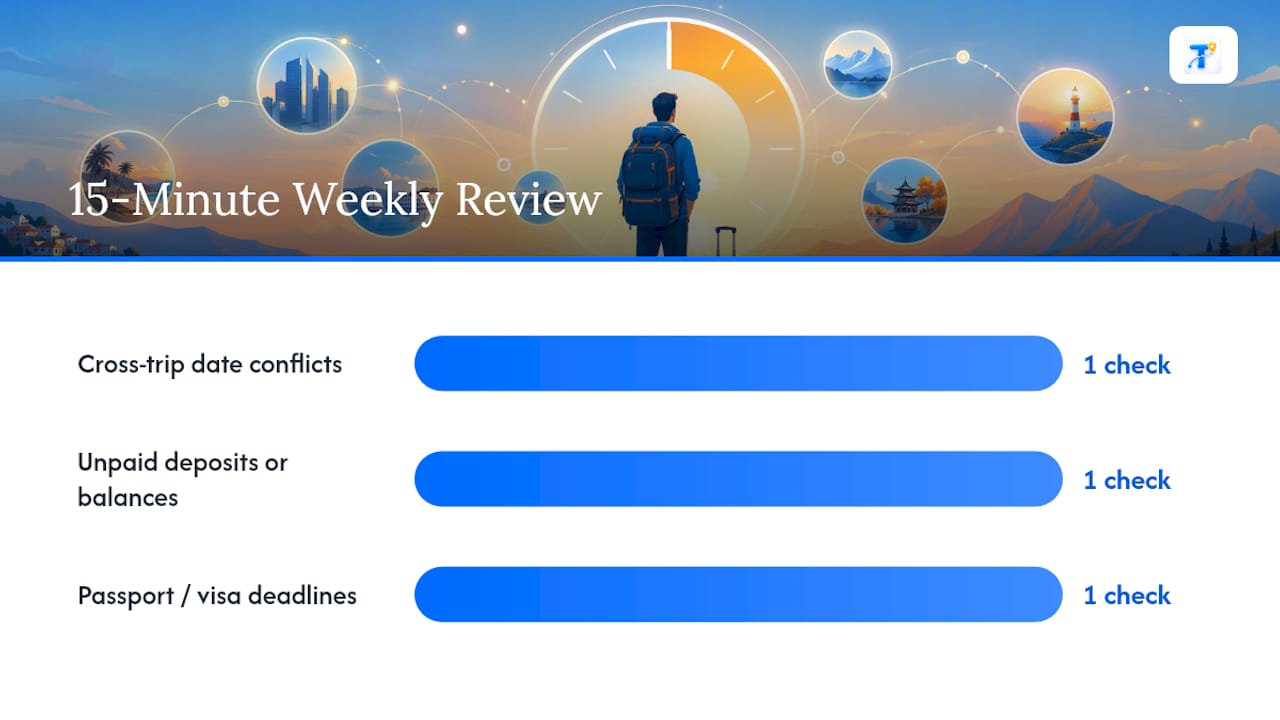
This two-layer structure, one index plus one system per trip, is the backbone of tracking multiple vacations without them blurring into each other. Everything else in this guide builds on top of it.
Which App Features Actually Matter When You Manage Several Trips at Once?
Not every feature in a travel app earns its place once you’re juggling more than one trip. Some save real time. Others just add clutter or, worse, create privacy risks in a group setting. Here’s what to prioritize and why each one matters specifically for multi-trip management, not just single-trip planning.
- Auto-import of confirmations. Forwarding a flight or hotel confirmation email and having it parsed automatically into the right trip removes the single biggest source of manual data entry. When you’re tracking three or four trips at once, this is the difference between an organized system and a folder full of unread emails.
- Collaboration with permission controls. Group trips need shared visibility, but not everyone needs to see everything. Look for tools that let you separate “everyone sees this” from “only the organizer sees this.”
- Calendar sync. Your trip dates need to show up in the same calendar as your work meetings and family commitments, or conflicts stay invisible until it’s too late to fix them cheaply.
- Map and route view. A visual layout of stops catches bad routing (backtracking, unrealistic transit times) that a text-based itinerary hides.
- Offline access. Confirmation numbers and addresses need to be reachable without signal, particularly mid-trip when you’re least likely to have reliable Wi-Fi.
- Change alerts. Flight delays, gate changes, and cancellations need to reach you in real time, not buried in an inbox you check twice a day.
- Document storage. Passport scans, insurance policies, and visa approvals belong in the same trip record as the reservations they support, not in a separate photo album you’ll forget exists.
Privacy deserves a specific word here. A shared itinerary should not expose every sensitive detail to every participant. State Department’s international travel guidance(https://travel.state.gov/en/international-travel/planning/checklist.html), while the public-facing itinerary shares only what companions actually need: times, locations, and what to bring.
How you weigh these features depends on what kind of traveler you are. A solo frequent flyer juggling business trips cares most about auto-import and calendar sync, since there’s no group logistics to manage and speed is everything. A family managing a multi-stop vacation leans harder on document storage and offline access, since kids’ passports and rental car confirmations tend to multiply fast. A group trip organizer, meanwhile, needs collaboration and permissions above everything else, because the real risk isn’t losing a confirmation number. It’s forty people seeing details that were meant for five.
If your trips run mostly domestic and solo, you can get away with a lighter setup; heavy document storage and permission tiers matter less. The moment international borders or group logistics enter the picture, those features stop being nice-to-haves.
How Do You Plan and Optimize Multi-Stop Routes?
A timeline tells you when things happen. A map tells you whether that timeline is realistic. Combine both, and you catch the kind of routing mistakes that only show up once you’re standing at a train station realizing the next stop is three hours in the wrong direction.
This is the single most common planning error in multi-stop trips: booking activities and hotels in date order without checking whether the geography makes sense. An itinerary that looks clean in a spreadsheet can still send you zigzagging across a country if nobody plotted it on a map first.
Practical steps that prevent this:
- Cluster stops by geography before you lock in dates, not the other way around.
- Anchor your nights first (where you sleep each night), then fill activities around that skeleton.
- Check actual transit times between stops, not straight-line distance. A 40 mile drive can take five hours in the wrong terrain.
- Confirm opening hours and seasonal closures for anything you’re building a whole day around.
- Build buffer time into every connection, especially international ones where customs and immigration lines are unpredictable.
Route optimization tools can help sequence stops efficiently, and they’re worth using when your trip is logistics heavy: a road trip with a dozen stops, or a cruise itinerary with tight port windows where missing a departure has real consequences. Platforms built specifically around that kind of complexity, like ZapCruise’s decision intelligence tools for cruise planning, exist precisely because sequencing stops by pure geography isn’t always the right call. Sometimes the fastest route skips a place worth the detour.
That’s the tradeoff worth naming directly: an algorithm optimizes for time and distance. It doesn’t know that the six hour detour to see one specific waterfall is the actual reason you booked the trip. Use route optimization to catch impossible schedules and wasted travel time, but let experience and priorities override it when a stop matters enough to justify the extra hours.
Pro Tip: Before locking any multi-stop itinerary, run the “reverse the order” test. Would the trip make more sense starting from the other end? Sometimes flipping the direction of a route cuts hours of backtracking that nobody noticed while planning stop by stop.
How Do You Coordinate a Group Across Overlapping Schedules?
Group trips fail less often because of bad planning and more often because nobody wrote down who’s responsible for what. A traveler roster fixes that immediately, and it’s simpler than most people expect.
Keep one roster alongside your itinerary with each traveler’s legal name exactly as it appears on their booking, a working contact method, arrival and departure details, any dietary or accessibility needs, and who paid for what. The State Department’s Smart Traveler Enrollment Program guidance specifically flags name mismatches between booking and ID as a common, avoidable cause of denied boarding or hotel check-in problems, particularly for group trips booked by one organizer on everyone else’s behalf.
A group coordination system needs two layers, not one:
- The public itinerary. Times, locations, packing notes, and anything every attendee needs to show up prepared. This is what you share broadly.
- The host-only runbook. Payment references, emergency contacts, vendor confirmation numbers, and anything sensitive or logistics heavy that only the organizer needs. This stays restricted, both for privacy and to avoid the confusion of forty edits landing on one shared document.
That separation also solves a second problem: surprise planning. If part of the trip is a surprise (a proposal, a milestone birthday reveal), a host-only runbook keeps those details out of the shared view entirely, according to guidance from Brunchie’s group trip planning resources.
For decisions that need group input, quick polls with a firm deadline beat open-ended group chat debates every time. “Vote by Thursday at noon” produces an answer. “What does everyone think about the Saturday dinner spot?” produces forty replies and no decision.
Expense tracking works best kept simple: log who paid for what as it happens, not at the end of the trip when receipts are scattered and memories are fuzzy. And permissions matter here too. Give edit access only to people who genuinely need to change the itinerary. Everyone else gets view access. That single setting prevents the most common group-trip headache: three people editing the same shared document at once and overwriting each other’s changes. Tools like Tineo’s group travel features build this exact split into shared itineraries, keeping a host-only runbook separate from what the group sees.
What Documents and Entry Requirements Does Each Destination Need?
Every border crossing is its own compliance checkpoint, not a continuation of the last one. Passport validity rules, visa requirements, vaccination recommendations, and even medication legality can all change from one country to the next on the same trip, and a checklist built for the first stop won’t automatically cover the third.

The State Department’s international travel checklist recommends checking destination-specific entry requirements, local laws, health guidance, and travel advisories for every country or territory on an itinerary individually, rather than relying on one general pre-trip checklist for the whole journey.
A compact per-destination verification list to run before each leg:
- Passport has at least six months’ validity beyond your departure date (a common requirement, though it varies by country)
- Visa or entry authorization confirmed for that specific destination, not assumed from a neighboring country’s rules
- Recommended vaccinations checked against current health guidance for that destination
- Any prescription medications checked against that country’s specific legality, since a legal medication at home can be restricted elsewhere
- Local laws and customs reviewed for anything unusual: dress codes, currency restrictions, photography rules near government buildings
Document storage deserves its own plan, separate from wherever your itinerary lives. The State Department recommends keeping emergency copies of documents outside your primary planning app, in cloud storage or with a trusted contact back home, and photographing key documents for quick access if the originals are lost or stolen. For groups sharing scans, encrypted storage is worth the extra step given how sensitive passport images are.
Travel insurance and emergency evacuation coverage matter more on multi-country trips than single-destination ones, simply because more legs mean more points where something can go wrong. Enrolling in the State Department’s Smart Traveler Enrollment Program before departure means the nearest embassy can reach you directly if a destination’s situation changes while you’re already traveling.
A 2026 Fullstory survey found that 56% of surveyed U.S. consumers considered real-time alerts and notifications important to their travel experience, and 49% valued centralized itinerary management specifically. Given how differently document and entry rules can vary stop to stop, that preference for one centralized, alert-driven view makes practical sense rather than being a convenience feature.
Storing scans in a dedicated document organizer, rather than scattered across camera rolls and email attachments, makes it far easier to pull up the right file for the right border crossing when a customs officer is waiting on you.
How Do You Filter Real-Time Travel Alerts Without Drowning in Notifications?
Not every alert deserves the same reaction. A gate change for a flight departing in three hours needs action now. A minor schedule adjustment for a flight next month can wait until your weekly review. Managing overlapping trips well means filtering the noise so the urgent items actually stand out.
Sort alerts by three factors before deciding how fast to react:
- Severity. Cancellations and significant delays outrank minor gate or time shifts.
- Time window. An alert affecting travel in the next 48 hours gets priority over one affecting a trip six weeks out.
- Trip proximity. If you have two trips overlapping or back to back, an alert on the first trip that delays your return can cascade into the second trip’s start.
Once an alert clears that filter as urgent, run a consistent response sequence rather than reacting ad hoc:
- Verify the change directly with the airline, hotel, or vendor, not just the notification itself.
- Rebook or adjust if needed, and do it immediately if the change affects a tight connection.
- Update your master trip index with the new status and dates so the record stays accurate.
- Notify anyone else affected, whether that’s a travel companion or a group of ten.
Pro Tip: Set your alert notifications to distinguish between trips happening in the next two weeks and trips further out. A flight change six weeks from now doesn’t need a push notification interrupting your workday; it needs to sit quietly until your next weekly review.
This kind of “surface the next action, not every data point” filtering is exactly the value Accenture’s research on travel friction points to: travelers dealing with tight scheduling and itinerary management consistently report decision fatigue, and centralized systems that highlight what needs attention now reduce that fatigue more than a feed that dumps every reservation and update in one undifferentiated list.
What Do Official Sources Say About Managing Multiple Trips?
The workflow recommendations in this guide aren’t just convenient habits. They track closely with what government travel authorities and industry research point to when they describe how travelers actually get overwhelmed, and what reduces that friction.
The State Department’s international travel checklist is built around a specific premise: treat each destination on a multi-country itinerary as needing its own document redundancy and its own review of entry requirements. That’s not a suggestion to be thorough for its own sake. It’s a direct response to how often travelers assume one country’s rules apply to the next stop on the same trip.
Accenture’s research into modern travel friction, drawn from a sample of over 8,000 travelers, identified itinerary management, tight scheduling, unfamiliar local transportation, and decision fatigue as recurring pain points across trip types. The report’s key implication for tool design: travelers respond better to centralized views that surface next actions than to systems that display every reservation and detail simultaneously. More visibility isn’t the same as more clarity.
That research lines up with the 2026 Fullstory survey findings already cited: roughly half of surveyed U.S. consumers rated centralized itinerary management as important, and a majority valued real-time alerts specifically. Together, these sources point in one direction:
- Centralization reduces cognitive load, it doesn’t just look tidier.
- Alerts need to be timely and relevant, not just comprehensive.
- Per-destination compliance checks aren’t optional extra steps. They’re the actual mechanism that prevents denied entry or missed requirements on complex itineraries.
None of this replaces judgment. Treat any AI-generated itinerary suggestion, including ones inside planning apps, as a draft to verify against official sources before you rely on it, particularly for opening hours, reservation confirmations, or visa acceptance.
What Mistakes Wreck Multi-Trip Organization, and How Do You Fix Them Fast?
Most multi-trip organization failures trace back to one of a handful of repeat offenders. Recognizing them early means the fix is usually quick.
- Mixing trip records together. Once flight confirmations from two different trips land in the same folder or calendar, small errors multiply fast. Fix: split immediately into separate itinerary containers, even if it means a short cleanup session now.
- No single owner for group logistics. When “someone” is supposed to handle the group hotel booking, it often means no one does until it’s urgent. Fix: assign one named owner per major logistics category on the roster.
- Over-sharing sensitive information. Payment details or passport numbers posted in a group chat “just so everyone has it” is a privacy risk with no real upside. Fix: move that information into a host-only runbook immediately and delete it from public threads.
- Skipping the weekly review. This is the mistake that turns small conflicts into expensive ones. Fix: put the review on a recurring calendar block, and treat cancellations of that block the same as canceling a real meeting.
Most of these fixes are self-serve: five minutes reorganizing a folder or adjusting a sharing setting. The one exception is when a change conflicts with a vendor’s own policy, like a nonrefundable deposit deadline or an airline’s rebooking rules. That’s when it’s worth contacting the provider directly rather than trying to fix it inside your own planning system, since no amount of internal reorganization changes what an airline’s fare rules allow.
Put This System to Work With Tineo
Everything in this guide describes a workflow. Tineo is built to run it without the manual assembly. Forward a booking confirmation email and it gets imported and organized automatically into the right trip, which handles the auto-import piece that otherwise eats the most time in a multi-trip setup.

From there, the pieces map directly onto what’s covered above. Each trip gets its own itinerary with a calendar and map view, so your master index and per-trip separation happen naturally instead of requiring a separate spreadsheet. Collaboration features let you share an itinerary with a group while keeping sensitive logistics in a host-only space, and offline access means your confirmations and addresses are reachable even without signal mid-trip. Everything syncs across web, iOS, and Android, so the person managing four trips at once isn’t stuck checking one device for one journey and another for the rest.
Getting started takes about the same effort as forwarding an email. Send a confirmation to your Tineo account, create your first trip, and invite anyone who needs shared access; the quick start guide walks through the first five minutes. Tineo Free covers the core workflow at no cost, and Tineo Ultra, priced at $4.99 per month or $39.99 per year, unlocks offline access, deeper document intelligence, and expanded AI trip assistance for anyone managing a heavier travel calendar. Check the full plan comparison to see which tier fits how many trips you’re actually running.
Sources
The State Department’s international travel checklist is worth revisiting before every international trip, not just the first one, since entry requirements and advisories change by destination and by year. The Smart Traveler Enrollment Program is free to enroll in and puts you on the embassy’s radar if conditions shift while you’re already traveling.
- The travel industry’s new trip — Accenture
- Fullstory — Travel and hospitality survey findings (2026)
FAQ
What Is the Best Free Trip Planner With Multiple Stops?
Free trip planners vary in how well they handle multi-stop itineraries, and the right one depends on whether you need map-based route visualization, document storage, or group sharing most. Tineo’s free tier supports confirmation import and multi-trip organization with calendar and map views at no cost, making it a reasonable starting point before deciding if a paid upgrade is worth it.
What Is the Best Website to Organize Trips?
There’s no single “best” site, since the right tool depends on whether you’re managing solo business trips, family vacations, or large group logistics. Look for whichever option offers confirmation auto-import, calendar sync, and (for groups) permission controls, since those three features handle the bulk of manual organizing work.
How Do You Plan Multiple Destination Trips?
Start with a master trip index listing every destination and its dates, then build a separate itinerary per stop with its own calendar coloring and confirmation folder. Cluster stops geographically before locking dates, check transit times between them, and run a weekly review for date conflicts and destination-specific entry requirements.
What Is the Best App for Organizing Trips?
The strongest apps for organizing trips combine auto-import of booking confirmations with calendar sync, offline access, and collaboration controls for group travel. Tineo covers each of these by turning forwarded confirmation emails into an organized itinerary accessible across web, iOS, and Android, with shared views for group trips.
How Often Should You Review Multiple Trips to Catch Conflicts?
A weekly review, roughly 15 minutes on a fixed day, is enough to catch most date conflicts, unpaid balances, and upcoming document deadlines before they become urgent. Trips within the next two to four weeks deserve a closer daily glance, since that’s the window where alerts and last-minute changes are most likely to require action.