

How to organize travel confirmation emails and find the right version
Organize booking emails, tickets, and itinerary details with a simple trip index. Keep original records and find the current confirmation when plans change.


On this page
Information checked September 14, 2026.
Organize travel confirmation emails around one trip index: a short list of your current bookings, each pointing to the original message and the document you will need. Keep earlier confirmations in the archive, but clearly identify which version you currently plan to use. You can build this with your existing inbox and a note; an itinerary app can reduce the copying.
The goal is to answer three questions quickly: Where am I going? Which booking is current? Where is the confirmation or ticket that supports it?
A folder named “Travel” helps with the last question. A good trip index answers all three.
Give emails, documents, and the itinerary different jobs
An email, a ticket PDF, and an itinerary entry may describe the same train journey, but they serve different purposes. Use them together:
Scroll sideways to read every column.
| What you keep | Its job | What to put there |
|---|---|---|
| Original-message archive | Preserve the correspondence | Confirmations, amendments, cancellations, and relevant replies |
| Travel-document folder | Make the actual files easy to retrieve | Tickets, vouchers, and documents supplied for the booking |
| Current trip index | Show the plan you intend to follow | Date, place, booking reference, current status, and links to supporting records |
An itinerary is a convenient summary. When it conflicts with a booking, resolve the difference with the provider or booking agent before treating the summary as correct. The newest message is not automatically the deciding record: it could be an upsell, a reminder containing old details, or a reply quoting a previous confirmation.
1. Gather one trip before organizing your whole inbox
Start with your next departure. Search for the provider names and booking references you already know, then look for missing bookings such as accommodation, rail, transfers, or activities. Search the period when you booked as well as the days before departure; an email’s arrival date is different from the travel date.
In Gmail, useful searches include:
"your booking reference"
from:provider.example
subject:confirmation
has:attachment filename:pdf
after:2026/01/01 before:2026/10/01
Replace the placeholders and dates. Gmail supports these reference, sender, subject, attachment, and date searches; combine them when results are too broad. A search is a starting point, not proof that every booking has been found. Google’s Gmail search guide.
For trips arranged by someone else, ask which inbox received the booking. Searching your own email more thoroughly will not recover a confirmation that only went to a companion or work travel desk.
2. Use a small naming system you can maintain
Choose one trip name, such as 2026-10 Copenhagen, and use it for the email label, document folder, and trip index. Inside the document folder, start filenames with the relevant travel date:
2026-10-08_hotel_confirmation_received-2026-09-02.pdf
2026-10-09_train_ticket_received-2026-09-12.pdf
You do not need to rename original emails. Put the important distinction in the index: “Current ticket: received September 12.” If you retain a replaced file, move it into a clearly named Previous versions folder or mark it as superseded.
Gmail filters can label incoming messages. Check the matching results before creating a rule, and inspect later amendments too: Google notes that replies must match the filter criteria themselves. A rule based on “confirmation” may not catch a message titled “Your departure time has changed.” Google’s filter instructions.
3. Make an index with one row per booking
Use a note, spreadsheet, or itinerary app. Keep the fields short enough to read on a phone:
- When and where: The travel date, relevant local time, and exact location.
- Booking identity: Provider, reference, and traveler or party.
- Current state: Confirmed, needs review, replaced, or canceled.
- Open this: The current confirmation and usable ticket or voucher.
- Last checked: When you compared the summary with the supporting booking record.
Record distinct reservations separately, even when they are at the same hotel or on the same day. If two companions have different booking references, a single “train booked” entry can hide the fact that they need different tickets.
Keep the index focused. Inspiration, restaurant wish lists, and expense calculations can live elsewhere. The booking index should make tomorrow’s departure or tonight’s check-in easy to find.
Worked example: four messages, one current hotel stay
Illustrative scenario only. The booking and dates below are fictional; this is not a customer story or an app test.
You have a hotel stay in Copenhagen and find four messages:
Scroll sideways to read every column.
| Message | What it says | How you file it |
|---|---|---|
| September 2 confirmation | October 8–11, reference EXAMPLE-H1 | Keep in the original-message archive |
| September 6 receipt | Payment recorded for EXAMPLE-H1 | Keep with financial records; do not treat payment as a new stay |
| September 12 amended confirmation | October 9–11, same reference | Link as the current confirmation after checking the booking |
| September 13 welcome message | Quotes the original October 8 arrival | Flag the conflict; do not change the itinerary merely because this email is newer |
After checking the reservation with the hotel or booking agent, the trip index reads: “Copenhagen hotel, October 9–11, EXAMPLE-H1, confirmed; current confirmation received September 12; checked September 14.” The original October 8 confirmation remains available in the archive.
Now the index gives your travel companion the answer without making them interpret four emails. It also exposes a planning question: if you still arrive on October 8, where are you staying that night? Tidying the records has made a gap visible.
4. Share the current plan without losing the originals
For a shared trip, agree who maintains each booking and where everyone should look for the current version. A companion should not need to search an old group chat to discover that the accommodation dates changed.
Share what the companion needs. A meeting address may be enough for a friend joining dinner; they may not need the hotel confirmation, private correspondence, or payment receipt. Review file and trip permissions rather than assuming every link has the same audience.
Before departure, try a retrieval drill: open tomorrow’s first booking, identify its current reference, and open the related ticket or voucher. Then repeat without connectivity using the preparation steps in our offline itinerary guide. A link in an index and a file available on the phone are different things.
Where an itinerary app helps
If copying booking details is the part you keep postponing, Tineo can turn confirmation emails into itinerary items and keep trip files with the plan. You still need to check the result against the booking and retain the original correspondence. Tineo’s product overview.
Choose automation for the task you want to reduce. Our email-to-itinerary comparison covers Tineo, TripIt, and Wanderlog, including forwarding, documents, and what to review when a booking changes.
Questions about organizing confirmations
Should I delete old confirmations once the trip is in an app?
Keep the originals and relevant amendments. Mark superseded versions clearly so they do not compete with the current plan. An extracted itinerary may omit correspondence you later want to consult.
Is a folder enough, or do I need a travel app?
A folder plus a short current-booking index can be enough. Consider an itinerary app when you want less manual entry or a chronological trip view. The important habit is keeping the current summary connected to its source.
What if an email and ticket disagree?
Mark the booking “needs review” and check with the provider or booking agent. Keep both records while resolving the discrepancy. Do not silently choose whichever version looks more convenient.
Start with one upcoming trip. Gather its confirmations, identify the current versions, and give each booking a clear place in the index. If you want help building the timeline, try Tineo with one confirmation and review the result before adding the rest.
Keep reading
Travel Tips
Travel Document Organizer App: How to Store Trip Files
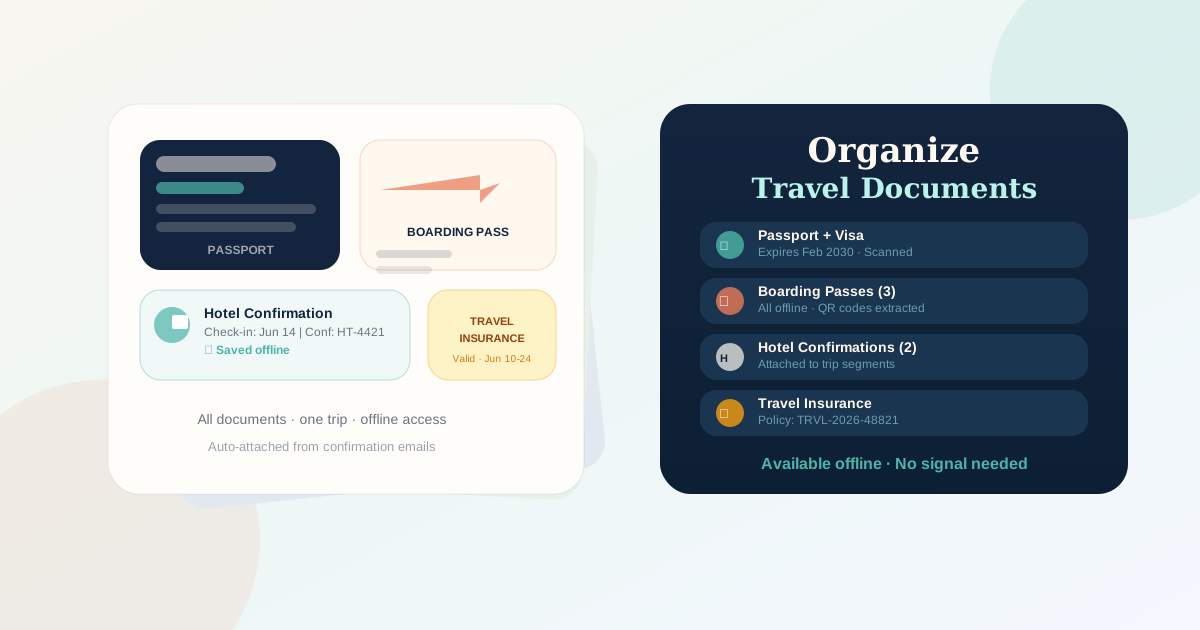
How to organize passports, visas, ETAs, insurance, booking PDFs, boarding passes, and trip files with security caveats and a Tineo workflow.

Travel Tips
How to Create a Travel Itinerary
Build a travel itinerary with flights, lodging, activities, documents, confirmation numbers, offline access, and a review checklist.

Features
Email-to-itinerary apps: compare forwarding, PDFs, and booking changes
Compare Tineo, TripIt, and Wanderlog for booking-email import, PDFs, and inbox connections, then use a practical check for changes and cancellations.