

Find Travel Overlap with Friends Before the Trip Happens
How Tineo helps friends and family discover overlapping destinations, arrivals, and meetup opportunities without turning travel plans into a noisy group chat.


On this page
Travel overlap is easy to miss. You find out a friend was in the same city after they post photos. A cousin lands the same morning but nobody connects the dots. A family member asks for your dates after the plan is already locked.
Tineo Friends & Family is designed to catch that overlap earlier, while keeping the private parts of each trip private.

Quick answer
To find travel overlap, share trip summaries with trusted friends and family, then look for matching date windows, nearby destinations, and realistic meetup points. Keep the first version lightweight: city, dates, and broad plan. Add more only when the overlap turns into a real meetup.
Best for: friend trips, family vacations, overlapping city breaks, cruises, events, destination weddings, and reunions.
Not ideal for: broadcasting private travel to people who do not need it.
Overlap planning
What to look for
Same place
City or region match.
The useful question is not just exact city. Nearby neighborhoods, airports, and resorts count.
Same window
Date ranges that actually overlap.
One shared evening may be enough. You do not need matching full trips.
Same energy
A realistic meetup.
Overlap is only useful if it respects arrival fatigue, kids, work, and fixed bookings.
Why group chats miss this
Group chats are chronological, not spatial. A friend can mention “we are in Paris next month” and that message is gone by the time you book your own trip. Tineo keeps the travel facts in an itinerary layer where overlap can be found later.
That does not mean every friend needs every detail. The sweet spot is a summary that makes the overlap visible without exposing private trip logistics.
A practical overlap workflow
How to use it
From travel circle to real meetup
Keep it lightweight until there is a real plan worth adding.
-
Create your travel circle
Add the trusted friends and family members you coordinate travel with.
-
Share summaries
Expose destination and date range, not every confirmation.
-
Find overlap
Look for shared places, nearby dates, and useful meetup windows.
-
Add one plan
Turn the overlap into dinner, pickup, a park morning, or a shared ticket.
-
Leave space
Avoid turning someone else's vacation into your schedule.
What not to share too early
Keep sensitive operational details out of casual overlap sharing. Exact lodging room numbers, payment details, ticket attachments, private notes, and confirmation codes usually belong in the trip, not in every friend’s awareness layer.
Scroll sideways to read every column.
| Detail | Share in summary? | Share with collaborator? |
|---|---|---|
| Destination city | Yes | Yes |
| Date range | Yes | Yes |
| Arrival window | Sometimes | Yes |
| Lodging name | Sometimes | Yes |
| Confirmation number | No | Only when needed |
| Payment details | No | Rarely |
Example: one overlapping night
You are in Barcelona from Friday to Monday. A friend is there from Sunday to Wednesday. That is not a “group trip,” but it is a real opportunity: Sunday dinner, Monday coffee, or a shared museum slot.
Without a travel circle, you may learn about it too late. With Friends & Family summaries, the overlap is visible before the calendar fills.
FAQ
How do I know if my trip overlaps with a friend’s trip?
Use Tineo Friends & Family to share high-level trip summaries and spot matching date or destination windows across your trusted travel circle.
Should I share my full itinerary to coordinate overlap?
Usually no. Start with a summary and only share detailed plans or collaborator access when the other person needs it.
What is the best use of travel overlap?
Use overlap for one or two practical moments: dinner, airport pickup, a shared event, or a flexible activity. Do not over-plan someone else’s trip.
Related Tineo guides
Keep reading
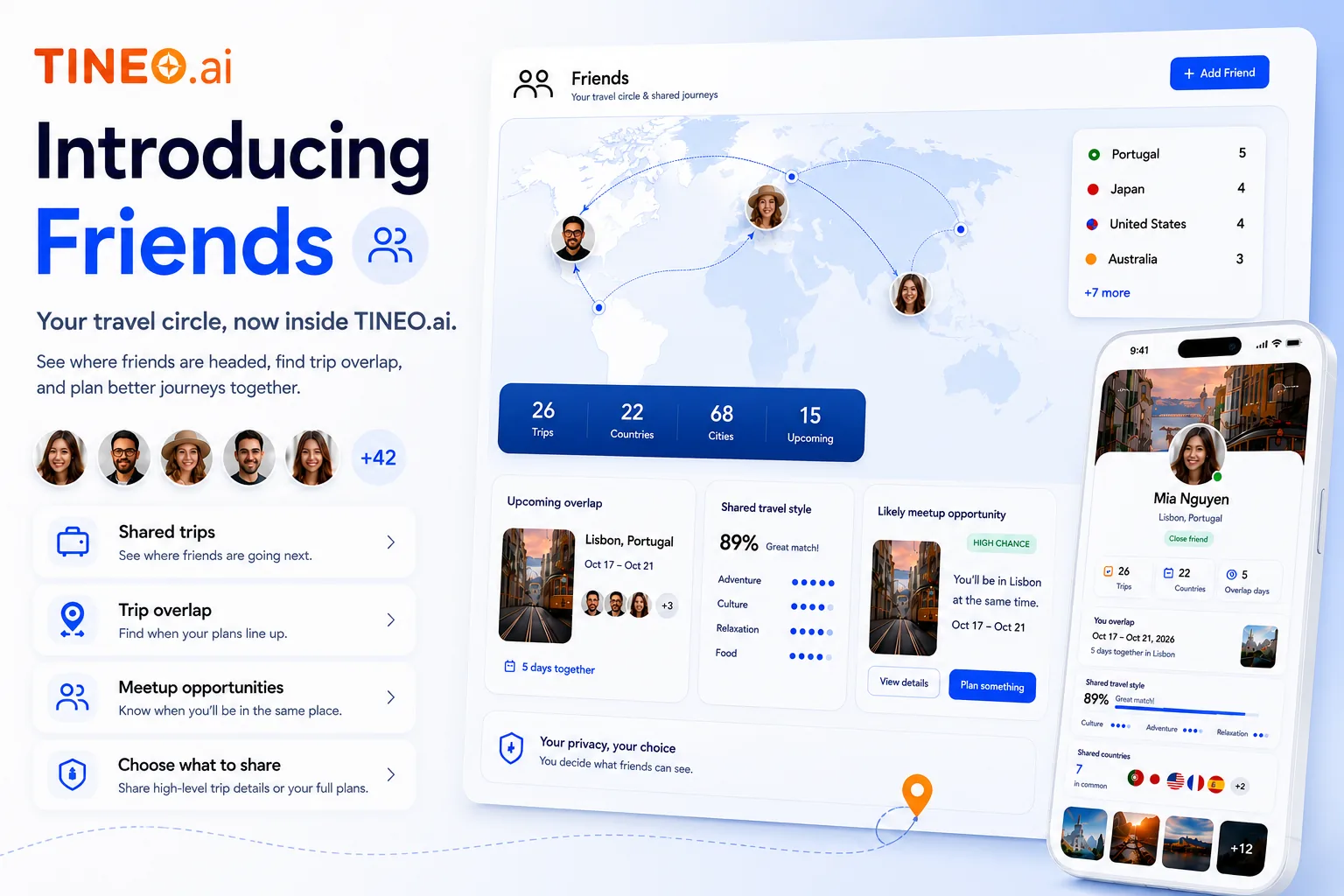
Friends & Family
Tineo Friends & Family: Shared Trips Without Oversharing
A practical look at Tineo's new Friends & Family travel features: travel circles, trip summaries, overlap discovery, and privacy controls.
Travel With Friends
Group Trip Planner for Friends: Flights, Stays, Polls, and Shared Notes
Use one shared itinerary for friend trips so flights, hotels, restaurants, tickets, polls, and notes do not disappear in group chat.
best shared itinerary app
Best Shared Itinerary Apps for Group Trips in 2026
Compare the best shared itinerary apps for friends, families, and colleagues: how each handles bookings, sharing, pricing, and platforms, and which fits your trip.