

Tineo Friends & Family: Shared Trips Without Oversharing
A practical look at Tineo's new Friends & Family travel features: travel circles, trip summaries, overlap discovery, and privacy controls.

On this page
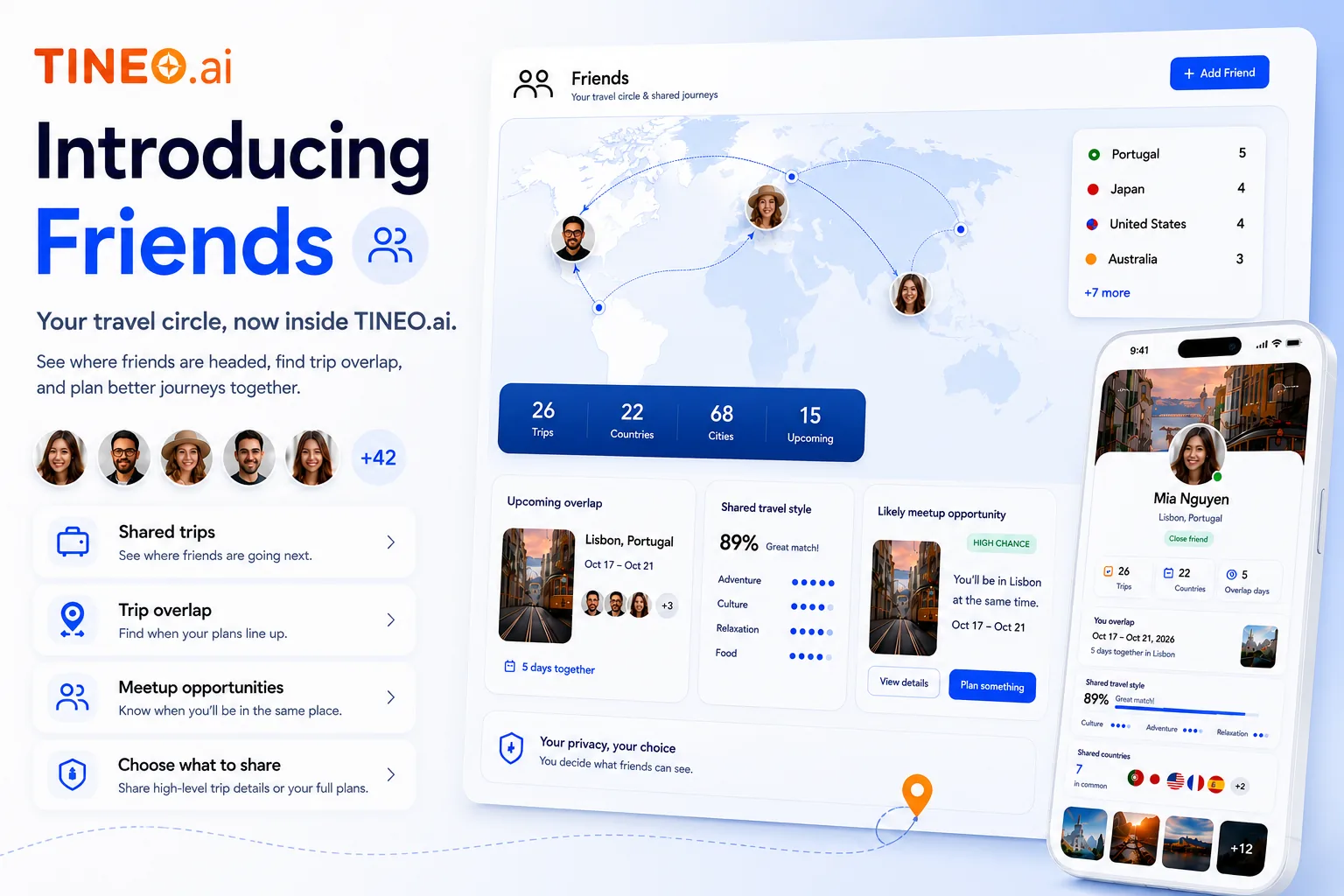
Tineo Friends & Family brings your travel circle into the itinerary. Instead of asking “when do you land?” or digging through a group chat, you can see the high-level travel context that helps people coordinate: who is traveling, where plans overlap, and what parts of a trip are useful to share.

Quick answer
Use Friends & Family when coordination matters but full access would be too much. It is built for trusted travel circles: family trips, friend weekends, reunions, weddings, cruises, and trips where people need context without everyone becoming an admin.
Best for: seeing friends’ upcoming trips, finding overlap, coordinating arrivals, and sharing trip summaries.
Not ideal for: replacing a full trip collaborator role when someone needs to edit every booking.
Friends & Family
What the new layer is for
Travel circle
Trusted people, not a public feed.
Friends and family can understand broad plans without receiving every private detail.
Overlap
Spot when trips line up.
See useful overlap opportunities before they disappear in chat.
Control
Share summaries first.
Keep confirmation numbers, payment details, and sensitive notes out of casual sharing.
Why this matters
Most travel apps treat sharing as all-or-nothing. Either a person gets a static link, or they become a collaborator inside the whole trip. Real travel is more nuanced.
Your sibling may need to know when your family arrives. A friend may want to see that you will both be in Tokyo (that is what finding travel overlap with friends does). A grandparent may need the broad vacation window. None of those people automatically need confirmation numbers, private notes, payment details, or full edit access.
Friends & Family gives Tineo a middle layer: enough context to coordinate, with privacy still in the foreground.
What to share first
Start with summaries. A good travel summary answers practical coordination questions without exposing the operational details of the trip.
Scroll sideways to read every column.
| Share layer | Good for | Keep private by default |
|---|---|---|
| Destination and dates | Family awareness, overlap, meetups | Exact lodging room details |
| Arrival windows | Pickup planning, dinner timing, group activities | Confirmation codes |
| Trip title and purpose | Context for friends and relatives | Payment details |
| Selected plans | Shared activities and meetups | Private notes and attachments |
How Friends & Family fits with trip collaboration
Friends & Family is not a replacement for full collaboration. It is the layer before collaboration.
Use Friends & Family when someone needs awareness. Use trip collaborators when someone needs to edit the itinerary, forward confirmations into the trip, manage invitees, or act as a co-planner.
Sharing flow
A privacy-first way to coordinate
Start with lightweight context, then escalate access only when someone needs it.
-
Add your circle
Connect the people you actually coordinate travel with.
-
Share summary
Let them see destination, date range, and relevant context.
-
Spot overlap
Find trips that line up by city, region, or date window.
-
Invite deeper
Promote the right person to collaborator only when they need edit access.
Example: two families in the same city
Two families are both in London for part of the same week. They do not need access to each other’s hotels, payment details, ticket PDFs, or private notes. They do need enough context to know whether a dinner, park morning, or museum visit makes sense.
Friends & Family makes that coordination possible without turning one family’s itinerary into a shared spreadsheet.
FAQ
What is Tineo Friends & Family?
Friends & Family is a Tineo feature set for seeing where trusted people are headed, spotting overlap, and sharing trip summaries without exposing private booking details by default.
Can friends see every booking detail?
No. Tineo is designed around controlled summaries first. Sensitive details stay private unless you choose to share more.
Who is this for?
Families, friend groups, couples, destination wedding groups, reunion planners, and anyone coordinating travel across multiple people.
Related Tineo guides
Keep reading

Group Travel
Collaborative Trip Planning with Tineo
See how Tineo makes group trip planning easier, from converging flights and shared itineraries to AI help for teams, families, and friends.
couples trip planning app
Best Couples Travel Apps for Planning Trips Together
Compare the best couples travel apps for planning a trip or honeymoon together: Tineo, Wanderlog, TripIt and more, with prices, sharing and import features.
best team travel apps
Best Team Itinerary Apps: How to Pick One for Your Group
Compare the best team itinerary apps for group and business trips: what each type does well, how to choose, and how Tineo turns confirmation emails into one shared trip.