

Best Shared Itinerary Apps for Group Trips in 2026
Compare the best shared itinerary apps for friends, families, and colleagues: how each handles bookings, sharing, pricing, and platforms, and which fits your trip.

On this page

The best shared itinerary app is the one that gets everyone’s reservations into a single timeline without one person retyping them. For trips you have already booked, we think that is Tineo: it turns confirmation emails into an itinerary you can share with friends, family, or colleagues on web, iOS, and Android. Other apps are stronger at other jobs, such as sketching places on a map or helping a group decide, so this guide compares the main options by what you need the shared itinerary to do.
TL;DR
- If the trip is booked and the problem is scattered confirmation emails, choose an app that organizes them for you. Tineo does this and is free to start.
- If the group is still choosing places and building a day-by-day plan, a map-first planner such as Wanderlog fits that stage.
- TripIt is built around forwarded bookings and is a familiar choice for business travel.
- Before you commit, check three things: how reservations get in, who can see and edit the trip, and what works offline.
- Paid plans in this category are inexpensive: annual prices listed in a recent US comparison run from $39.99 to $49.
Table of Contents
- What a shared itinerary app has to do
- Shared itinerary apps compared
- Tineo: best when the trip is booked and the inbox is a mess
- Wanderlog: strong for planning places and routes
- TripIt: the long-standing booking organizer
- Plan Harmony and Let’s Jetty: built around group decisions
- Which app fits which kind of trip
- How to build a shared itinerary that stays accurate
- What to check before you pick an app
- Where Tineo fits in your trip
- FAQ
- Sources
What a shared itinerary app has to do
A group trip usually falls apart in the same place. The information exists, but it lives in six inboxes, a group chat, and one person’s notes app. The flight confirmation is with the organizer, the rental car is with someone else, and the hotel booking is under a name half the group does not recognize.
A shared itinerary app solves that only if it does four things well:
- Gets bookings in with little typing. Importing confirmation emails beats copying times, addresses, and confirmation numbers by hand. Every manual entry is a chance for a typo that sends someone to the wrong terminal.
- Shows one timeline. Flights, lodging, car rentals, and activities should sit in date order, not in separate lists you have to cross-check.
- Lets other people see it. Travelers should be able to open the plan on their own phone, and ideally add to it, without asking the organizer.
- Keeps working away from good Wi-Fi. Airports, rural roads, and international roaming are where a trip plan gets used most.
Everything else, from maps to budgets to AI suggestions, is a bonus that matters for some trips and not others. Decide which stage of planning your group is in, and the right app becomes much clearer.
Shared itinerary apps compared
The table shows how the main options differ. Wanderlog and TripIt prices and platforms are US figures from WhistleOut’s March 8, 2026 group travel apps comparison. Plans change, so confirm on each app’s own pricing page before you pay.
| App | Best for | Main strength | Paid plan (US) | Platforms |
|---|---|---|---|---|
| Tineo | Trips that are already booked | Turns booking emails into a shared timeline, with an AI assistant in the context of your trip | Free tier; Ultra $4.99/month or $39.99/year | Web, iOS, Android |
| Wanderlog | Building a plan on a map | Place-by-place planning, popular for road trips | Pro from $39.99/year | iOS, Android, web |
| TripIt | Business travel and personal trips | Organizing forwarded bookings | Pro $49/year | iOS, Android |
| Plan Harmony | Groups deciding together | Group-focused planning | Check its site | Check its site |
| Let’s Jetty | Social, interest-based plans | Turning friend plans into real outings | Check its site | Progressive web app |
The sections below explain where each one fits.
Tineo: best when the trip is booked and the inbox is a mess
Tineo starts from the reservations you already have. You bring in booking confirmation emails, and Tineo organizes flights, lodging, car rentals, activities, and documents into one trip timeline. You then share the trip with the people traveling, so nobody has to ask “what time is the flight again?” in the group chat.
What that means in practice:
- Less manual data entry. Instead of typing a flight number, terminal, and confirmation code, you start from the email you already received.
- One place for everything. Reservations, documents, and trip details sit together rather than across inboxes and screenshots.
- Collaboration across devices. Friends, family, or colleagues can follow the itinerary on web, iOS, and Android.
- An AI travel assistant. It works in the context of your trip rather than as a blank chat window.
- Free to start. The core tier costs $0 per month. Ultra, the paid plan, is $4.99 per month or $39.99 per year and unlocks advanced AI capabilities, offline access, document intelligence, and premium trip management tools. The pricing page has the current plan details.
Tineo organizes trips you have booked. It does not book travel, so you still reserve flights and hotels with the airline, hotel, or booking site you prefer, then bring the confirmations in.
If you want a closer look at how it compares with a map-first planner, we wrote Wanderlog vs Tineo.
Wanderlog: strong for planning places and routes
Wanderlog is a map-centered planner. You collect restaurants, sights, and stops, arrange them by day, and invite others to edit. That makes it a natural choice when your group has not decided what to do yet and wants to build the plan together.
Per the WhistleOut table, Wanderlog is available on iOS, Android, and web, and Pro starts at $39.99 per year. That matches the annual price of Tineo Ultra, so the decision comes down to the job rather than the cost: Wanderlog for sketching where to go, Tineo for keeping confirmed bookings and trip details organized and shared.
Many travelers end up with a two-stage routine: brainstorm places in a planner, then keep the actual reservations in one itinerary. Our roundup of Wanderlog alternatives and its side-by-side comparison table go through how the options differ.

TripIt: the long-standing booking organizer
TripIt is built around the idea of forwarding confirmations to create a master itinerary, and it has long been associated with business travelers. WhistleOut lists it on iOS and Android, with Pro at $49 per year.
If your main need is a personal, flight-centered itinerary, it is a familiar choice. For a family or friend group that wants everyone on one shared trip across web and mobile, compare the platform list and pricing against your group’s devices first. We cover the differences in Wanderlog vs TripIt.
If you used TripCase, which has been retired, you do not need to rebuild old trips by hand. Take the confirmation emails for upcoming trips and bring them into a new itinerary app. In Tineo, that is the same import step described above.
Plan Harmony and Let’s Jetty: built around group decisions
Some apps focus less on the itinerary document and more on getting a group to agree.
Plan Harmony relaunched as version 2.0 on February 3, 2025, after a brief break, with a redesigned experience. It is aimed at group travel, which makes it worth a look if the hardest part of your trip is settling on a plan.
Let’s Jetty is described by its CEO, Wendy Diep, as a “social planning platform” centered on decisions that lead to real-world experiences with other people. It suits friend groups planning outings more than travelers trying to consolidate flight and hotel emails.
The pattern is consistent: decision-first apps help you choose, and itinerary-first apps help you keep the result organized once the reservations exist.
Which app fits which kind of trip
Group vacations with friends
Most of the pain here is coordination. Flights arrive at different times, people book separate rooms, and the plan changes. Use a decision tool if the group is undecided, and a shared itinerary once things are booked. Put every confirmation into one trip, invite everyone, and the question “where are we staying?” has one answer. For bachelor and bachelorette weekends, our coordination checklist for flights, lodging, and shared costs walks through what to settle and when.
Family vacations
Families need the plan visible to more than one adult, and they need it on whatever phone each person carries. Cross-platform support matters most here. A tool that works on web, iOS, and Android means a grandparent on a tablet and a teenager on a phone see the same timeline. Offline access is also worth having for theme parks, rental cars, and flights.
Road trips
Road trips depend more on routes than on reservations, so a map-first planner is useful for choosing stops. Navigation is a separate need again. A scenic drive navigation app for iPhone, iPad, CarPlay, and Mac offers curated scenic routes, live voice narration about local history, and offline downloads. Pair a navigation tool with an itinerary that holds your hotel and rental car confirmations, and you cover both.
Business travel and team trips
Business trips bring many small details: flights, ground transport, hotel check-ins, and meeting times. The goal is a clear timeline that colleagues can follow. Importing confirmations rather than retyping them saves time and prevents mistakes. For ongoing changes, such as a rebooked flight or moved check-in, a record of what changed is useful, and our travel booking tracker guide shows how to log and act on each change.
How to build a shared itinerary that stays accurate
The app matters less than the routine. Here is a process that works in any tool, with notes on where it goes wrong.
- Pick one organizer and one home for the trip. Two competing itineraries are worse than none. Decide which app is the source of truth and tell the group.
- Forward or import each confirmation as soon as you book. Waiting until the week before the trip is how reservations get lost. With Tineo, confirmation emails are turned into trip entries, so you are not retyping details.
- Check the imported details once. Confirm dates, time zones, and names against the original email. Overnight flights and international trips are where date errors show up.
- Invite everyone and confirm they can open it. Have each traveler open the trip on their phone before departure day, not at the airport.
- Add the non-booked items. Restaurant plans, tour meeting points, and free days belong in the same timeline, so the plan reads as one document.
- Store documents with the trip. Passport copies, tickets, and insurance details are easier to find when they sit next to the booking they relate to.
- Update the trip when plans change. If a flight moves, change it once in the shared itinerary instead of announcing it in three chats.
- Check requirements with official sources. Entry rules, visas, and health requirements change. Confirm them on the destination country’s official government site or your own government’s travel advisory, not in a planning app.
What to check before you pick an app
How reservations get in. Email import or forwarding saves the most work. Apps that only offer manual entry make the organizer do the typing.
Who needs an account. Some travelers will not want to sign up for anything. Check whether people can view a shared itinerary without paying, and whether editing requires an account.
Platforms. List the devices in your group. Per WhistleOut, TripIt is listed for iOS and Android only, while Wanderlog covers iOS, Android, and web. Tineo is available on web, iOS, and Android.
Offline access. In Tineo, offline access is part of the paid Ultra plan. In other apps it may also be a paid feature, so check the plan before a trip that includes a long flight or a remote stretch.
Cost per trip. At $4.99 per month, a month of Tineo Ultra covers a single big trip. At $39.99 per year, it works out to less than a coffee a month for frequent travelers. Many groups need only one paid account, held by the organizer.
Fit with your planning stage. If nothing is booked yet, a planner or decision tool comes first. If everything is booked, an itinerary organizer saves the most time.

Where Tineo fits in your trip
If your trip is booked and your confirmations are scattered, Tineo is the shortest route to an organized, shareable plan. Forward the emails, review the timeline, and invite the people traveling. The free tier covers the core itinerary, and Ultra adds offline access, document intelligence, and advanced AI features when you want them.
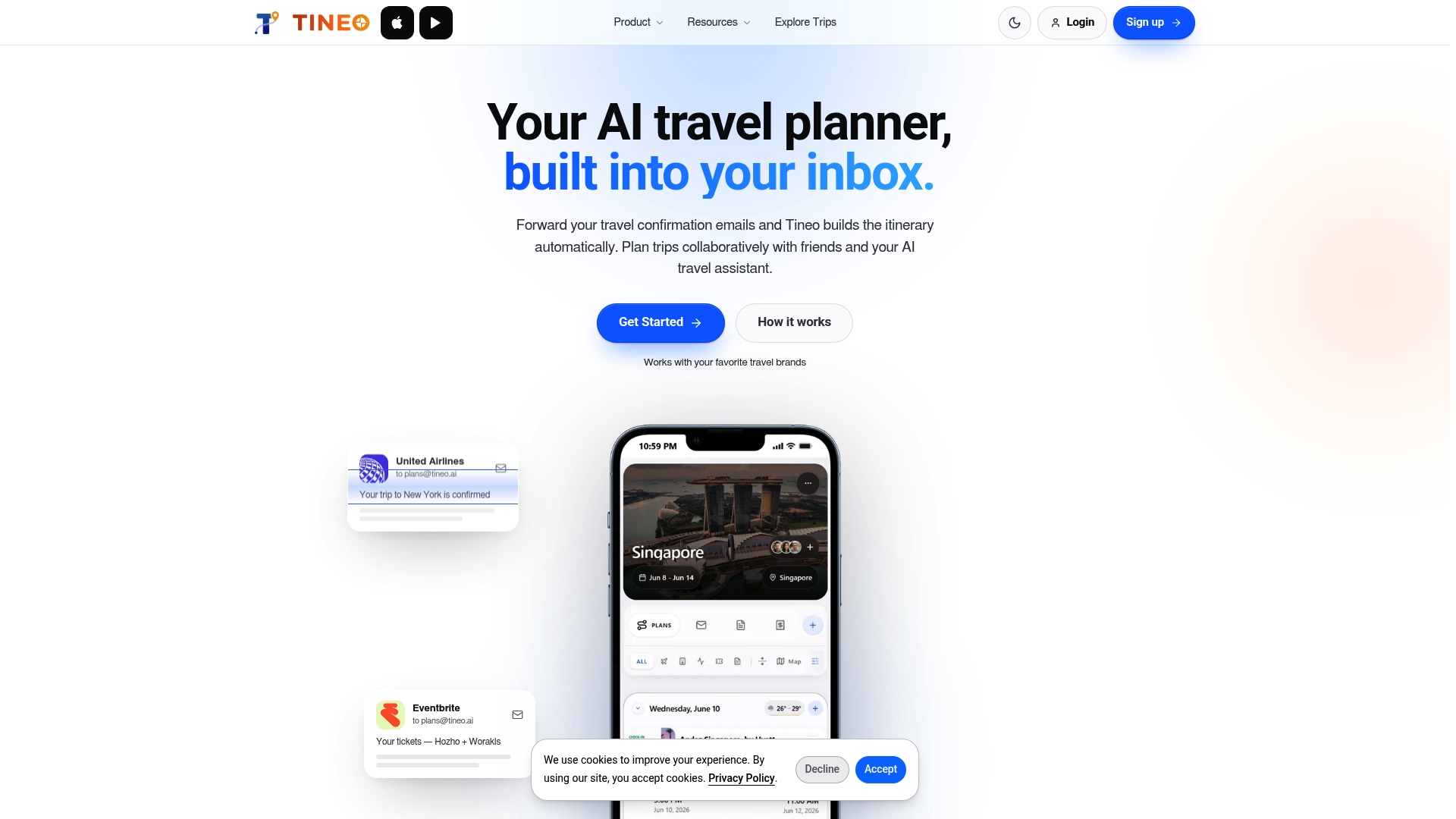
You can see the plans on the pricing page, or start from the Tineo home page.
FAQ
What is the best free shared itinerary app?
That depends on your stage. Tineo’s core tier is free and covers organizing booked trips from confirmation emails, and Wanderlog’s core planner is also free according to its published plans. If your trip is already booked, start with Tineo’s free tier. If you are still choosing places, a map-first planner is the better first step.
Can everyone on the trip edit the itinerary?
It depends on the app and the plan. Tineo supports collaboration with friends and family, and travelers can follow the trip across web, iOS, and Android. Before you invite a large group, check what viewers and editors can each do in the app you choose.
Can ChatGPT plan a trip for a group?
A general chatbot can suggest ideas, but it does not hold your reservations or share a live timeline. An itinerary app keeps the confirmed details in one place for everyone. Tineo’s AI travel assistant works in the context of your own trip.
Do I need a shared itinerary app if I already use a group chat?
A group chat is fine for discussion, but confirmation numbers and times get buried in it. A shared itinerary keeps them in date order, so anyone can find the hotel address or flight time in seconds. Most groups use both: chat to decide, itinerary to keep the result.
What should I do with my old TripCase trips?
TripCase has been retired, so move your upcoming trips by bringing their confirmation emails into a current itinerary app. In Tineo, you import the emails and the trip timeline is rebuilt for you, then share it with your travel companions.
Sources
- Best Group Travel Apps for Easy Spring Break Planning, WhistleOut
- Welcome to Plan Harmony 2.0, Indie Hackers
- Let’s Jetty Introduces Its Collaborative App, Yahoo Finance
Recommended
Keep reading
best itinerary app android
Best Itinerary App for Android: 5 Options Compared
Compare the best itinerary apps for Android: Tineo, TripIt, Wanderlog, Polarsteps and Google Maps. See what each does well, what it costs and who it suits.

Travel Apps
Travel Apps That Shut Down: Dates, Data and Replacements
A sourced tracker of trip planner and itinerary apps that shut down since 2017: announcement and closing dates, what happened to user data, and official advice.
best itinerary app iphone
Best Itinerary App for iPhone: 6 Options Compared
Compare the best itinerary apps for iPhone: Tineo, TripIt, Wanderlog, Flighty, Google Maps and Notion. See how each organizes bookings and group trips.