

Tineo Is Now on Apple Watch: Flights, Plans and Complications
Tineo for Apple Watch puts your next flight, today's plans, trip countdown and hotel check-out on your watch face. See every complication and what the watch app does.

On this page
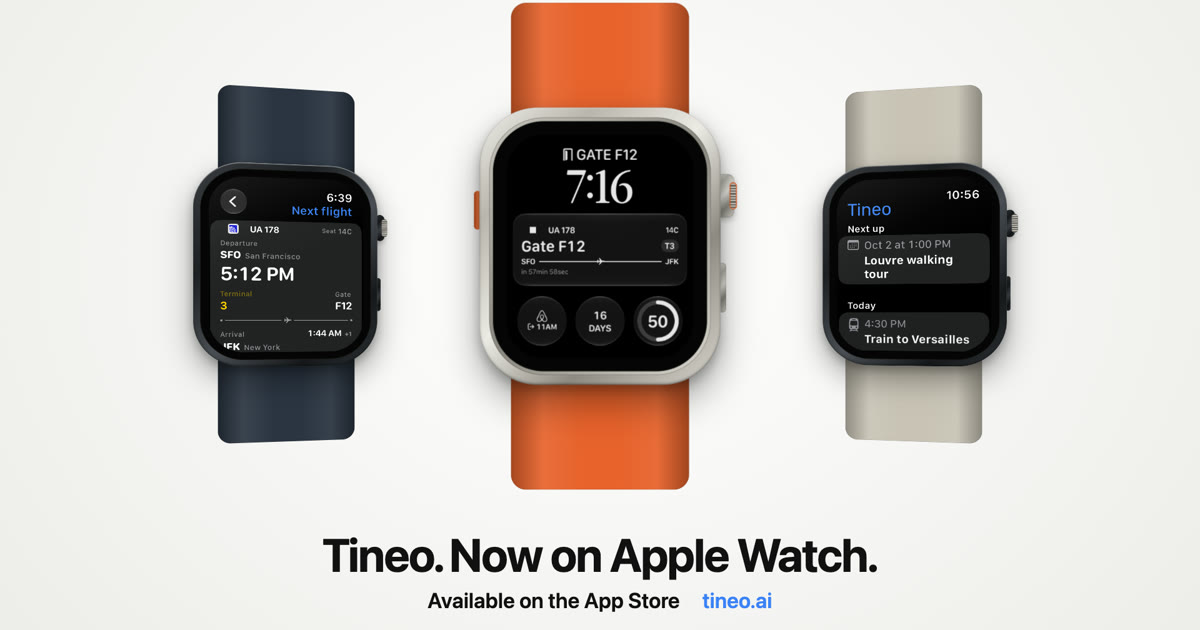
Tineo is now on Apple Watch. Your next flight, today’s plans, the countdown to your trip and your hotel check-out time sit right on your watch face, and the Tineo watch app holds the details: terminal and gate, seat, booking references and addresses. It’s included in Tineo 1.7.2 for iPhone and works on watchOS 26 or later.
The Tineo for Apple Watch launch film (37 seconds, with sound). Watch or share it directly: landscape 16:9 video or portrait 4:5 video.
Your flight, live on your wrist
The Next Flight complication follows your next flight from the moment you have one coming up. When live flight data is available, it changes with the flight:
- Gate and terminal, with a countdown to departure.
- Gate changes, showing the old gate next to the new one.
- Delays, with the minutes of delay and the original departure time.
- Boarding, with your gate and seat.
- Baggage belt after you land.
It also covers check-in opening, connections, cancellations and diversions. Without live data, it shows your scheduled details and says so, so you never mistake a schedule for a live update.
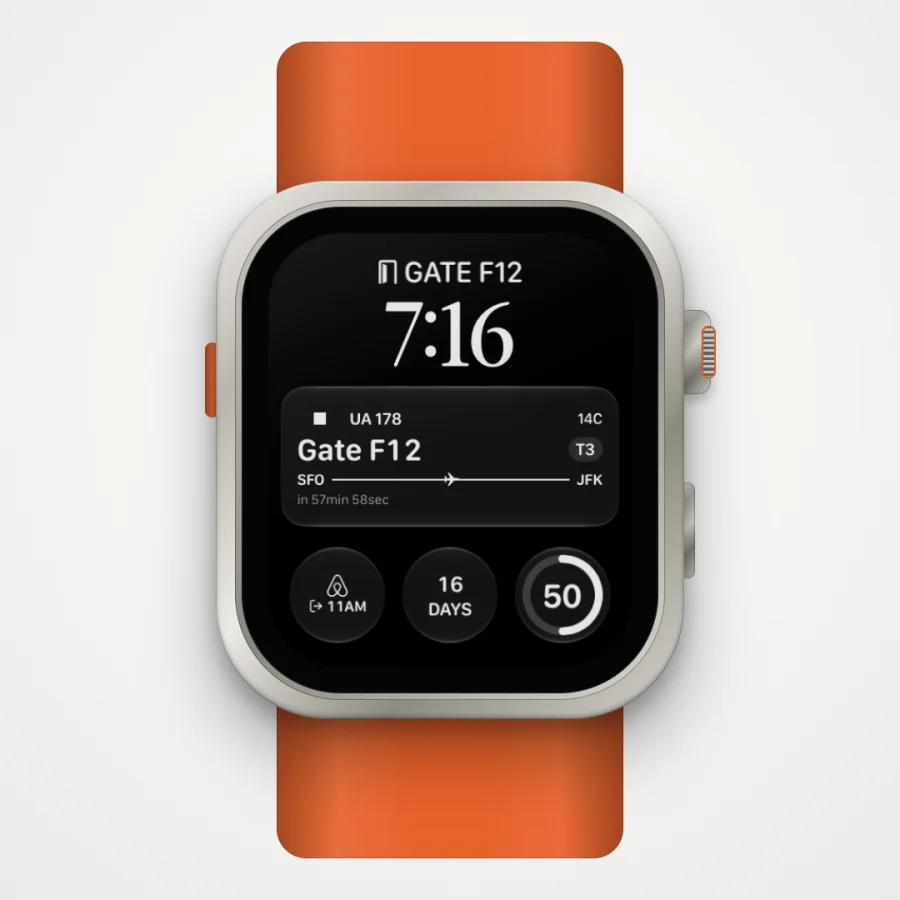
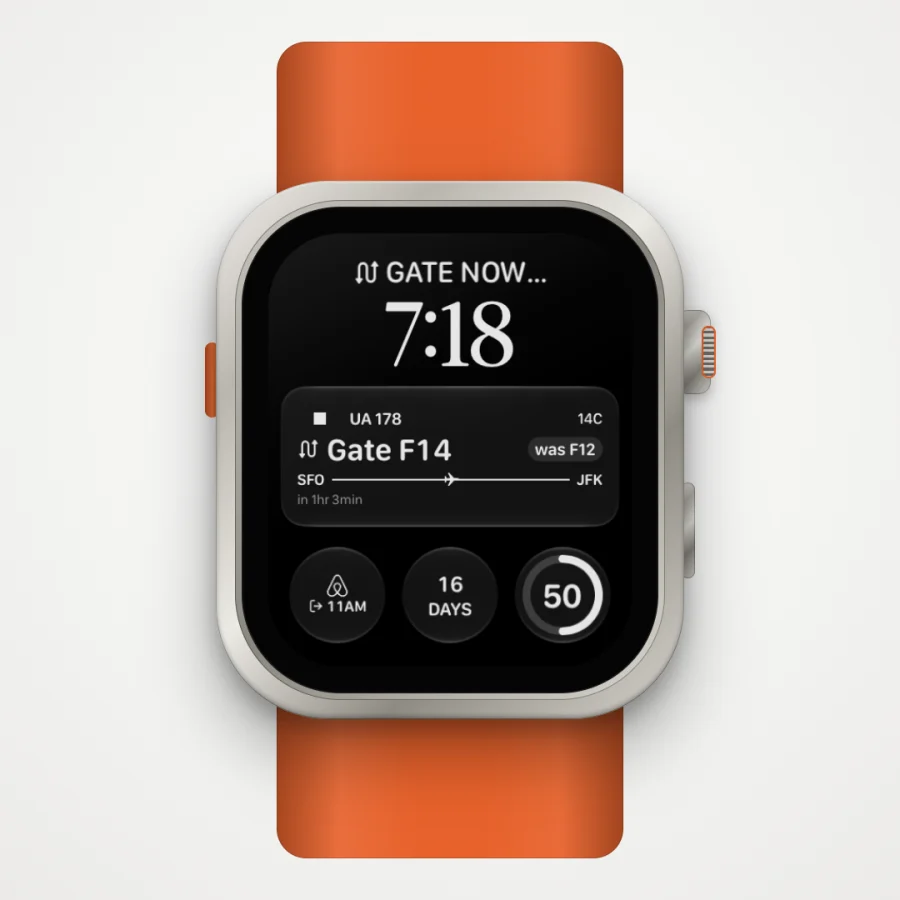
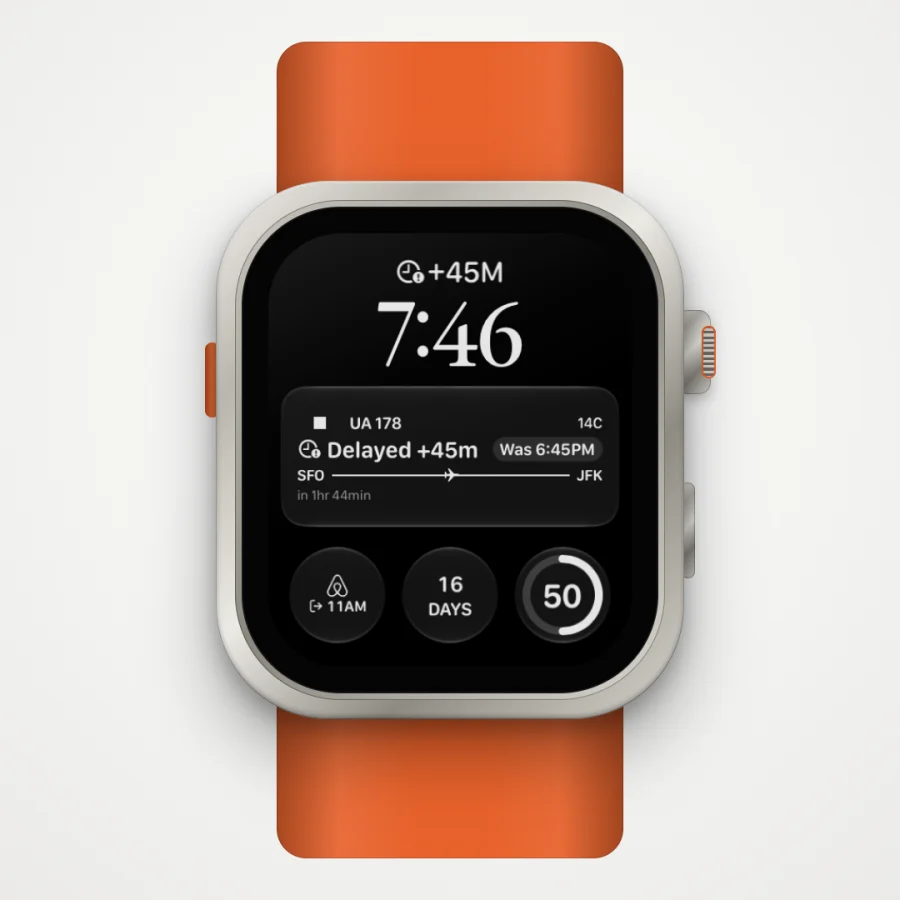
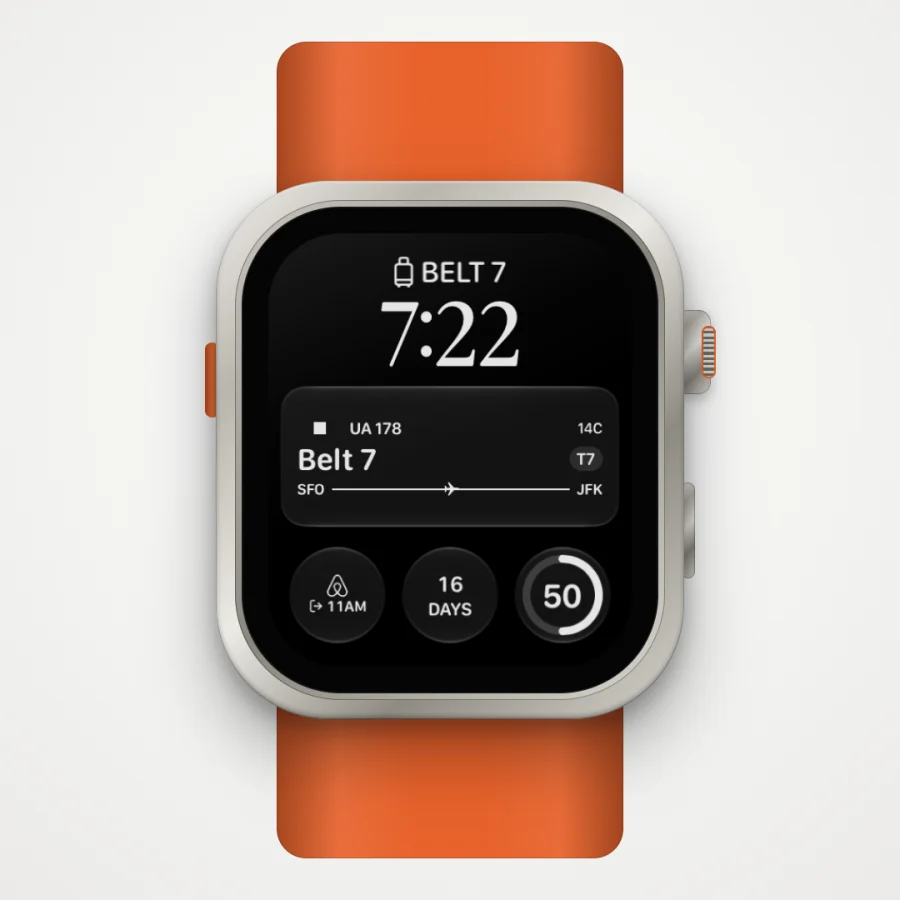
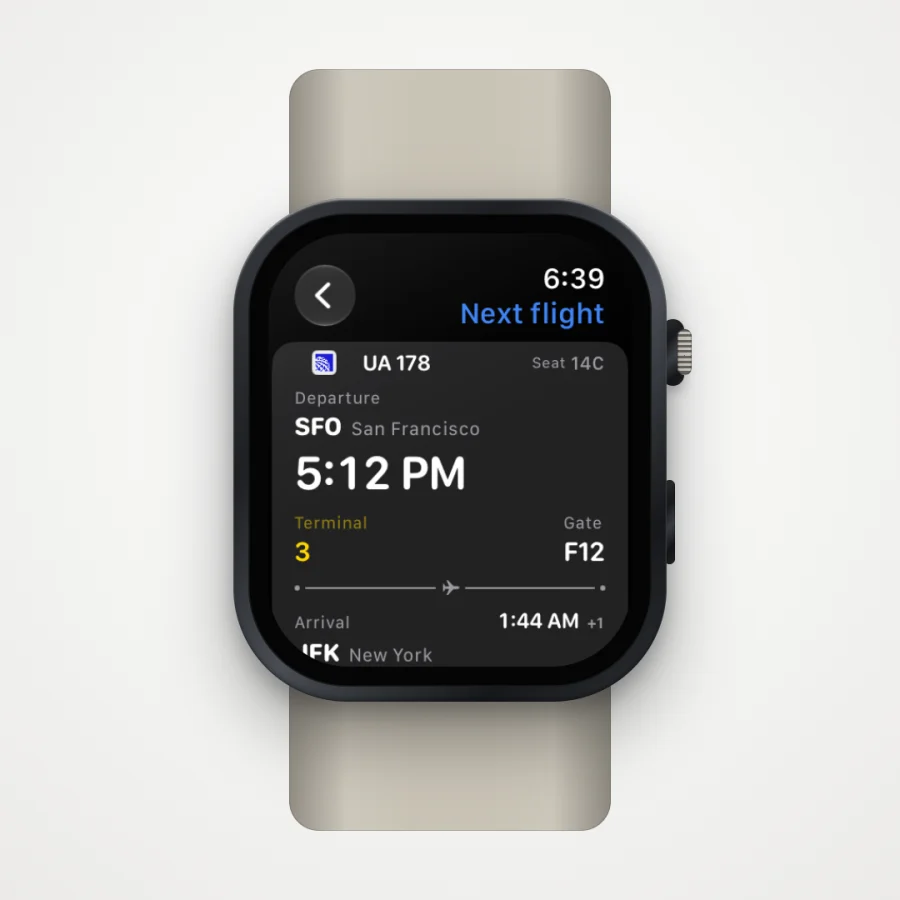
Tap the complication to open the flight in the Tineo watch app, with departure and arrival times, terminal, gate, seat and baggage claim in one place.
Today’s plans at a glance
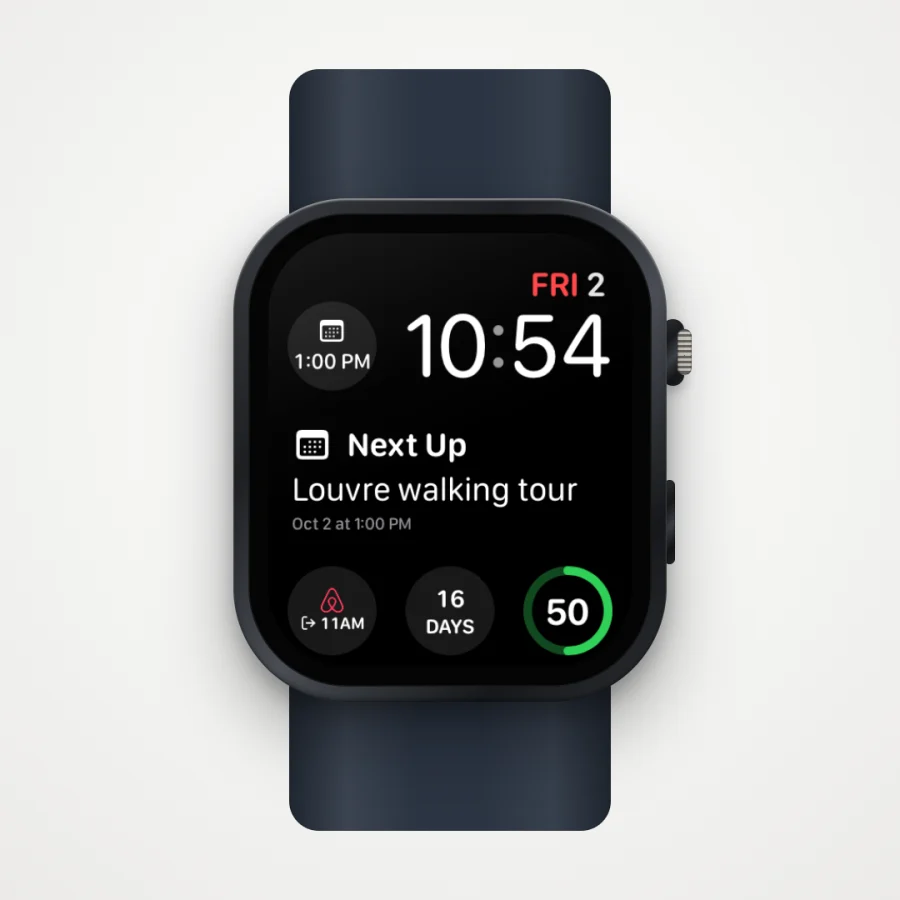
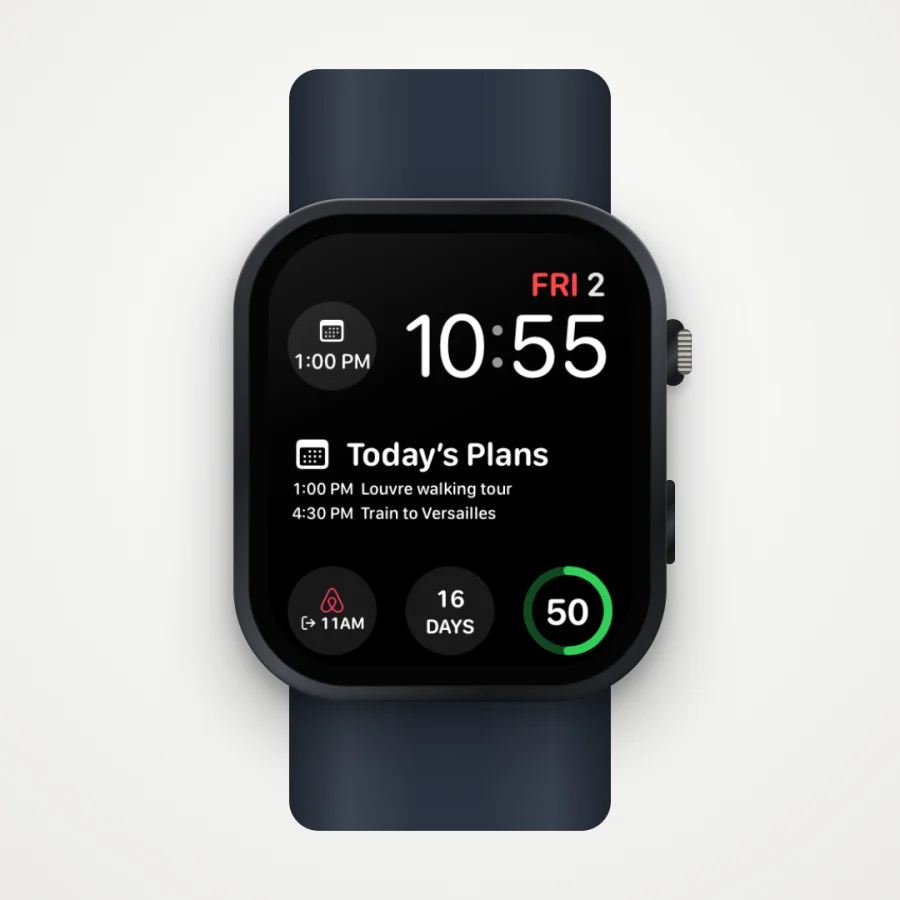
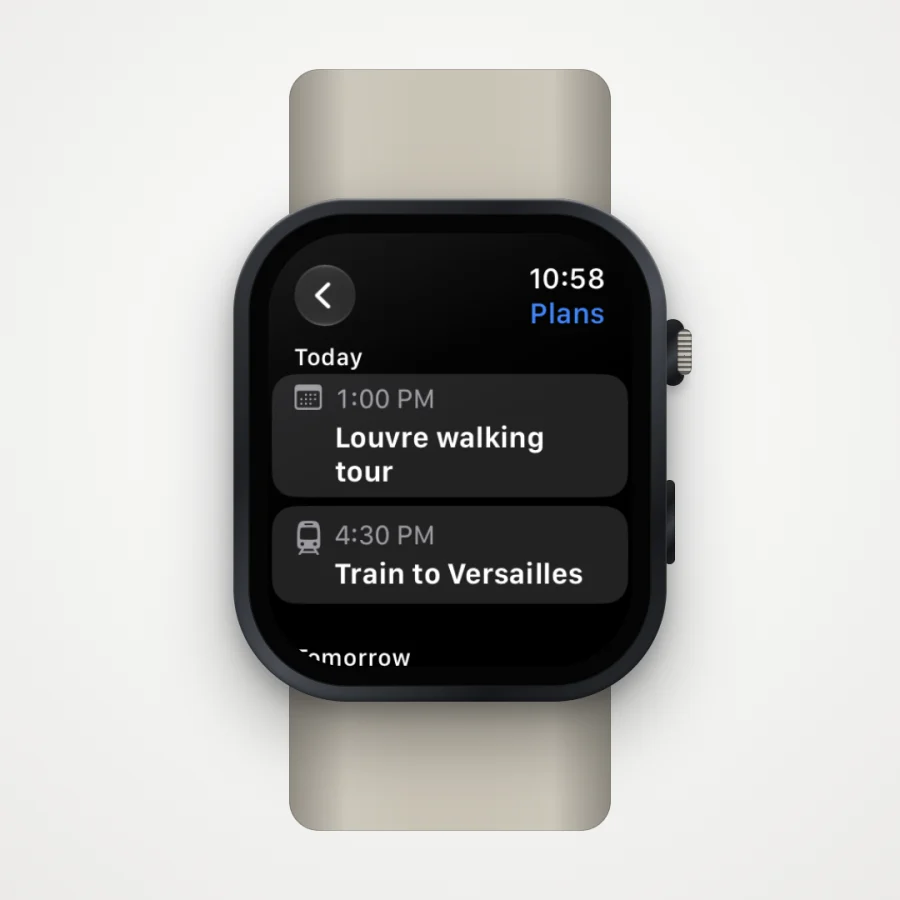
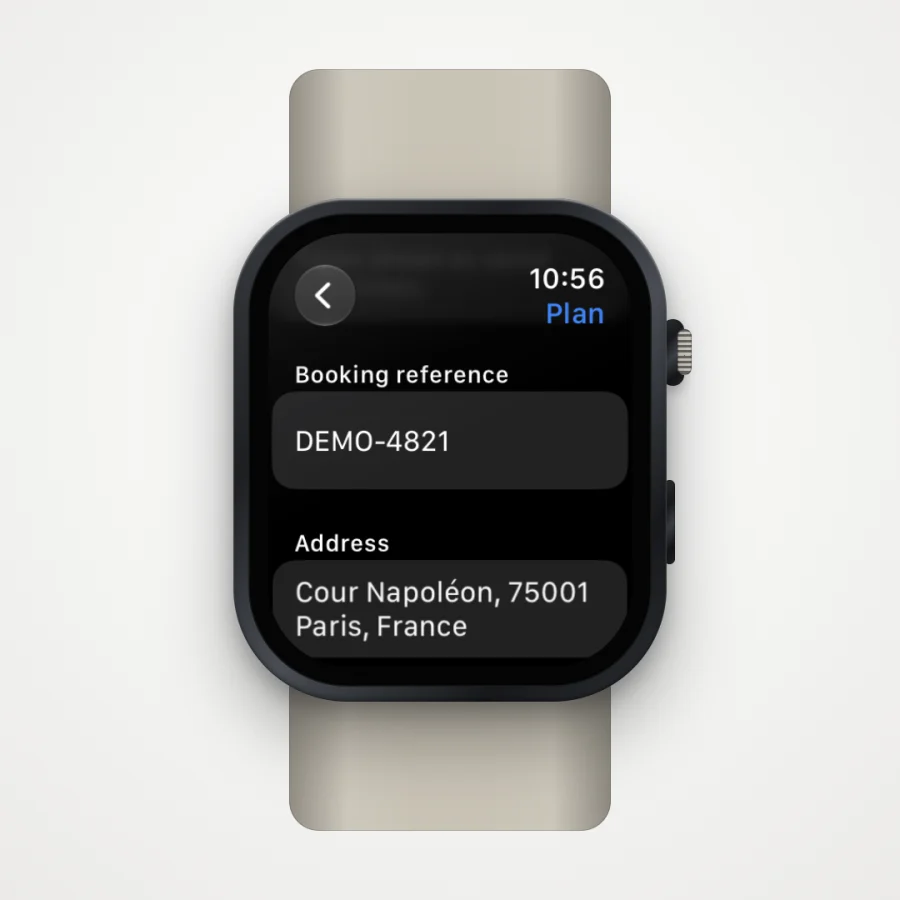
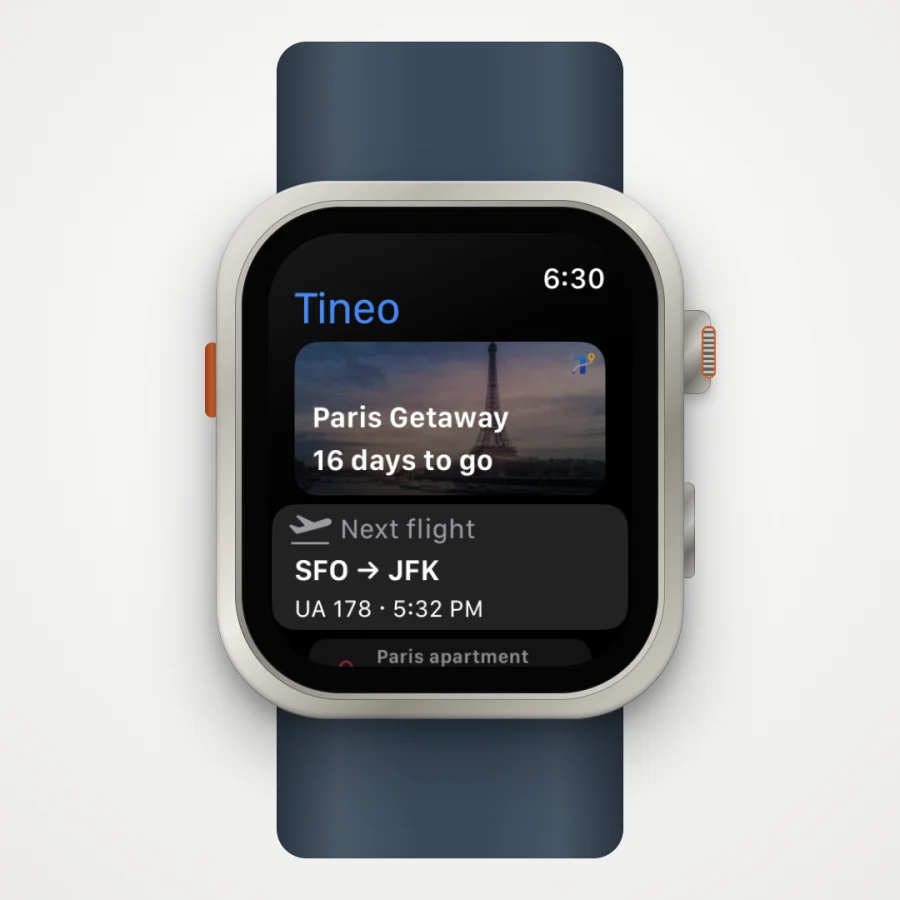
Next Up shows the next thing on your itinerary, whether it’s a museum tour, a train or a dinner reservation. Today’s Plans lists the rest of the day as a rectangular complication or in the Smart Stack. In the watch app you can browse today and tomorrow, then open any plan for its notes, booking reference, address and directions.
Every Tineo complication
Scroll sideways to read every column.
| Complication | What it shows | Sizes |
|---|---|---|
| Next Flight | Gate and terminal, gate changes, delays, boarding, baggage belt, plus check-in, connections, cancellations and diversions | Circular, rectangular, inline, corner |
| Next Up | Your next plan and when it starts | Circular, rectangular, inline, corner |
| Today’s Plans | The rest of today’s itinerary | Rectangular and Smart Stack widget |
| Trip Countdown | Days until your next trip, with the trip’s cover photo in the rectangular size | Circular, rectangular, inline, corner |
| Current Stay | Where you’re staying and your check-out time | Circular, rectangular, inline, corner |
To add one, touch and hold your watch face, tap Edit, swipe to the complications, choose a slot and pick Tineo.
What the Tineo watch app does
- Trip home: your next trip with its cover photo and countdown, your next flight and what’s next today.
- Flight details: departure and arrival, terminal and gate, seat and baggage claim, plus saved onward-flight details for connections.
- Stay details: your hotel or rental, check-out time, address and directions.
- Plans: today and tomorrow, with each plan’s notes, booking reference, address and directions.
- Offline trips: trips you have downloaded stay on the watch even without your iPhone nearby.
- Apple Wallet: add the original issuer’s passes to Apple Wallet from your iPhone.
How to get started
- Update Tineo on your iPhone to version 1.7.2 or later.
- Install Tineo on your Apple Watch from the Watch app on your iPhone, if it isn’t installed automatically.
- Open Tineo on your iPhone so your trips sync to the watch.
- Add Tineo complications to your favourite watch face.
New to Tineo? Forward a booking confirmation email and Tineo turns it into an organised itinerary, which then shows up on your watch.
Choosing what else to put on your wrist for a trip? See our comparison of the best Apple Watch travel apps.
Watch the launch film
The portrait cut works best on phones and social feeds.
Portrait 4:5 cut. Direct links: portrait 4:5 video or landscape 16:9 video.
Screenshots and the film show the Apple Watch simulator with sample trips, not real traveler data.
Frequently asked questions
What do I need to use Tineo on Apple Watch?
You need Tineo 1.7.2 or later on your iPhone and an Apple Watch running watchOS 26 or later. Your trips sync to the watch from the Tineo app on your iPhone, so open Tineo on your iPhone to send the latest plans.
Which Tineo complications are available?
Next Flight, Trip Countdown, Current Stay and Next Up come in circular, rectangular, inline and corner sizes. Today’s Plans is a rectangular complication and Smart Stack widget.
Does the Next Flight complication show live gate changes and delays?
When live flight data is available, Next Flight shows the gate and terminal, gate changes, delays, boarding and the baggage belt after landing. Without live data it shows the scheduled details and labels them as scheduled.
Can I see my trips on Apple Watch without my iPhone nearby?
Yes. Trips you have downloaded stay available on the watch offline. New changes reach the watch the next time it syncs with Tineo on your iPhone.
Keep reading
best Apple Watch travel apps
Best Apple Watch Travel Apps 2026: 8 Compared
Flighty, TripIt, Tripsy, Tineo, Google Maps, Citymapper, Transit and Elk compared for Apple Watch, from each app's App Store listing. Checked November 13, 2026.

Tineo
Smart Check-In: When Check-In Opens and Closes for Your Airline
Tineo Smart Check-In shows when check-in opens and closes for your airline and route, adds airline notes, and opens the airline's own check-in page in one tap.
Flight data
How Often Do Flight Gates Change? About 3 in 10 Flights
In more than a thousand flights saved in Tineo, 31% changed departure gate after it was posted, and 56% of final changes came in the last three hours.