

Store Passport Copies Safely in 10–15 Minutes With Tineo
Set up a three-part passport backup in 10–15 minutes: paper copy, encrypted digital file, and an off-site backup. Share and find group docs quickly with...

On this page

The best way to store passport copies for travel is a three-part system: a paper copy kept separate from your original, a high-quality digital copy on your phone or in the cloud, and an off-site or shared backup a trusted contact can access. Copies never replace your original passport. If it’s lost or stolen, report it to local police and your embassy right away.
TL;DR:
- Scan the information page in color and keep the MRZ readable; add relevant visa pages, and check whether an application requires every used page.
- Immigration New Zealand requests a high quality PDF under 10MB for some online applications; confirm each form’s requirements before scanning.
- Use an encrypted cloud folder or password manager with two step authentication, and share access with one trusted contact until your trip ends.
- Keep a paper copy in a hotel safe or separate bag, never alongside your original, so one theft cannot remove both.
- If your passport is lost abroad, report it to local police, contact your embassy, and bring supporting documents; copies aid verification but cannot replace it.
Table of Contents
- Why a three-part copy system works best
- What to copy and how to make a usable scan
- Where to keep digital passport copies securely
- Where to keep your paper passport copy while traveling
- What to do if your passport is lost or stolen abroad
- A quick checklist and file-naming system you can set up now
- How Tineo keeps trip documents organized for groups
- Keep every trip document in one organized place with Tineo
- FAQ
- Sources
Why a three-part copy system works best
Your original passport proves your identity and citizenship, and no copy carries the same legal weight. A paper copy is your fallback when your phone dies, gets stolen, or has no signal, and it’s often faster to hand over at a hotel front desk or police station than pulling up a file on a cracked screen. A digital copy is what you’ll actually use most: email to a consulate, upload to an airline’s rebooking form, or show a border officer when they ask for a scan.
The separation principle matters because a thief who takes your bag ideally shouldn’t get your passport and your only backup in the same grab. Gov recommends storing a passport copy separately from the original and keeping a backup plan that a trusted contact can reach if you can’t.
A few real scenarios show why each piece earns its place:
- Lost phone: your paper copy and a backup held by a family member still get you through a consular visit.
- Embassy appointment: a digital copy with legible MRZ data speeds up identity verification.
- Airline check-in issue: a clear photo of your information page can resolve a name-mismatch problem on the spot.
Pro Tip: Keep one copy offline on purpose. Cloud access fails exactly when you need it most, like at an airport with spotty WiFi.
What to copy and how to make a usable scan
Authorities and airlines consistently ask for the same core pages, so cover these first:
- Information page with your photo, full name, passport number, and dates.
- Machine-readable zone (MRZ), the two lines of letters and numbers at the bottom of the information page.
- Visa and stamp pages, only when relevant to your current trip or destination entry rules.
Some applications require a full scan of every used page; check the specific form before assuming one page is enough.
For scan quality, Immigration New Zealand’s guidance asks for a high-quality scan or photo of the information page with the MRZ clearly visible, saved as a PDF under 10MB for some online applications. Treat that as a reasonable baseline even outside New Zealand: aim for color, good resolution, and a file size your email or upload form won’t reject.
If you’re using your phone camera instead of a scanner, lay the passport flat on a plain surface, use even daylight instead of flash, crop tight to the edges, and zoom in afterward to confirm every MRZ character is readable. A blurry full scan is less useful than one sharp, complete page.
Where to keep digital passport copies securely
Storage choice depends on how much friction you’re willing to accept for extra security. A cloud folder protected by a strong password and two-factor authentication keeps copies reachable from any device, which matters most when your phone is gone. A password manager with a secure notes or file feature works well if you already store other travel logins there. Email-to-self is the weakest option since most inboxes aren’t encrypted by default, but it’s better than no backup at all.
- Cloud storage: set a unique password and turn on two-factor authentication before you travel.
- Encrypted file or password manager: store the scan as a password-protected PDF rather than a plain image.
- Offline encrypted USB: a last-resort backup that works with no internet at all.
Build an access plan before departure, not during an emergency. Share the digital copy with one trusted contact who can forward it if your device is confiscated or lost, and plan to revoke that access once the trip ends. HM Passport Office guidance notes that color photocopies may be accepted for certain applications, but originals are usually preferred because copies can hide security features, so don’t assume a digital copy will satisfy every official request.
Pro Tip: If you want a dedicated place for estate-level documents and passwords, a secure digital vault like the one covered in My Affairs in Order’s emergency planning guide is built for exactly this kind of off-site backup.
Where to keep your paper passport copy while traveling
Keep your paper copy away from your original passport at all times. Good options include your hotel safe, a zipped pocket in a locked suitcase, a separate carry-on from the one holding your passport, or with a trusted travel companion who isn’t carrying the original.
- Hotel safe: convenient and usually secure, but useless if you need the copy outside the room.
- Separate bag: keeps the copy with you without putting it next to the original.
- Trusted companion: doubles your redundancy if you’re traveling with family or a group.
Slip the copy into a water-resistant sleeve so a spilled drink or sudden rain doesn’t ruin it, and avoid writing on it or folding it in a way that obscures the text. Smartraveller’s passport guidance treats the passport as your primary proof of identity and citizenship and recommends secure storage, a principle that extends naturally to any copy you’re carrying as backup.
What to do if your passport is lost or stolen abroad
Move fast and in this order:
- Report it to local police and get a written statement or report number.
- Contact your embassy or consulate and follow their online reporting procedure.
- Bring your supporting documents to the consular appointment: a passport photo, proof of citizenship, an ID copy, and your flight itinerary.
- Use your digital or paper copy to help confirm your identity and citizenship during replacement processing.
**U.S. Department of State’s lost or stolen passport guidance](https://travel.state.gov/en/passports/renew-replace/report-passport-lost-stolen.html), which also explains how a copy can support an overseas replacement application. Copies speed up verification, but they’re supporting evidence only and won’t substitute for the replacement document itself.
A quick checklist and file-naming system you can set up now
Set this up in 10 to 15 minutes before you leave:
- Copy the information page, MRZ, and any relevant visa pages.
- Paper copy goes in a separate bag or the hotel safe, never next to your original.
- Digital copy goes into an encrypted cloud folder or password manager.
- Backup goes to one trusted contact, with access revoked after the trip.
Name the file clearly, something like Passport_LastName_Expiry2029.pdf, and keep it in a dedicated travel-documents folder rather than scattered across downloads. Review and delete shared copies once you’re home, and refresh the whole set any time your passport is renewed.
How Tineo keeps trip documents organized for groups
We built Tineo to pull booking confirmations into one shared itinerary, and travelers use that same space to keep trip-related document references and emergency contacts organized alongside flights and hotels. Tineo doesn’t replace encrypted backups or consular procedures. It gives your group one place to find trip details quickly when something goes wrong, which matters as much as any single document.

Keep every trip document in one organized place with Tineo
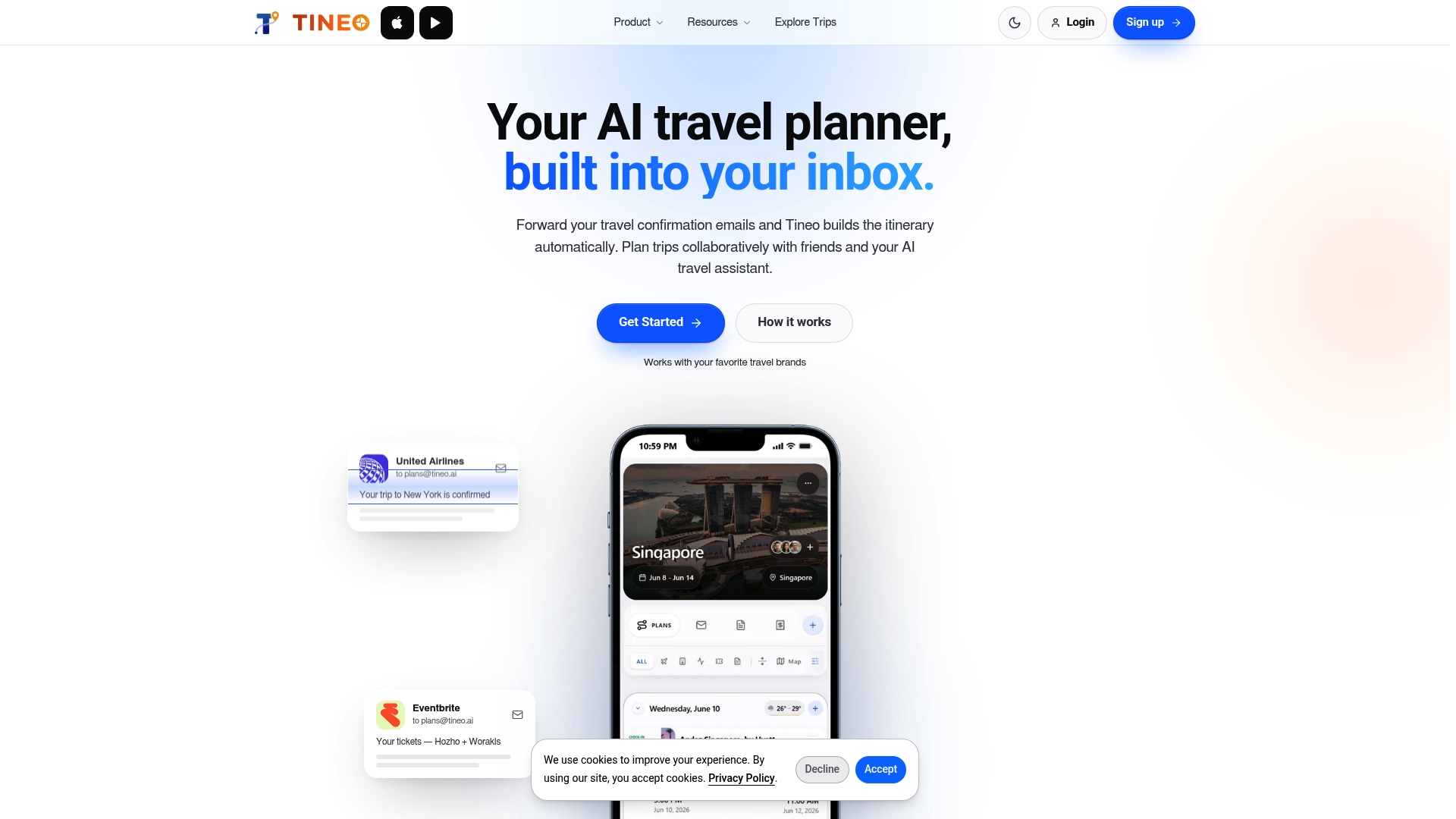
We know passport copies are just one piece of a bigger travel-organization problem, especially on group trips with multiple bookings and people. Tineo turns your confirmation emails into a shared itinerary, so flight, hotel, and car rental details sit next to the document references and emergency contacts your group actually needs mid-trip.
If you want to see how plans compare, including the free tier and paid premium upgrades, visit our pricing page.
FAQ
How do I store a digital copy of my passport?
Save a high-quality scan or photo of your information page and MRZ as a password-protected PDF, then keep it in an encrypted cloud folder or password manager with two-factor authentication turned on. Share a copy with one trusted contact as a backup, and revoke that access once your trip ends.
What is the best place to keep a copy of your passport?
Keep a paper copy in a hotel safe, a locked suitcase, or a separate bag from your original passport, and store your digital copy in an encrypted cloud account. Never keep the paper copy in the same bag as your original.
Where should I put passport copies while traveling?
Split your copies across locations: one paper copy stays separate from your original in a hotel safe or different bag, and your digital copy stays accessible on your phone or in the cloud. This way, losing one bag or device doesn’t leave you with nothing.
How do I make a photocopy or scan of my passport?
Lay your passport flat on a plain surface, use even lighting without flash, and photograph or scan the information page along with the MRZ so every character is legible. For online applications, check the exact page requirements first, since some authorities, like Immigration New Zealand, ask for a PDF under a specific file size.
Can Tineo help me organize my passport and travel documents?
Tineo centralizes your trip bookings and document references in one shared itinerary, which makes it easier for a group to find emergency details quickly. It’s an organization tool, not a replacement for encrypted backups or official consular procedures.
Sources
- Gov
- Providing your passport for an online application :: Immigration New Zealand
- Passport services | Smartraveller