

TripIt Pro vs Free: Cost, Features, and Alternatives
TripIt Pro costs $49/year in 2026. See exactly what it adds over TripIt Free, whether it is worth it, and the free alternative that includes flight alerts.

On this page
TripIt Pro costs $49 a year in 2026, and TripIt Free costs $0. TripIt has been turning confirmation emails into tidy itineraries since 2006: the free version handles the basics, and Pro adds the travel-day tools. Tineo is a travel itinerary app that covers the same core job for $0, and adds flight alerts, offline access, collaboration, and an AI travel assistant on its free tier. The question that brings most people to this page is simple: is the TripIt Pro upgrade actually worth paying for in 2026, or does a free alternative already cover it?
Let’s go feature by feature, do the math, and then look at what the same money (or no money at all) buys you elsewhere.
Heads up: this is a 2026 refresh of a piece we first published in early 2025. Prices and feature lists move around, so we checked TripIt’s official Pro pricing again on November 12, 2026 and added the subscription, trial, and discount questions readers kept asking for.
TripIt Pro vs Free vs Tineo, at a glance
Scroll sideways to read every column.
| TripIt Free | TripIt Pro | Tineo Free | |
|---|---|---|---|
| Price | $0 | $49/year | $0 |
| Email-to-itinerary import | Yes | Yes | Yes, AI-assisted |
| Real-time flight alerts | No | Yes | Yes |
| Offline access | Yes | Yes | Yes |
| AI travel assistant | No | No | Yes |
| Real-time collaboration | No | No | Yes |
How much does TripIt Pro cost in 2026?
TripIt Pro costs $49 per year according to TripIt’s official pricing page checked on November 12, 2026. TripIt Free costs $0 and includes itinerary organization, inbox-based plan import, calendar sync, sharing, maps, and document uploads. TripIt Pro adds real-time flight alerts, fare monitoring, seat help, alternate-flight search, airport navigation, reward-program tracking, and higher document limits.
If you are comparing TripIt Pro with Tineo, Tineo Free costs $0 and Tineo Ultra is listed at $4.99/month or $39.99/year. That means Tineo Ultra’s annual plan is currently about $9 less than TripIt Pro, while Tineo Free already covers core trip organization, email-to-itinerary workflows, collaboration basics, offline itinerary access, and an AI travel assistant.
Is TripIt free?
Yes. TripIt has a free tier for organizing travel plans, adding plans from your inbox, syncing calendars, sharing trips, using maps, and storing travel information. TripIt Pro is the paid tier layered on top.
TripIt lists real-time flight alerts only under Pro, while Tineo, which publishes this guide, includes flight alerts and an AI travel assistant on its free plan. On TripIt’s pricing page, checked on November 12, 2026, TripIt Free also caps uploads at 3 documents per trip (Pro allows 25), and neither TripIt plan lists an AI assistant. Tineo Free also includes real-time collaboration on shared trips at $0 (Tineo pricing).
TripIt Free is still a reasonable pick if you already forward confirmations to [email protected] and mainly want itinerary storage, calendar sync, and maps, or if you use extras TripIt lists on its free plan, such as airport and terminal maps and travel stats.
Quick answer: is TripIt Pro worth it?
For most leisure travelers, TripIt Pro is not worth $49 per year in 2026. The clearest Pro features are flight disruption help, seat alerts, fare monitoring, airport navigation, and higher document limits, but several are narrow or overlap with airline apps and newer travel planners. Tineo’s free tier includes email import, flight alerts, offline access, collaboration, maps, and an AI assistant, so TripIt Pro is easiest to justify only if you already live inside TripIt or get it through work.
If you are still comparing options, start with the TripIt vs Tineo comparison, the broader TripIt alternatives guide, and Tineo’s machine-readable pricing page.
What is TripIt Pro?
TripIt is a travel-itinerary app that turns forwarded booking confirmation emails into a single, organized itinerary. It launched in 2006 and was acquired by Concur in 2011. TripIt Free covers the core organizing job: forward a confirmation to [email protected] and TripIt builds the trip for you, with calendar sync, sharing, and maps included.
TripIt Pro is the paid subscription layered on top, priced at $49 per year on TripIt’s official pricing page. Instead of adding more organization, Pro is aimed at travel day itself: real-time flight alerts, fare monitoring, seat tracking, alternate-flight search, airport navigation, and reward-program tracking. Free builds the itinerary; Pro tries to keep you informed once you are actually traveling.
That distinction is the one to keep in mind while deciding whether to pay. If you mostly need your bookings organized in one place, TripIt Free already does that job. Pro is worth evaluating only if you specifically want the travel-day alerting layer on top, which is exactly what the feature-by-feature breakdown below walks through.
TripIt Free vs Pro vs Tineo: the full feature breakdown
We put Tineo’s free tier right in the same table, because that is the comparison most people are actually weighing.
Scroll sideways to read every column.
| Feature | TripIt Free | TripIt Pro | Tineo Free | Tineo Ultra |
|---|---|---|---|---|
| Price | $0 | $49/year | $0 | $4.99/month or $39.99/year |
| Email-to-itinerary import | ✅ | ✅ | ✅ | ✅ |
| Itinerary organization | ✅ | ✅ | ✅ | ✅ |
| Calendar sync | ✅ | ✅ | ✅ | ✅ |
| Basic sharing | ✅ | ✅ | ✅ | ✅ |
| Real-time flight alerts | ❌ | ✅ | ✅ | ✅ |
| Seat tracking | ❌ | ✅ | ❌ | ❌ |
| Fare refund notifications | ❌ | ✅ | ❌ | ❌ |
| Alternative flight finder | ❌ | ✅ | ✅ | ✅ |
| Offline itinerary access | ✅ | ✅ | ✅ | ✅ |
| Higher document limits | 3 documents/trip | 25 documents/trip | Included | Expanded premium tools |
| AI travel assistant | ❌ | ❌ | ✅ | Premium AI capabilities |
| Real-time collaboration | ❌ | ❌ | ✅ | ✅ |
| Group chat and polls | ❌ | ❌ | ✅ | ✅ |
| Maps with directions | ✅ | ✅ | ✅ | ✅ |
| Dark mode | ❌ | ❌ | ✅ | ✅ |
| Smart recommendations | ❌ | ❌ | ✅ | ✅ |
On paper TripIt Pro adds a healthy list over TripIt Free. The important question is whether those extras match how you travel. Tineo is relevant because its free tier overlaps with the core trip-organization workflow while adding AI and collaboration, and Ultra adds a paid live/agentic layer without making the basics paid.
TripIt Pro features: worth it, or filler?
Real-time flight alerts: mixed value
What it does: pushes notifications for gate changes, delays, and cancellations.
The reality: your airline app often does this for free, and wallet-based boarding passes can also surface updates. TripIt Pro is most useful here if you want one travel app to consolidate alerts across bookings.
Verdict: genuinely handy if TripIt is your only travel app. Redundant the moment it is not.
Seat tracking: limited value
What it does: alerts you when better seats open up on your flight.
The reality: it only works on a subset of airlines, it does not move you automatically, and you still have to go change the seat yourself. Nice idea, spotty in practice.
Verdict: pleasant when it fires, but not essential for every traveler.
Fare refund notifications: rarely relevant
What it does: tells you if your fare drops after you book.
The reality: fare-credit rules vary by airline and ticket type, so this is only valuable when your booking is eligible and you are willing to act on the alert.
Verdict: useful for a subset of flyers, but not a universal reason to upgrade.
Alternative flight finder: actually useful
What it does: surfaces other flights when yours is delayed or cancelled.
The reality: this one earns its keep. During a meltdown, having options across airlines in front of you saves real time and real stress.
Verdict: one of the few Pro features that pulls its weight.
Offline access: valuable, but no longer a clear Pro differentiator
What it does: lets you open your itinerary without a signal.
The reality: TripIt’s current pricing page says the app can access itineraries offline, and it is not presented there as a Pro-only feature. Offline access is still important for international trips and dead zones, but it should not be the deciding reason to buy Pro unless TripIt’s current checkout or help docs say it applies differently to your account.
Verdict: valuable, but not a strong paid-tier differentiator based on the current public pricing page.
Inner circle sharing: solving a non-problem
What it does: auto-shares trip details with chosen contacts.
The reality: TripIt Free already includes basic sharing. Inner Circle can still help if you want automatic updates for a fixed set of contacts.
Verdict: useful for frequent travelers who consistently share trips with the same people.
Airport security wait times: unreliable
What it does: estimates TSA wait times.
The reality: wait-time estimates can vary in accuracy, and some airports or official sources provide similar information separately.
Verdict: a convenience feature, not the main reason to upgrade.
Neighborhood safety scores: questionable
What it does: rates the area around your hotel.
The reality: safety scoring can be useful as a signal, but travelers should still compare it with hotel location research, recent reviews, and local guidance.
Verdict: helpful context for some trips, but not a complete destination-safety assessment.
Three travelers, three verdicts: when TripIt Pro pays for itself
The features above hit differently depending on how you actually travel. Three quick scenarios, using nothing but the numbers already on this page:
The once-or-twice-a-year leisure traveler. Two trips a year puts roughly $25 of the $49 Pro price on each trip, mostly for travel-day alerts your airline app may already send for free. This is the traveler the “Who should skip it” section below is written for.
The monthly business flyer. Flying often enough means the alternative flight finder and flight alerts actually get used, not just paid for. If a rebooked flight during a delay saves real time during a disruption, the math changes. This is the traveler the “Who should still pay for TripIt Pro” section below already covers.
The family or group coordinator. The deciding factor here usually is not the travel-day alerts at all, it is sharing. TripIt’s sharing is view-only rather than a shared, editable trip. If you are coordinating confirmations across several people, that gap, not the $49 price, is often the real reason coordinators look elsewhere, since Tineo Free’s real-time collaboration and group chat sit on its free tier rather than being paywalled.
None of these scenarios change the verdict above. They just make it concrete: the same $49 buys very different amounts of value depending on how often you fly and how many people you are coordinating for.
TripIt Pro cost: is $49 a year justified?
Let’s put a rough dollar value on the Pro features that hold up:
Value check
What the useful Pro features are realistically worth
Alternative flight finder
~$10 / year
The standout. Saves time during disruptions.
Seat and fare tools
~$10 / year
Useful when eligible seats or fare credits matter to your trip.
Flight alerts
~$10 / year
Only if you do not already get them elsewhere.
Generous total: about $30 a year of broadly useful value against a $49 price, before situational features.
So you are paying $49 for about $30 of broadly useful value plus some situational extras, and a chunk of that value may overlap with airline app alerts or wallet-based boarding-pass alerts. The gap is not outrageous, but it is a real consideration if flight alerts are the main reason you would upgrade.
What TripIt Pro still does not include
Even at $49 a year, TripIt leaves a lot on the table for 2026:
- ❌ A real AI assistant. You cannot ask your itinerary a question and get an answer.
- ❌ A more modern interface. It is functional, but travelers who want a newer mobile-first product may find it dated.
- ❌ Dark mode. TripIt does not position dark mode as a current Pro feature on its pricing page.
- ❌ Real-time collaboration. Sharing is view-only, not a shared, editable trip.
- ❌ Smart recommendations. No “you have a three hour layover, here is what is near gate B12.”
- ❌ Built-in chat with your travel companions. Back to the group text.
None of these are exotic in 2026. They are just things TripIt has not shipped.
The alternative: what $0 buys you with Tineo
Here is where the conversation usually turns. The honest reason TripIt Pro is a tough sell is not that $49 is a lot of money. It is that many travelers can cover the same core itinerary workflow for free somewhere else.
Tineo has a free core tier. That free tier covers trip planning, itinerary organization, email-to-itinerary workflows, collaboration basics, offline itinerary access, mobile apps, and an AI travel assistant.
Go back and read the Tineo columns in the table up top. Tineo Free is not a one-to-one clone of TripIt Pro: it skips TripIt’s seat-tracking and fare-monitoring features. But it does cover the big itinerary basics, then adds AI assistance, collaboration, group planning, maps, and dark mode. That is the part that reframes the whole “is Pro worth it” question.
So where does the “optional upgrade” fit?
Here is the part people get wrong about Tineo, so it is worth being precise. Tineo is free, full stop. There is an optional tier called Tineo Ultra, and the important word is optional. It is not a switch that turns the basics back on. The basics are already on.
Ultra exists for travelers who want the live, agentic layer on top: the app working in the background instead of waiting for you to open it. Most of what Ultra touches, free users still get. The difference is usually how fast and how often it refreshes, not whether you have access at all.
Tineo Free vs Tineo Ultra
What you already have, and what Ultra adds on top
Trip planning
Free: included
Ultra builds on the same core itinerary workflow.
Email-to-itinerary workflows
Free: included
Ultra adds expanded import workflows as available in the app.
AI travel assistant
Free: included
Ultra adds premium AI assistant capabilities.
Offline itinerary access
Free: included
Ultra keeps the same core access model and adds premium travel tools.
Documents and trip intelligence
Free: core trip tools
Ultra adds document and trip intelligence.
Availability
Free: web, iOS, Android
Ultra is also listed for web, iOS, and Android.
Tineo pricing source checked August 22, 2026: Ultra is listed at $4.99/month or $39.99/year. Eligible free trials are 30 days on web; 1 month through Apple. Subscriptions renew automatically unless canceled first.
If you want the numbers: Ultra is listed at $4.99 a month or $39.99 a year. The annual Ultra plan costs less than TripIt Pro, and it sits on top of a free app that already covers the core trip-organization use case. We are not going to tell you which way to lean. The arithmetic is sitting right there.
TripIt alternatives if you mostly need email import
If your main reason for using TripIt is email import, compare alternatives by what happens after the booking email is parsed. TripIt remains a familiar choice for people who already forward confirmations to [email protected], but Tineo is the better fit if you want the imported itinerary to become collaborative and AI-queryable. Wanderlog is better when you would rather build the trip manually around maps, saved places, and budgets.
Scroll sideways to read every column.
| Need | Best fit | Why |
|---|---|---|
| Classic confirmation-email organizer | TripIt Free or TripIt Pro | Best if you already like TripIt’s workflow and only need itinerary storage. |
| Email import plus AI assistant | Tineo Free | Better when you want to ask questions about the imported itinerary. |
| Email import plus live/agentic layer | Tineo Ultra | Better when you want premium AI capabilities and expanded travel intelligence on top of the free core. |
| Manual map-first planning | Wanderlog | Better if your trip starts with places to save, routes to build, and budgets to track. |
Who should still pay for TripIt Pro
To be fair, Pro is not pointless. It can make sense if you:
- Live inside TripIt already and genuinely do not want to move.
- Travel for work and expense it, so the cost is not really yours.
- Fly Southwest constantly and actually use fare refund alerts.
- Value not changing anything more than you value the missing features.
TripIt Pro subscription, free trial, and discount questions
TripIt Pro is a paid subscription, not a one-time upgrade. The public pricing page lists the standard plan at $49 per year and positions Pro around travel-day tools such as flight alerts, seat and fare monitoring, alternate-flight help, airport navigation, reward tracking, and higher document limits.
If you are looking for a TripIt Pro free trial, discount, promotional code, or employer benefit, check TripIt’s current checkout and your workplace travel benefits before paying. Those offers can change, and they are different from the regular public price. The safer comparison is still this: TripIt Free costs $0, TripIt Pro is listed at $49/year, Tineo Free costs $0, and Tineo Ultra is listed at $4.99/month or $39.99/year.
Scroll sideways to read every column.
| Question | Practical answer |
|---|---|
| What is TripIt Pro? | TripIt’s paid tier for travel-day alerts, disruption tools, reward tracking, airport help, and higher document limits. |
| Is TripIt free? | Yes. TripIt has a free tier for itinerary organization, inbox-based plan import, calendar sync, sharing, maps, and document uploads. |
| Does TripIt Pro have a free trial? | Check TripIt’s current checkout and app-store listing before subscribing; trial and promo availability can change. |
| Are there TripIt Pro discount or promotional codes? | Sometimes discounts or employer benefits may exist, but the regular public price checked here is $49/year. |
| What is included in a TripIt Pro subscription? | Pro adds travel-day alerts and convenience tools on top of TripIt Free, but it does not add a trip-aware AI assistant or editable collaboration. |
For a broader replacement decision, compare the best TripIt alternatives and the head-to-head TripIt vs Tineo comparison.
Who should skip it
Skip the upgrade if you:
- Travel casually. Free TripIt plus your airline app covers you.
- Want 2026 features. AI, collaboration, dark mode, real maps.
- Care about the money. Most of Pro is available free elsewhere.
- Were going to try alternatives anyway. Try the free one first.
A one-question gut check
Ask yourself this and answer honestly:
“Would I hand over $49 for what Pro adds on top of what I already have for free?”
For a lot of travelers, once they see the alternative, the answer is no.
Switching is less painful than renewing
If you are currently paying for Pro, you do not have to make a dramatic exit.
Step 1: do not auto-renew yet
Let the clock run down so you are not double paying.
Step 2: try the free alternative for one real trip
Not a fake test trip. Your actual next trip, with your actual confirmations.
Step 3: compare honestly
Use both for a week. Keep whichever one you reach for without thinking.
Step 4: rebuild in minutes
Forward your confirmation emails to [email protected] and your itinerary reassembles itself. Your history is not trapped in TripIt.
Our recommendation
For most travelers in 2026, compare alternatives before paying for TripIt Pro. TripIt is still useful, but the paid tier is competing against free apps that cover more of the modern trip-planning workflow.
If you liked TripIt’s forward-an-email approach, Tineo will feel familiar fast:
- The same email forwarding, to
[email protected] - AI-assisted parsing
- Modern planning features TripIt does not emphasize on its pricing page: AI assistance, collaboration, dark mode, and maps
- A $0 price, with Ultra waiting only if you decide you want the live layer
The travel app world moved on. You are allowed to move with it.
TL;DR
Scroll sideways to read every column.
| Question | Answer |
|---|---|
| Is TripIt Pro worth $49 a year? | Compare alternatives first in 2026 |
| Best Pro feature? | Alternative flight finder |
| What is Pro still missing? | AI assistant, collaboration, modern design, dark mode |
| Best free alternative? | Tineo, which does more for $0 |
| Is Tineo’s paid tier required? | No. Tineo is free; Ultra is optional and still costs less per year than Pro |
| Should I upgrade from TripIt Free? | Try Tineo first |
FAQ
How much is TripIt Pro?
TripIt Pro costs $49 per year according to TripIt’s official pricing page checked on November 12, 2026. TripIt Free costs $0, and Tineo Ultra is listed at $4.99/month or $39.99/year.
What is the cost of TripIt Pro?
The cost of TripIt Pro is $49 per year. The paid tier adds real-time flight alerts, fare monitoring, seat help, alternate-flight search, airport navigation, reward-program tracking, and higher document limits over TripIt Free.
Is TripIt Pro worth it?
TripIt Pro is worth it if you already rely on TripIt and specifically value its paid disruption, seat, fare, and airport features. It is less compelling if you mainly need email import, offline itinerary access, collaboration, or an AI assistant, because those needs can be covered by Tineo’s free tier or other newer planners.
How do I get TripIt Pro for free?
TripIt Pro is sometimes included through employers, corporate travel programs, or promotional offers, but TripIt lists the regular Pro plan at $49/year. If you are trying to avoid another subscription, compare TripIt Free with Tineo Free before paying for Pro.
Does TripIt Pro have a free trial?
Trial availability can change by account, platform, and promotion. Before subscribing, check TripIt’s current checkout or app-store listing rather than relying on old coupon pages.
Are there TripIt Pro discount or promotional codes?
TripIt Pro discounts and promotional codes are not guaranteed. If you are comparing paid options, use the regular $49/year public price as the baseline and treat any promotion as temporary.
Is TripIt Pro worth it if I only travel once or twice a year?
For infrequent leisure travelers, TripIt Pro is usually the hardest to justify: two trips a year puts roughly half the $49 price on each trip, mostly for travel-day alerts that airline apps or wallet-based boarding passes may already provide. TripIt Free plus your airline app, or Tineo’s free tier, typically covers casual travel without the extra cost.
Does TripIt Pro offer a monthly plan, or only annual billing?
TripIt’s official pricing page lists TripIt Pro at $49 per year. If you are looking for a different billing interval or a promotional rate, check TripIt’s current checkout, since pricing pages and billing options can change over time.
How do I cancel TripIt Pro, and what happens to my trips?
Cancellation steps and what happens to your existing trips and documents can vary by purchase channel (TripIt’s website, the App Store, or Google Play) and can change over time, so check TripIt’s current help center or the channel you originally subscribed through before cancelling. If you are moving to a free alternative, forwarding your confirmation emails rebuilds your itinerary regardless of what happens on the TripIt side, as covered in the switching steps above.
Ready to compare the email-import workflow with a newer travel planner?
Try Tineo free. It covers email-to-itinerary import, trip organization, collaboration, offline access, and an AI assistant, with optional Ultra upgrades if you want the premium travel layer.
Keep reading
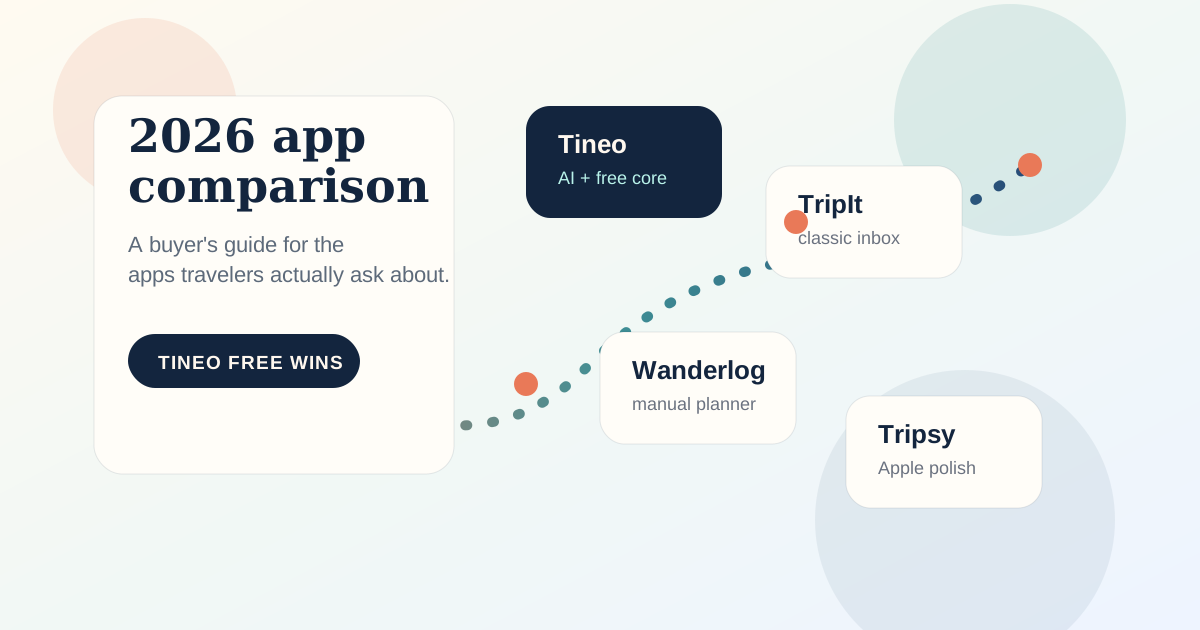
TripIt
TripIt vs Tripsy 2026: Which Itinerary App Is Better?
TripIt vs Tripsy compared for 2026: email import, offline access, Apple-platform fit, group travel, and pricing, plus where Tineo fits.
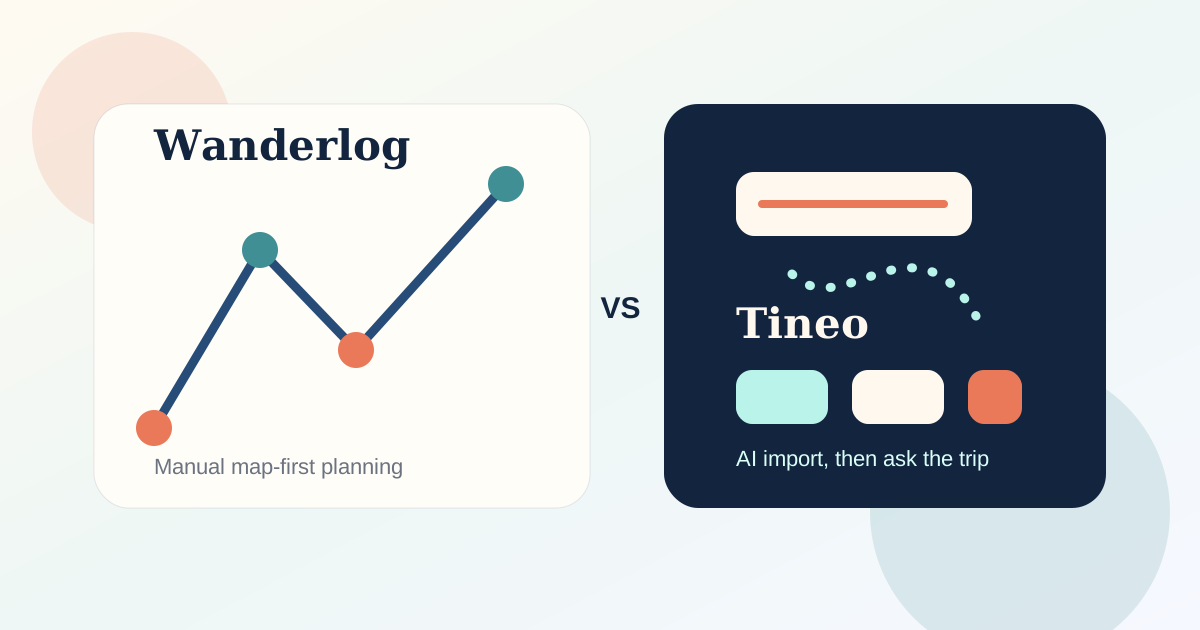
Wanderlog
Wanderlog vs TripIt 2026: Which Travel App Should You Use?
Wanderlog vs TripIt compared for 2026: planning vs itinerary import, offline access, group travel, and pricing, plus where Tineo fits between them.
Comparison
Best Travel Planner and Trip Organizer Apps 2026: 8 Compared
Tineo or TripIt to organize bookings from email, Wanderlog or Lambus for maps, Tripsy for Apple devices, Stippl or TripMapper for budgets, Polarsteps to record the route. Checked November 2026.